 By Kelvin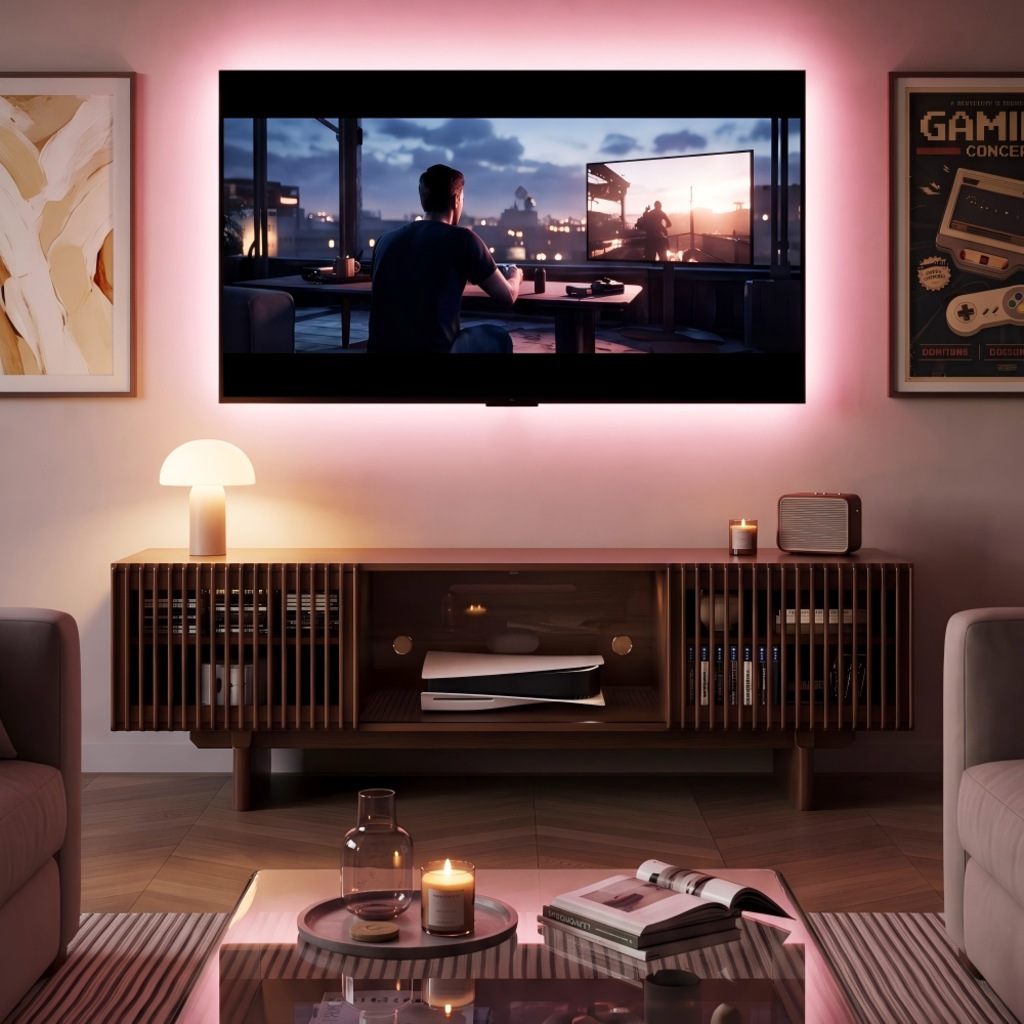
A small game room should give you enough space to play comfortably without making the room feel crowded. These small game room ideas show how to arrange gaming desks, screens, seating, and storage in compact bedrooms, spare rooms, and shared living spaces. Whether you prefer PC gaming, console sessions, or tabletop games, the right layout depends on how you use the room. Below are seven practical setups, along with furniture recommendations, space-planning tips, and measurements to help you create a game room that works for everyday life.
Table of Contents
7 Small Game Room Ideas for Different Spaces
The most useful small game room ideas start with your gaming habits, not the room’s appearance. A PC setup needs desk space and an adjustable chair, while console gaming works better with comfortable seating facing a screen. If the room serves other purposes, furniture flexibility becomes equally important. These seven layouts address different needs without requiring a dedicated entertainment room.
1. Corner PC Gaming Setup
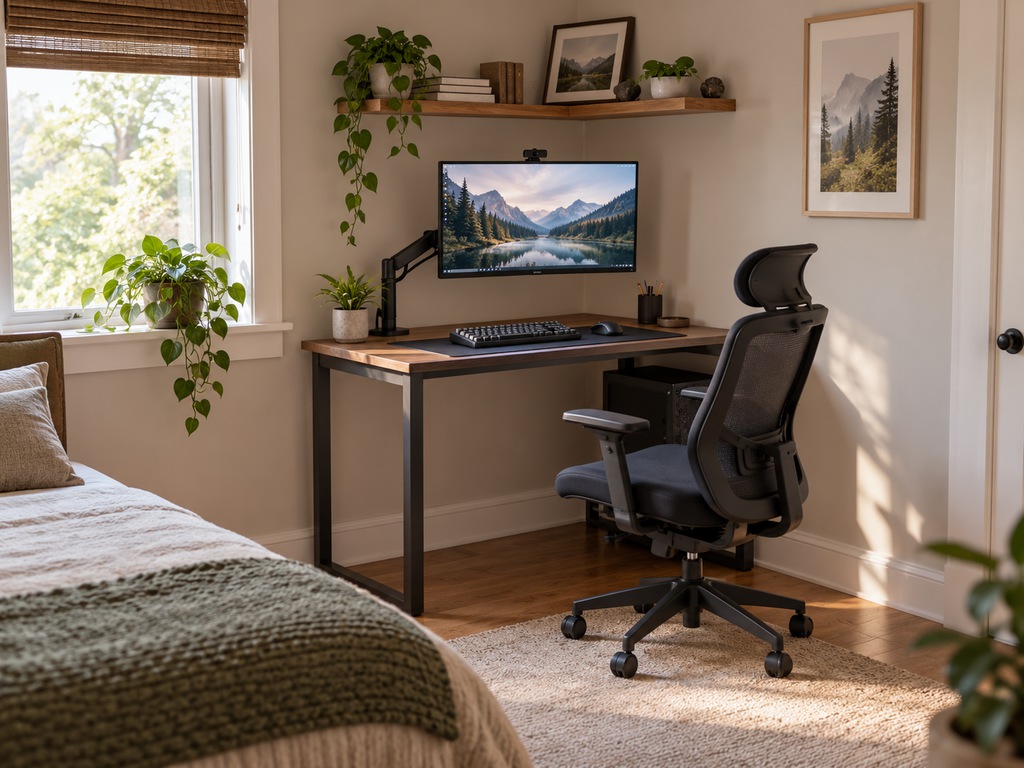
A corner desk can turn an unused section of a bedroom into a functional gaming station without occupying the entire room.
Choose a desk approximately 40–48 inches wide for a basic single-monitor setup, depending on your equipment. An L-shaped desk may provide additional surface area if both walls have enough clearance.
Mounting the monitor on an adjustable arm frees up desk space for a keyboard, mouse, and accessories. Add a narrow wall shelf above the desk for lightweight items.
Leave roughly 30–36 inches behind your chair when possible so you can move without hitting a bed or cabinet. For an especially tight corner, measure the chair’s full recline and backward movement before buying.
2. Console Gaming Lounge With Compact Seating
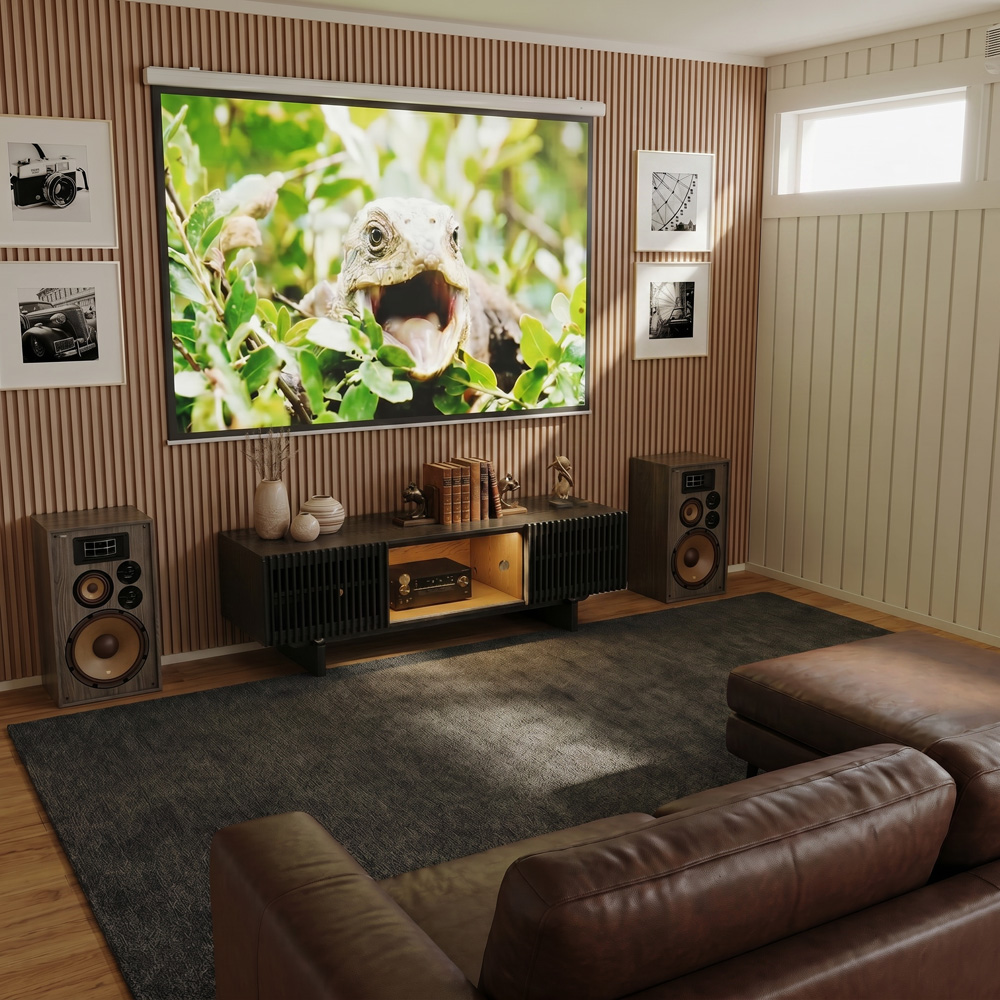
Console gaming works well with a wall-mounted TV, a compact sofa, and organized media storage. Unlike a PC setup, it doesn’t require a dedicated desk, making the layout suitable for a small bedroom or family entertainment room.
Position the seating directly across from the screen and keep the center of the TV near seated eye level. Avoid placing a large coffee table where players need to stretch their legs.
When multiple consoles, controllers, and media devices share one wall, storage becomes important. The Delven Verse Mid-Century Modern TV Stand offers three enclosed cabinets, adjustable shelves, and dedicated cable openings to organize equipment. The deep cabinet design accommodates larger receivers and gaming equipment, while adjustable storage allows different devices to share the same entertainment area.
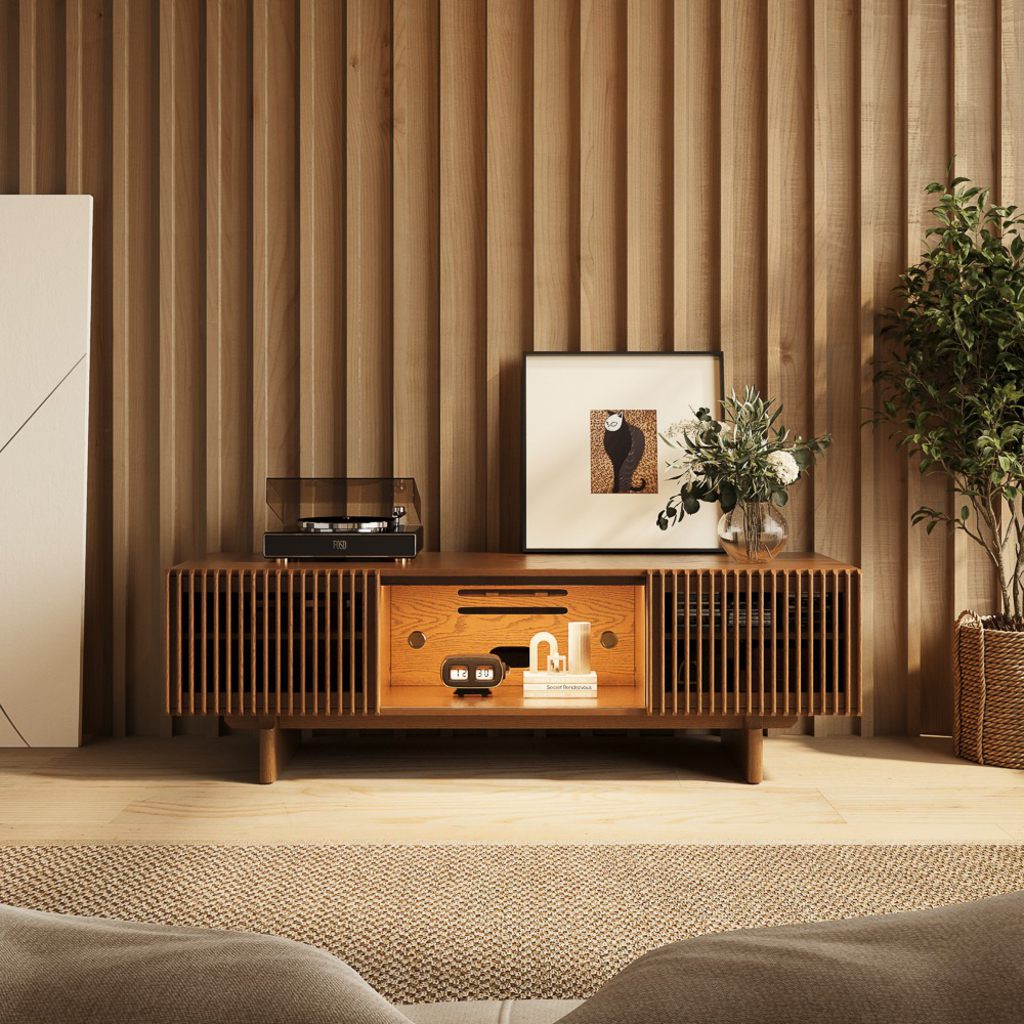
Delven Verse TV Stand
Organizes gaming consoles and media equipment within one structured entertainment center.
👍 Best for: Console gaming with multiple devices
✨ 18.3-inch usable interior depth
✨ Nine internal and rear cable openings
✨ Adjustable and removable interior shelves
For shared gaming sessions, gaming couches for different game room setups also require consideration of viewing angles, available seating positions, and the space needed when furniture reclines.
3. Fold-Down Tabletop Game Corner
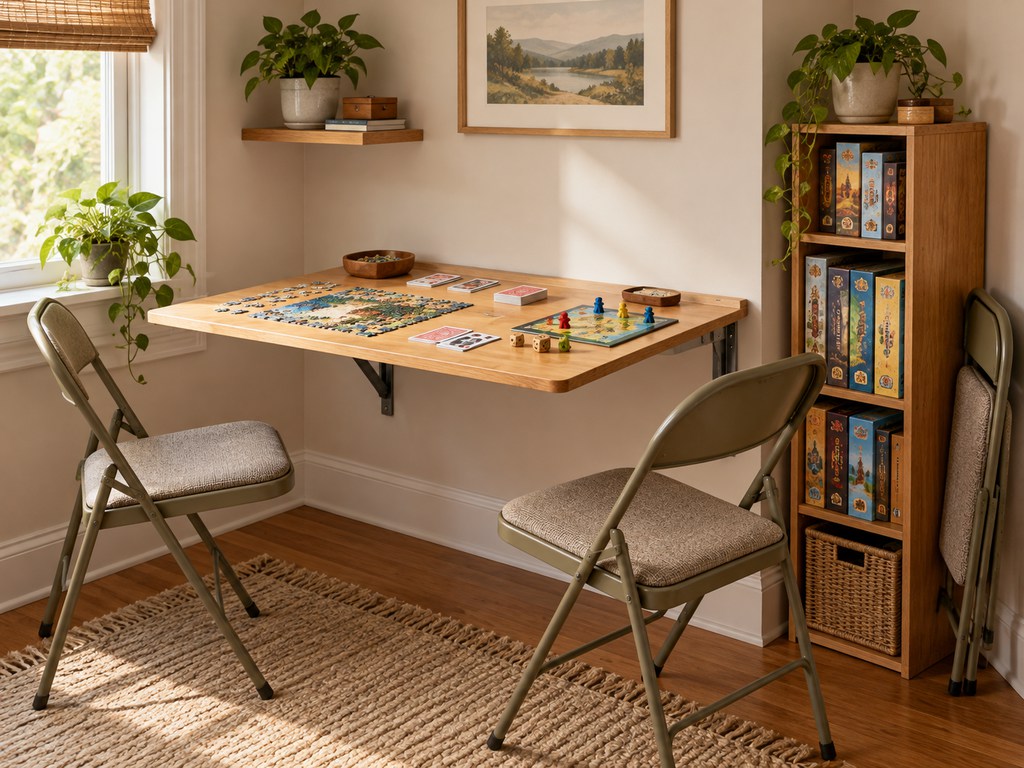
A tabletop gaming area doesn’t need a permanent dining-sized table. A wall-mounted folding table or compact square table can provide enough surface area for cards, puzzles, and smaller board games.
For two players, a tabletop around 30 inches wide may work for compact games. Larger board games or four-player sessions usually require more surface area.
Place folding chairs nearby and use a slim cabinet for game boxes. Keep frequently played games accessible while storing larger collections vertically.
Before installing a folding table, check the wall’s supporting structure and the manufacturer’s load requirements. Freestanding tables are a more flexible alternative for renters.
4. Wall-Mounted Arcade and Gaming Zone
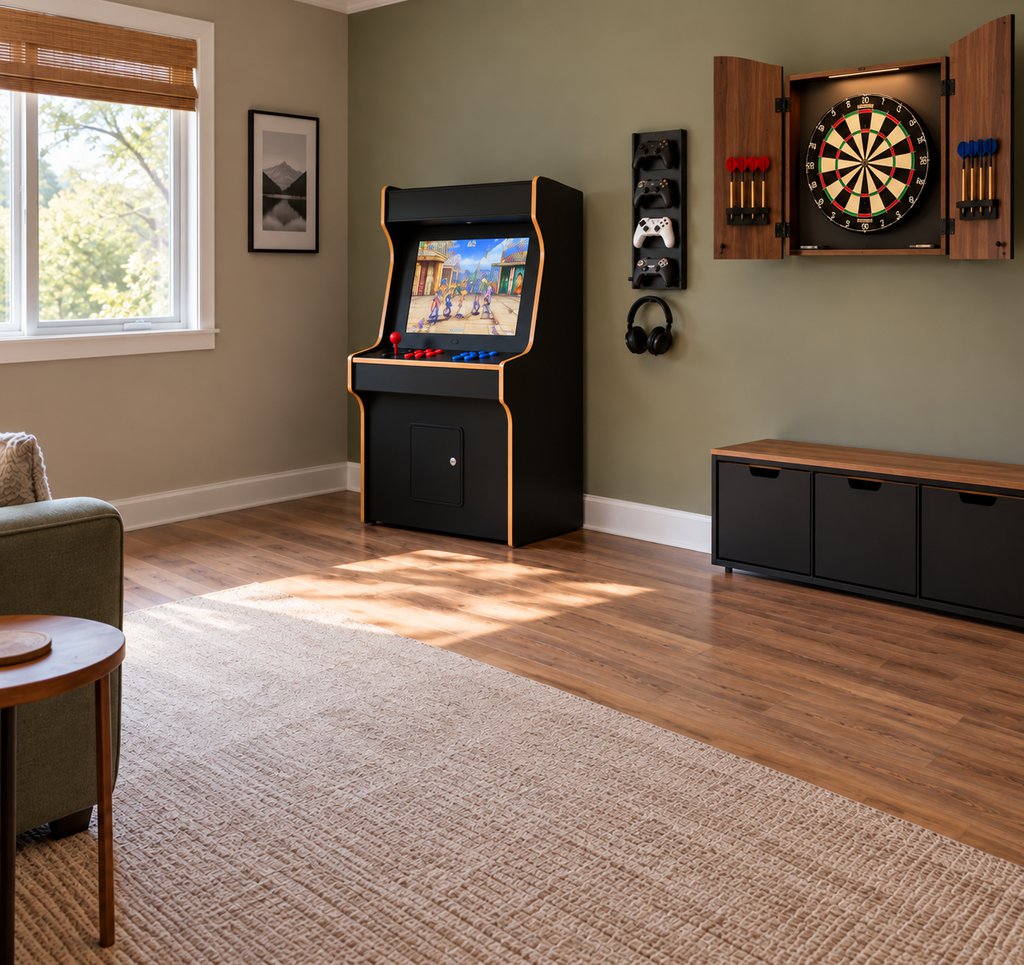
Wall-mounted game systems, dartboards, and compact arcade-style equipment can add entertainment without filling the room with bulky furniture.
Arrange the equipment along one wall instead of spreading activities around the room. This keeps the center open for movement and additional players.
However, wall-mounted doesn’t automatically mean space-saving. A dartboard still needs a clear throwing area, while motion-controlled games require enough room for safe arm movements.
Choose equipment based on its operating clearance, not just its mounted dimensions. Keep breakable decorations and screens away from active play zones.
5. Shared Living Room Game Zone
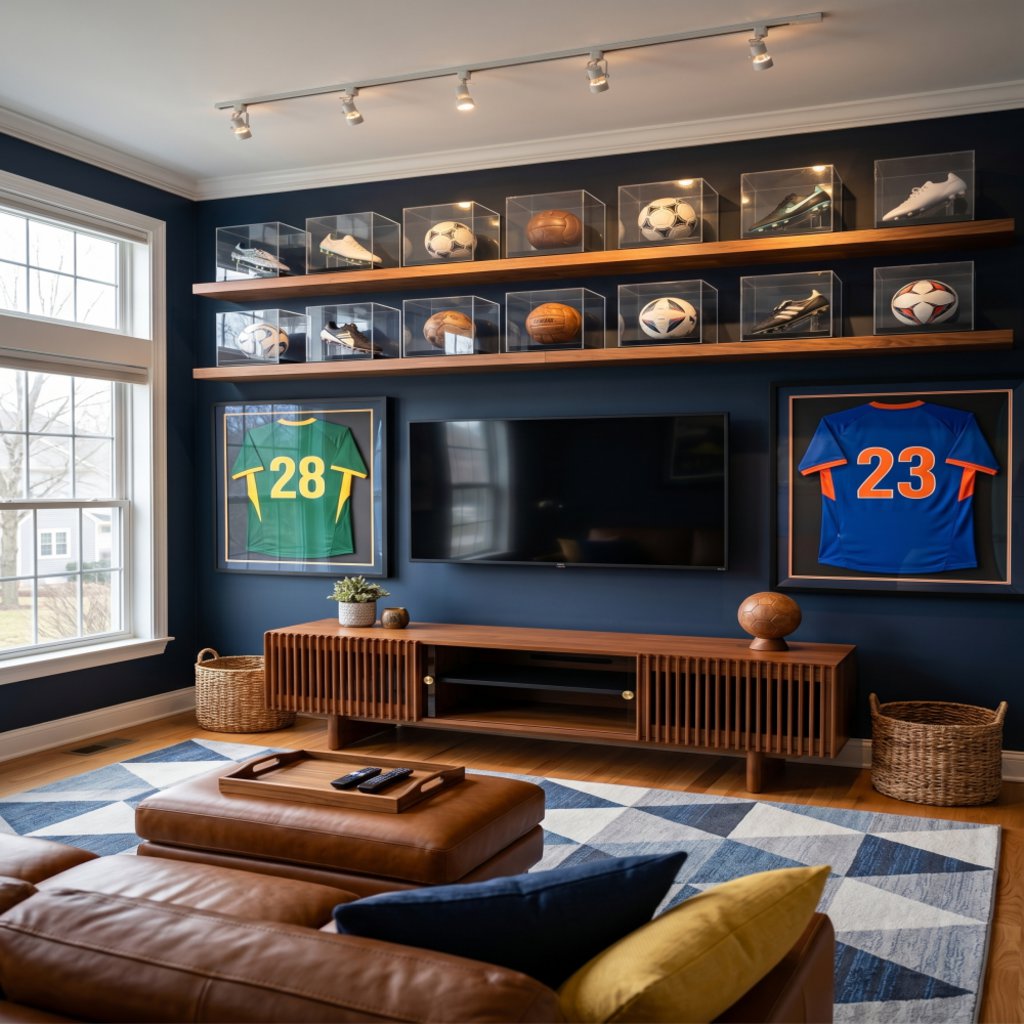
When you don’t have a spare room, a small gaming area can share space with your everyday living room.
Use the existing television as the main gaming screen and keep consoles inside a media cabinet or on a ventilated shelf. A sofa facing the television can serve both gaming and regular family activities.
For example, a family might use the same seating area for weekend multiplayer games and evening movies. Keeping controllers in a designated drawer allows the room to return to everyday use without moving furniture.
Choose a compact coffee table or movable side tables instead of a large fixed centerpiece when floor space is limited.
6. Home Office and Game Room Combo
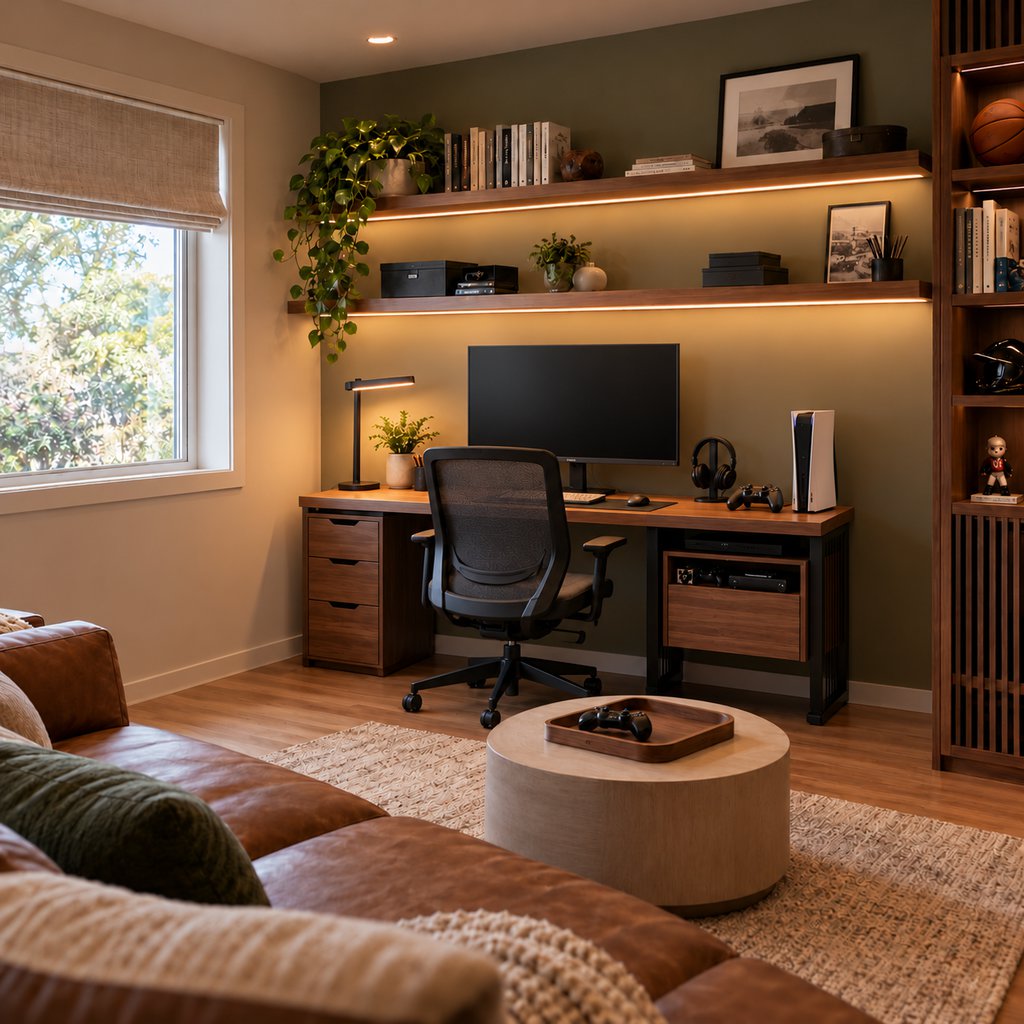
A combined office and gaming room works well when both activities use the same desk and monitor.
A 48–60-inch desk can accommodate a practical single-monitor workstation, depending on the computer and accessories. Use monitor arms and under-desk cable management to reduce clutter.
Keep work supplies in separate drawers so switching from spreadsheets to gaming doesn’t require clearing the entire desk.
If video meetings are part of your workday, consider the background visible behind your chair. Closed storage and adjustable lighting can help the room remain suitable for both activities.
7. Game Room and Guest Room Combo
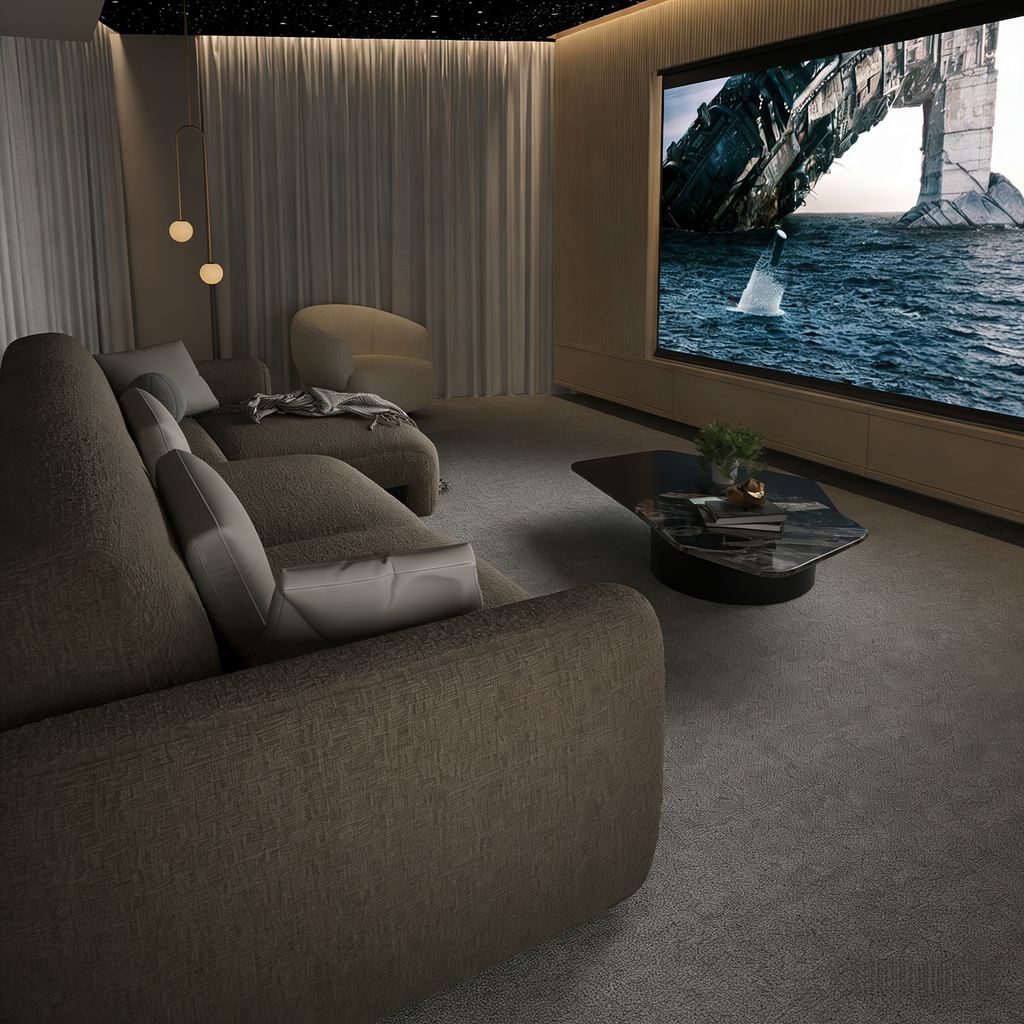
A spare bedroom that serves as a gaming room can also accommodate overnight guests without keeping a traditional bed permanently in place.
For this game room guest room combo, position the television and gaming equipment against one wall while using convertible seating in the main relaxation area. Measure the room in both everyday and sleeping configurations.
The Aurora Power Sofa Bed supports this arrangement with motorized seating that adjusts from 27 to 45.5 inches deep. Its soft chenille upholstery works for everyday console gaming and lounging, while the extended seating surface provides additional resting space for overnight guests. Check the fully extended footprint before choosing a sleeper sofa for game room use.
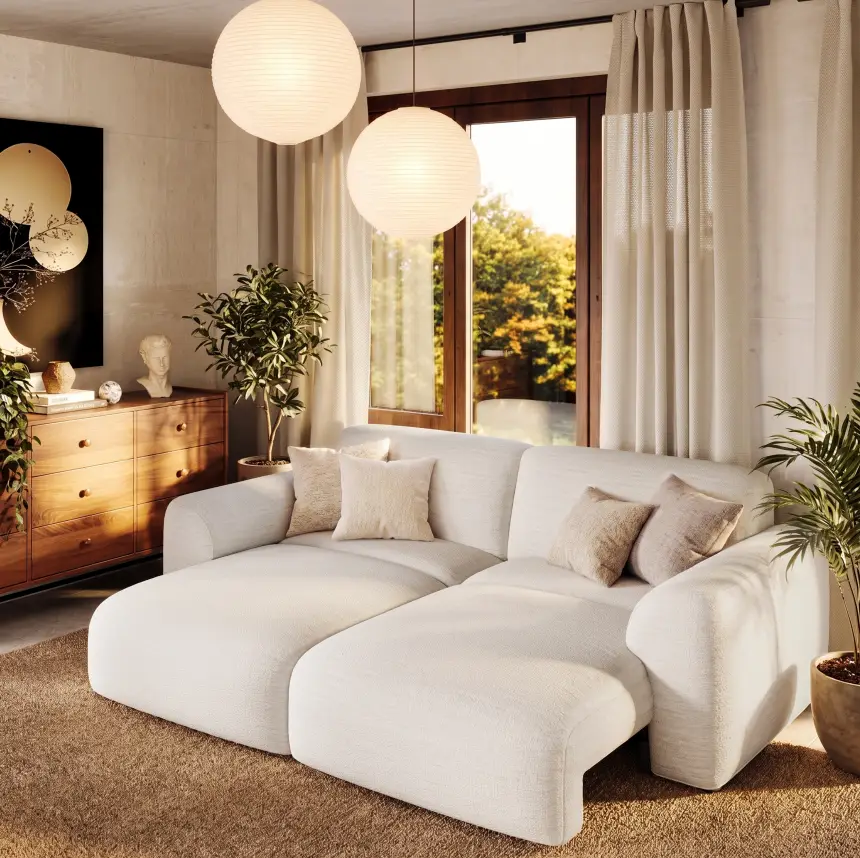
Aurora Power Sofa Bed
Adjustable seating supports console gaming, relaxed lounging, and occasional overnight stays.
👍 Best for: Gaming rooms accommodating overnight guests
✨ Adjustable powered seat extension
✨ Soft, water-resistant chenille upholstery
✨ Flexible sitting and sleeping configurations
How Much Space Does a Small Game Room Need?
A small gaming room doesn’t require a fixed minimum size. An 8×10-foot room can accommodate a compact PC station, while a 10×12-foot room may offer more flexibility for console seating or tabletop games.
The important measurement is usable floor space after furniture is installed, including the clearance required when chairs move, drawers open, or seating extends.
| Game Room Type | Space Planning Reference | What to Check |
| PC Gaming | 40–48″ desk width | Chair movement and legroom |
| Console Gaming | 30–36″ preferred main walkway | Viewing distance and seating depth |
| Tabletop Gaming | Around 30″ tabletop for compact two-player games | Chair clearance and game size |
| Shared Living Room | Measure sofa and table together | Space between seating and TV furniture |
| Game Room + Guest Room | Full sleeping configuration | Guest access and furniture clearance |
These are practical planning references, not universal minimum requirements. Actual furniture dimensions and room layouts determine what fits.
For example, an 8×10-foot bedroom might accommodate a gaming desk against the shorter wall, but adding a large recliner could block the closet. A smaller desk chair or compact loveseat may work better.
The same problem appears in small living room TV ideas: a media console may fit against the wall while still leaving insufficient room between the screen and seating.
Before purchasing furniture, mark its footprint with painter’s tape. Check door swings, outlet access, chair movement, and how easily someone can walk through the furnished room.
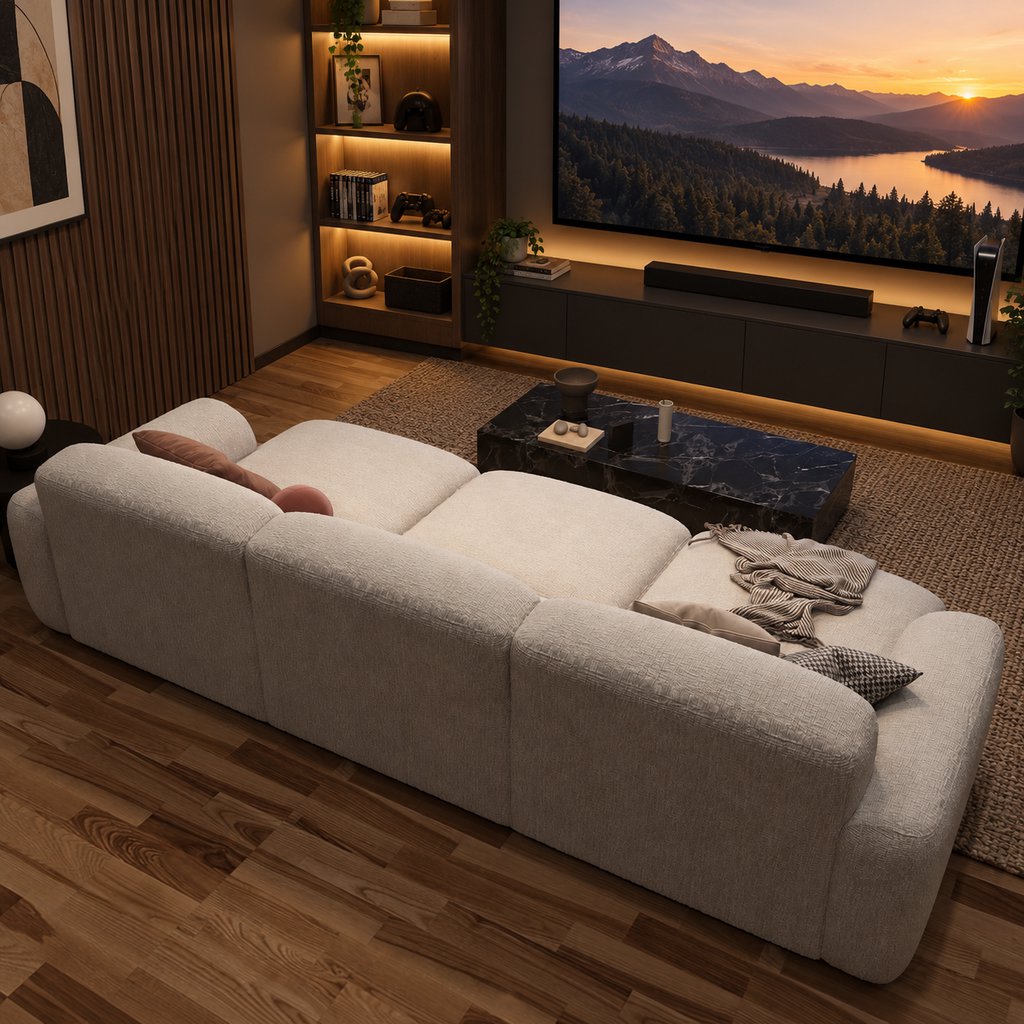
Choose Furniture, Storage, and Lighting That Save Space
Once you’ve selected a layout, choose furniture according to the activities it needs to support. In a small gaming room setup, every additional piece should solve a practical problem. Prioritize comfortable seating, accessible equipment storage, and lighting that works with your screen before adding decorative accessories.
Choose Seating Based on How You Play
For competitive PC gaming, an adjustable desk chair generally provides more useful posture control than a deep sofa.
Console gaming allows more flexibility. A compact loveseat accommodates two players, while deeper seating suits relaxed gaming and movie nights.
If your entertainment room also hosts visitors, power sofa beds for flexible sitting and sleeping can combine everyday seating with occasional overnight accommodation.
Match the furniture to the room’s most frequent activity rather than choosing extra features you rarely use.
Keep Storage Off the Floor
Use wall shelves, cabinet drawers, and enclosed storage to organize controllers, headsets, games, and charging accessories.
In shared living spaces, a coffee table with built-in storage can reduce the need for extra organizers.
The Silva Lifting Top Round Coffee Table is useful when gaming accessories and everyday living-room items need to share the same space. Its lifting tabletop provides an elevated surface for a laptop or snacks, while two drawers and concealed storage help keep controllers and smaller accessories organized between gaming sessions.
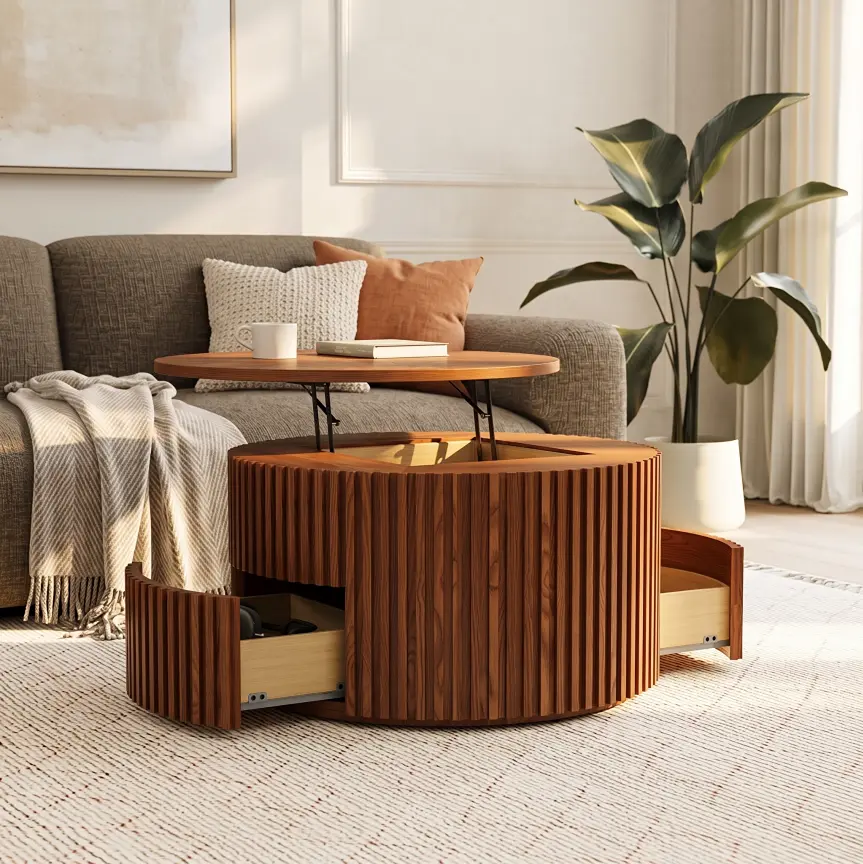
Silva Lifting Top Round Coffee Table
Combines accessible tabletop space with discreet storage for shared entertainment rooms.
👍 Best for: Shared gaming and living spaces
✨ Smooth lifting tabletop mechanism
✨ Two integrated storage drawers
✨ 31.5-inch round tabletop design
For electronic devices, prioritize cabinets with suitable cable openings and ventilation rather than completely enclosed storage.
Use Layered Lighting Without Visual Clutter
Combine general room lighting with adjustable task or accent lighting.
For PC gaming, a desk lamp or monitor light can illuminate the workspace without reflecting directly onto the screen. For console gaming, soft lighting behind the television may reduce the contrast between a bright screen and a dark room.
Choose adjustable brightness and avoid positioning exposed light strips directly in your line of sight.
Light-colored walls, a limited color palette, and fewer visible accessories can also make a compact entertainment room feel less visually crowded.
Conclusion
The most effective small game room ideas balance comfort, available space, and the way you actually play. A corner desk may suit a dedicated PC gamer, while compact lounge seating works better for console gaming and shared entertainment. If the room also serves as an office or guest bedroom, flexible furniture can make those transitions easier. Start by choosing the layout that matches your daily activities, then measure the space before purchasing furniture. A thoughtfully arranged gaming area should remain comfortable and practical even when you’re not playing.
Find Furniture That Fits Your Space
Explore POVISON sofas, coffee tables, and TV stands designed for comfortable, flexible everyday living.
Frequently Asked Questions
Can a 7-Foot Pool Table Fit in a 10×10-Foot Room?
Usually not with standard-length pool cues. Although the table itself may fit, players need additional room around every side for cue movement. A 10×10-foot room generally lacks sufficient playing clearance. Consider a tabletop pool set, compact alternative game, or measured short-cue arrangement instead.
How Can I Set Up a Game Room in a Rental Without Drilling?
Choose freestanding desks, storage shelves, and monitor stands instead of permanently mounted furniture. Use removable cable clips where permitted and keep gaming equipment on movable surfaces. Check your lease before attaching shelves or screens, since even small wall holes may require repair when moving out.
How Do I Reduce Gaming Noise in a Shared Apartment?
Start with headphones, lower speaker volume, and a thick rug to reduce some floor-borne noise. Curtains and upholstered furniture can help control room echoes, but they won’t fully block sound traveling through walls. Avoid placing speakers or subwoofers directly against a shared wall, especially during late-night gaming.
Can I Use a Projector Instead of a TV in a Tiny Game Room?
Yes, if the room supports the projector’s required throw distance and you can control ambient light. Short-throw models may suit smaller spaces, but they still require appropriate placement. For competitive gaming, compare input lag and refresh-rate support before buying; a television may offer a simpler setup.
How Can I Keep Gaming Consoles Cool Inside a Small Cabinet?
Use a cabinet with adequate airflow and leave the console’s intake and exhaust vents unobstructed. Check the manufacturer’s recommended clearance rather than relying on a universal measurement. If heat builds up during gaming, open the cabinet doors or move the console to a better-ventilated shelf. Cable openings alone don’t guarantee sufficient cooling.


[…] living room gaming setup ideas also help set a limit on furniture purchases. A second screen, gaming chair, or larger table should […]
[…] media room can support both console gaming and family entertainment without requiring two separate setups. Keep the screen and electronics along one wall, with seating […]