 By Jenny Smith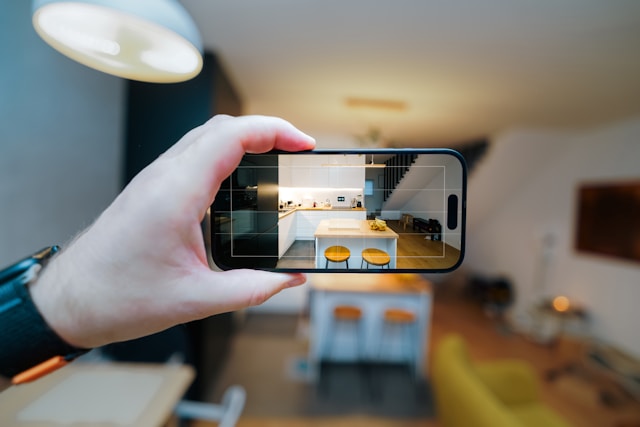
Buying furniture online is convenient—until you realize the “perfect” sofa is too deep for your walkway, or the finish looks totally different in your lighting. Augmented reality furniture changes that moment of doubt into a quick, visual check. Instead of imagining scale from a size chart, you can place a true-to-size 3D model in your actual room, walk around it, and see how it fits with everything you already own. With returns totaling $890 billion in 2024 (16.9% of sales) and retailers estimating $849.9 billion in returns for 2025 (15.8%), tools that reduce fit-and-style mistakes aren’t just “nice to have”—they’re becoming essential. (National Retail Federation & Happy Returns, 2024–2025)
What Is Augmented Reality Furniture and How Does It Work?
A simple breakdown of AR in home design
Augmented reality furniture uses your phone’s camera plus motion sensors to “anchor” a digital 3D model onto real surfaces—your floor, your wall, your rug—so the piece appears to exist in your space. When you move your phone, the furniture stays put (like it’s really there), letting you check scale, placement, and sightlines in seconds.
This is different from a static 3D viewer that only shows a product on a blank background. AR is more intuitive because it answers the questions your brain actually asks: “Will I bump into it?” “Does it block the window?” “Does it look bulky next to my media console?” Those answers are hard to get from dimensions alone.
AR vs 3D renders vs in-store shopping
AR sits in the sweet spot between “pretty but abstract” renders and “real but time-consuming” store visits. 3D renders can show styling, but they don’t prove fit in your room. In-store shopping gives real scale, but not your lighting, your layout, or your existing pieces.
Here’s a quick comparison:
| Method | Time cost | Realism in your room | Fit accuracy | Can you do it from home? |
| AR (View in Room) | Low | High | High (when placed correctly) | ✅ Yes |
| 3D renders / static 3D viewer | Low | Medium | Medium | ✅ Yes |
| In-store shopping | High | Medium (not your room) | High (in store) | ❌ No |
A practical takeaway: use AR when fit and proportion are the biggest risks, use 3D renders when you’re browsing style, and use in-store when comfort (seat feel) is the deciding factor.
Devices and apps you can use
Most AR furniture experiences run on a recent smartphone or tablet. On iPhone/iPad, AR typically uses Apple’s ARKit; on Android, it often uses Google’s ARCore. Many furniture retailers now offer “View in Room” inside their shopping app or mobile site, and some home-design apps also support placing generic 3D models to test layouts. If your phone can run modern camera-heavy apps smoothly, it’s usually AR-ready.
How AR Helps You Choose the Right Furniture for Your Space
See true-to-scale furniture in your real room
The biggest win is scale. With AR, you can place a 1:1 model where you plan to use it—next to your sofa, under your window, beside your dining chairs—so your eyes stop guessing. That matters because “fits on paper” doesn’t always mean “fits in motion.” A chair might clear the table, but does it clear the walkway when someone pulls it out?
The first time I used AR to test a sideboard, I realized it technically fit—but it made the hallway feel tight when I walked past with a laundry basket. That one 30-second preview saved me weeks of annoyance.
Experiment with layouts, flow, and movement
AR is especially helpful for layout decisions that depend on movement: leaving room to open drawers, keeping a clear path to the balcony door, or making sure the coffee table doesn’t turn your living room into an obstacle course. You can try two or three placements quickly, then stand in your usual spots—couch corner, doorway, desk chair—and see what feels natural.
This also helps when you’re combining pieces: for example, confirming that a lounge chair doesn’t block the TV view, or that a media console looks centered once your soundbar and plants are in place.
Avoid costly sizing and proportion mistakes
Returns are expensive and exhausting—especially for bulky furniture. AR helps you spot classic mistakes early: buying a rug that’s too small, choosing a dining table that overwhelms the room, or picking a bed frame that leaves no clearance for nightstands. It won’t replace a tape measure, but it reduces the “surprise factor,” which is often what triggers returns in the first place.
How AR Helps You Nail Style, Color, and Material Choices
Try different styles without lifting a single piece
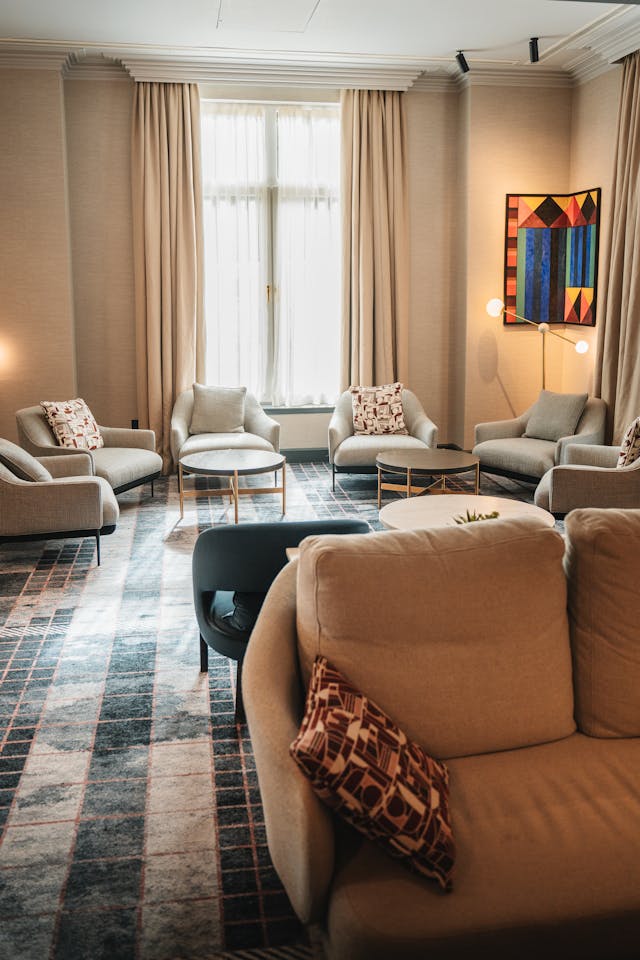
Style is usually the second big risk after size. AR lets you test whether a piece looks too modern, too rustic, too bulky, or too delicate next to what you already own. This is where AR beats showroom visits: you’re not judging under store lighting with staged décor—you’re judging inside your real home, with your real floors and wall color.
When you’re design-conscious but busy, this speed matters. You can shortlist what feels right before you invest time in deeper research like reviews, durability, or materials.
Compare colors, finishes, and textures in real lighting
Lighting changes everything. A walnut finish can look warm and rich at noon, then read almost black at night. AR won’t perfectly reproduce every texture, but it’s great for testing “light vs dark” decisions and for seeing whether a finish clashes with your flooring undertone.
If you’re sensitive to color coordination, do your AR test twice: once in daytime and once in evening lighting. That single habit often prevents the most common “the color looked different online” disappointment.
Coordinate full-room sets, not just single items
Furniture rarely lives alone. AR helps you think in sets: sofa + coffee table + media console, or dining table + chairs + sideboard. When you can preview multiple pieces, you start noticing cohesion: consistent leg shapes, matching wood tones, balanced visual weight.
I once dropped an AR dining table into my room and loved it—until I added AR chairs and saw the chair backs visually “fought” the pendant light. Swapping to a lower-profile chair fixed the whole room vibe instantly.
How to Use Augmented Reality to Test Out Furniture (Step-by-Step)
Step 1 – Prepare your space and your phone
Before you place anything, tidy the area where the furniture will go. AR tracking works best when the camera can “see” clear edges and surfaces. Turn on a few lights if your room is dim, and wipe your camera lens (seriously—it helps more than people expect). If possible, stand where you want the furniture and take a quick measurement of the key constraint (like the max width between a wall and doorway).
Step 2 – Load AR furniture and place it accurately
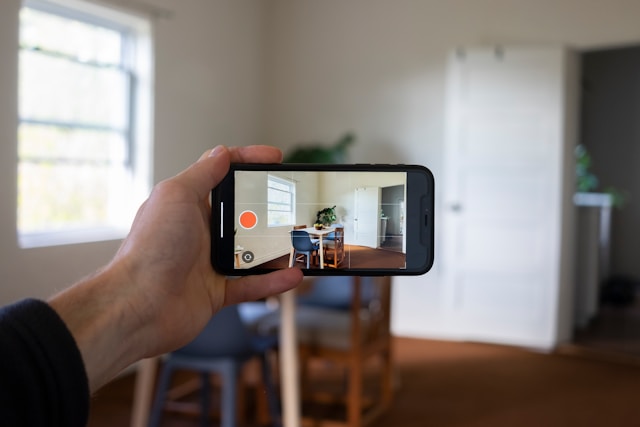
Open the product’s AR mode (often labeled “View in Room”). Scan the floor slowly so the app can detect surfaces. Then place the model where it belongs and adjust it carefully: rotate it, align it with the wall, and confirm it sits “on” the floor rather than floating.
If the app allows it, switch to a top-down or grid view for alignment. Then walk around and check the three practical angles: doorway view (first impression), seating view (daily use), and walkway view (traffic flow).
Step 3 – Compare options, save, and share
Don’t stop at one placement. Try at least two sizes or two similar styles—then screenshot the same angle each time so comparisons are fair. Many apps let you save layouts or share images with a partner or friend, which is a huge shortcut for decision-making. Instead of debating in abstract terms like “maybe too big,” you’re reacting to the same visual evidence.
How AR Improves the Entire Home Design & Buying Experience
AR reduces the mental load of furniture shopping. Instead of reading dimensions, imagining scale, cross-checking photos, and hoping your intuition is right, you can validate choices visually and move forward with confidence. It also helps you shop smarter: you can narrow options faster, communicate preferences more clearly, and feel less “stuck” between two similar pieces.
And AR is not niche anymore. Gartner predicted that 100 million consumers would shop using AR online and in-store by 2020—a signal that this behavior is becoming mainstream, not experimental (Gartner, 2019).

How Augmented Reality Furniture Fits Busy, Design-Conscious Lifestyles
For remote workers and home entertainers
Modern homes do double duty—Zoom background by day, hosting space by night. AR helps you test whether a console hides cables cleanly, whether a bookshelf looks professional behind your chair, and whether seating blocks your camera framing. You can also preview flexible layouts: move a chair closer for work calls, then shift it back to open up conversation space.
If you entertain, AR is great for stress-testing guest flow: can people circulate without squeezing past the coffee table? Can dining chairs pull out comfortably? These small checks add up to a home that feels effortless.
For new homeowners and growing families
New homes and new family stages come with fast decisions. AR helps you plan safer, calmer layouts: keeping walking paths clear, avoiding sharp corner “collision zones,” and confirming that storage pieces fit where you actually need them. In nurseries, you can test crib and changing table placement while ensuring doors and drawers open without blocking movement.
It also helps you buy pieces that grow with you. A dresser that later becomes a shared kids’ storage unit feels like a better long-term decision when you can see it working in multiple spots.
For sustainability-minded shoppers
Sustainability often starts with one practical outcome: fewer returns. Less back-and-forth shipping means less packaging waste and transport emissions. AR supports that by helping you choose correctly the first time—especially for high-impact items like sofas, beds, and large storage.
It also pairs well with materials research. When you can see the piece in your home, you’re more likely to invest in higher-quality, longer-lasting materials (like FSC-certified wood or low-toxicity finishes) because the decision feels grounded, not rushed. And PwC reports that 78% of consumers agree AR helps them shop in new and exciting ways—which aligns with the idea that better tools can shift people toward more thoughtful purchases (PwC, 2022).
Conclusion – From “Will This Fit?” to “Welcome Home”
AR visualization turns furniture shopping into something you can trust. You don’t have to rely on guesswork, or hope that a staged photo matches your space. With augmented reality furniture, you can test scale, layout, and style where it actually matters—at home—then buy with confidence. The result is fewer “almost right” mistakes and more pieces that feel like they belong from day one. When your room looks right and flows well, you stop thinking about furniture—and start enjoying your home.
FAQ – Common Questions About Augmented Reality Furniture
Can AR help with furniture comfort, like sofa softness?
AR can’t tell you cushion firmness or fabric feel, but it can help you choose the right seat depth, height, and visual bulk. Use AR to shortlist shapes and sizes, then confirm comfort with reviews, material specs, and (if possible) a showroom sit-test.
Will AR work if I have patterned rugs or reflective floors?
It can, but tracking may be less stable. If the model “slides,” try better lighting, move slower, and scan a larger area. For glossy floors, aim the camera at a nearby matte surface first (like a rug edge) so the app can lock onto texture.
How do I use AR when I’m buying multiple items at once?
Start with the biggest anchor piece (sofa, bed, dining table). Place it first, then add supporting items (rug, coffee table, sideboard). Keep screenshots of each “version,” and compare them side by side so your decision is based on layout balance, not memory.
Does AR work for wall-mounted items like shelves or mirrors?
Often yes—if the app supports wall placement. Use AR to check height and alignment, then still measure before drilling. A good approach is to mark the intended height with painter’s tape, then use AR to confirm the visual proportion.


