 By Charles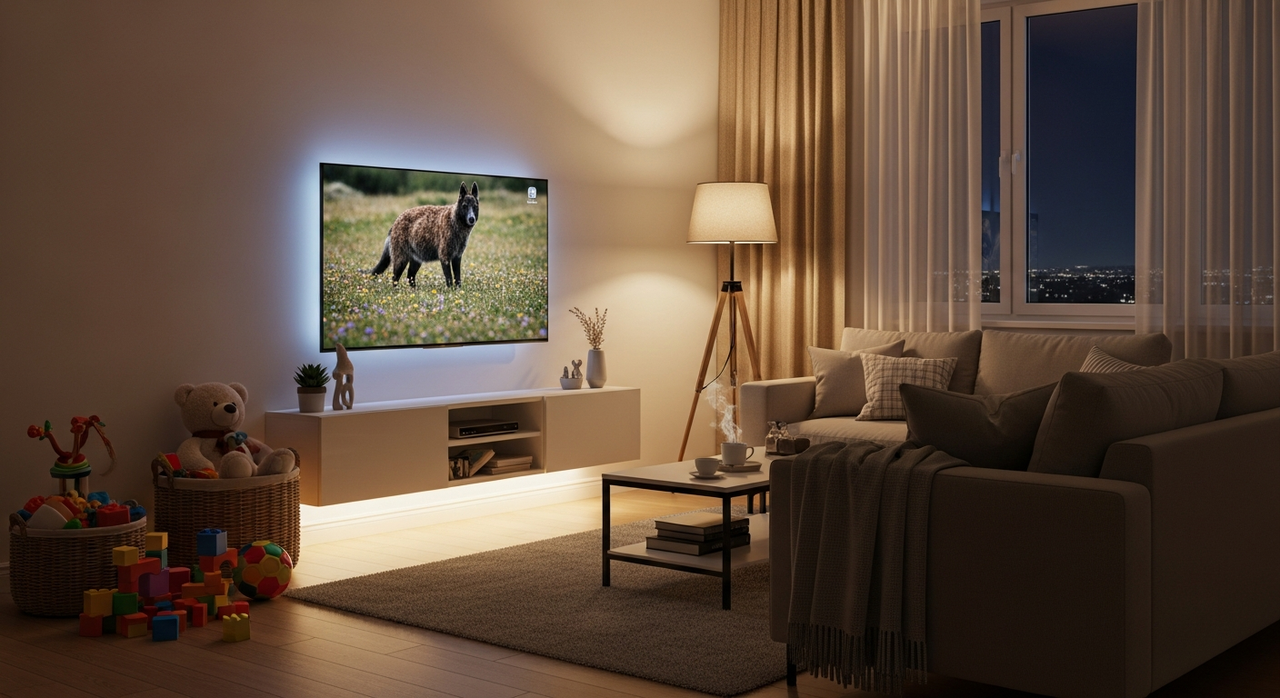
A TV stand with LED lights sounds like something you’d buy just for looks, right? But if you’re juggling work, kids, pets, and a living room that doubles as a playroom and an office, the right stand can actually save you stress. Done well, it hides cables, adds soft lighting so you’re not watching TV in a cave, and doesn’t wobble the first time your dog’s tail makes contact.
Below, you’ll learn what these stands really do, why the lighting matters, how to choose a durable one, a few solid options to consider, and how you can get yours set up in about 30 minutes, without reliving your worst flat-pack memories.
What Is a TV Stand with LED Lights?
A TV stand with LED lights is a media console that includes built-in LED strips or panels, usually behind shelves, under the top, or along the base, to create ambient lighting around your TV area. Instead of a harsh overhead light or a pitch-black room, you get a soft glow that’s easier on your eyes and surprisingly helpful in a busy household.
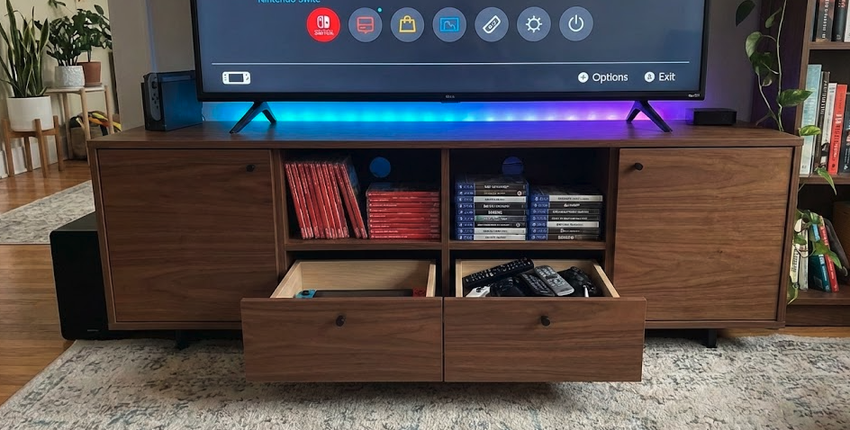
Most modern versions (especially the pre-assembled ones in Povison’s smart TV stand collection) combine storage, cable management, and lighting in one piece. You’re not just buying a mood light; you’re getting:
- A stable base for your TV and soundbar
- Hidden storage for consoles, remotes, and clutter
- Built-in ambient light so you can actually find the remote after movie night
And because LEDs are low-heat and energy-efficient, you can keep them on for hours without worrying about your power bill or curious little fingers.
Why Add LED Ambient Lighting to Your TV Stand?
Adding LED ambient lighting to your TV stand isn’t just about the “wow” factor. For a busy household, it quietly solves a few everyday problems.
First, eye comfort. Watching TV in a pitch-black room can strain your eyes. A gentle light behind or under the stand reduces the harsh contrast between the bright screen and dark room, so your eyes work less.
Second, nighttime visibility. Late-night Netflix? Kids sneaking in for water? That low glow keeps you from tripping over toys or dog bones without fully waking everyone up with the overhead light.
Third, visual calm… On smart designs like Povison’s extendable TV stand with LED lights, the adaptable shape fits your room perfectly, while the lighting draws the eye to clean lines instead of messy cables.
This approach aligns with current lighting design trends that emphasize ambient illumination as both functional and aesthetic. Finally, LEDs are energy-efficient, many run on just a few watts, so you can leave them on for hours with very little impact on your bill.
What Factors Matter When Buying a TV Stand with LED Lights?
When you’re choosing a TV stand with LED lights, you’re balancing three things: durability, storage, and ease of living (cleaning, cable management, and setup time). The lighting is the bonus, but it shouldn’t be the only reason you buy.
How Do I Compare Durability Across 4 Key Materials?
To compare durability, look at what the top and frame are made of. Here’s how four common materials stack up for busy homes:
Solid wood, MDF/particle board, sintered stone, and metal frames each behave differently when faced with kids, pets, and daily use. Solid wood and sintered stone usually win on longevity, while MDF and particle board are more budget-friendly but easier to chip or swell if they get wet.
- Solid wood: Long-lasting, repairable, handles bumps well
- Engineered MDF: Smooth finish, decent if edges are sealed, but chips more easily
- Particle board: Lowest cost, shortest life, not great with moisture
- Sintered stone: Very hard, heat- and scratch-resistant, ideal for heavy use
If you want a long-term piece, aim for solid wood or stone top with a sturdy metal or wood base and avoid very thin panels (under about 0.6 inches) that flex.
Is FAS-Grade Wood Better Than Veneer for Pet Owners?
For pet owners, FAS-grade wood typically outperforms wood veneer on MDF. FAS-grade means fewer knots and defects, which makes the surface more consistent and less likely to chip when your dog’s claws or your cat’s toys hit it.
Veneer over MDF can still look great and work fine if you don’t plan to keep the piece for 10+ years, but once the thin veneer layer is scratched through, you can’t sand it back easily. With solid FAS-grade wood plus a good finish (like water-based polyurethane), you can:
- Wipe off muddy paw prints and spills
- Lightly sand and refinish small scratches
- Expect a lifespan closer to a decade than a couple of years
If pets or kids run your living room, solid wood or stone plus a durable finish is worth the upgrade.

Which LED TV Stands Rank Best in 2026 After My Tests?
You don’t have time to scroll through endless product pages, so it helps to narrow the field to designs that actually make sense for a busy home.
Across current options, the top performers usually share six things: sturdy construction, real storage, built-in cable management, adjustable LED colors, a realistic weight capacity, and manageable setup. These features reflect broader interior design trends that prioritize both form and function in modern living spaces.
On the premium side, Povison wins simply because they respect your time. Their top-tier models, like the Sintered Stone TV Stand with LEDlights (which is essentially scratch-proof for pet owners) or the Electric Projector Stand for Laser TV, arrive fully assembled. You’re paying for high-end materials, sure, but you’re mostly paying to avoid spending your Saturday with a hex key
Cheaper LED stands under about $150 often cut corners on thickness, hinges, or cable access. They might look good on day one, but they’re more likely to wobble, sag, or peel if you’re moving consoles, cleaning often, or dealing with kids slamming doors.
How Did I Evaluate Them on 6 Metrics Like Setup Time?
When you compare options, judge them on at least these six metrics so you don’t regret the purchase:
- Setup time: Can you get it usable within 30–60 minutes?
- Materials: Solid wood, metal, or stone where it counts.
- Storage: Enough shelves and drawers for your actual gear.
- Lighting: Adjustable colors/brightness, not just a single blinding strip.
- Cable management: Real cutouts or channels for multiple devices.
- Weight capacity: Safely holds your TV + soundbar + decor with margin.
Who Should Skip Budget Models Under $150?
You’ll probably want to skip sub-$150 LED TV stands if:
- You have a large TV (55 inches or more)
- Kids or pets are frequently bumping into furniture
- You want this to last more than 3–4 years
In those cases, think of it as an investment: paying a bit more up front usually means you’re not replacing a wobbly stand right when life is busiest.

How Do You Install a TV Stand with LED Lights in 30 Minutes?
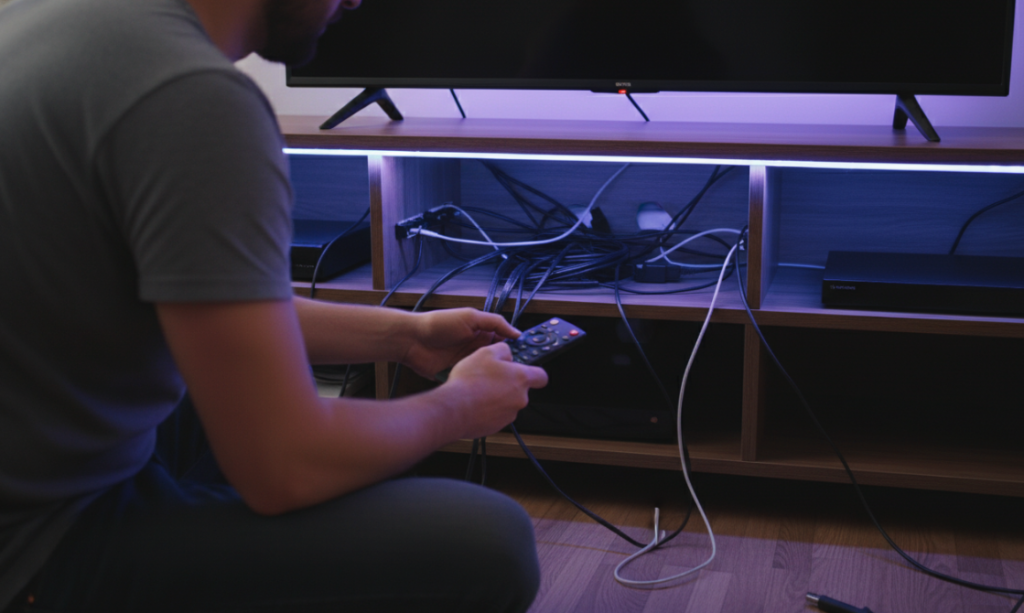
You can install a TV stand with LED lights in about 30 minutes if you do a tiny bit of prep and follow a simple order: position, connect, then tidy.
Start by clearing the wall where the stand will go and measuring your TV and room width so you’re sure of the placement. If you’ve chosen a mostly pre-assembled stand (many Povison pieces arrive largely built), your main job is attaching legs or side panels, positioning it, and handling the electronics.
Here’s a simple installation flow that keeps your sanity intact:
- Place the stand roughly where it will live and check that doors and drawers open fully.
- Plug in the LED power supply and test the lights before you push the stand against the wall.
- Run your TV and console cables through the built-in cutouts or channels, grouping them with small ties or Velcro.
- Connect the LED remote or app controller so you can adjust brightness and color once you’re seated.
- Slide the stand into its final position, double-check that it’s level, and then place your TV and devices.
For heavier, stone-topped stands or projector units, you’ll want a second adult to help move the piece safely. Once it’s in place, you should be able to switch from “box in the hallway” to “movie-ready” in under an hour, without reliving that infamous flat-pack bookshelf incident.
Frequently Asked Questions
What is a TV stand with LED lights and how does it work?
A TV stand with LED lights is a media console that includes built-in LED strips or panels under the top, along shelves, or at the base. When plugged in, the LEDs create soft ambient lighting around your TV area, while the stand also provides storage, cable management, and a stable surface for your TV and devices.
Why should I choose a TV stand with LED lights for a busy family living room?
A TV stand with LED lights helps reduce eye strain by softening the contrast between a bright screen and a dark room. The gentle glow also improves nighttime visibility so you’re less likely to trip over toys or pets, and it makes cables and electronics look more organized and intentional.
Which materials are best for a durable TV stand with LED lights if I have kids or pets?
For a long‑lasting TV stand in a busy home, look for solid wood, sintered stone, or a sturdy metal frame. FAS‑grade solid wood handles bumps and scratches better than veneer over MDF. Thin particle board panels are more likely to chip, swell from moisture, or wobble under heavy TVs and frequent use.
How do I install a TV stand with LED lights in about 30 minutes?
Clear the wall area, measure your TV, and roughly position the stand first. Attach legs or side panels if needed, then test the LED lights before pushing the stand against the wall. Run cables through built‑in cutouts, tie them together, connect the LED remote or app controller, level the stand, and finally place your TV and devices.
Do LED TV stands use a lot of electricity, and can I leave the lights on?
LED lights in a TV stand are very energy‑efficient and usually run on just a few watts, far less than traditional bulbs. You can typically leave them on for hours with minimal impact on your power bill. As long as the wiring and adapter meet safety standards, they’re safe for regular, extended use.
Past Review:


[…] Stand Size Guide: How to Choose the Right Size for Your TV TV Stand with LED Lights: Are They Worth It? (2026 Buyer’s Guide) Mid-Century Modern TV Stand: Style Guide & Top Picks for 2026 Share on […]