 By Charles
Hey fellow home lovers, Charles is here!
Let’s be real—if you’re juggling work, kids, pets, and a never-ending stream of shows, your living room probably feels a bit chaotic. We’ve all been there: staring at that dust-collecting cabinet and the tangle of wires behind it.
The good news is, a floating TV stand can quietly solve three problems at once: clutter, floor space, and cable chaos. Trust me, once you mount it right, your space will instantly feel bigger and cleaner. This guide walks you through everything you need to know to get that modern look in 2026.
Floating TV Stand vs Floor TV Stand: Space-Saving, Style, and Practical Benefits
A floating TV stand trades floor bulk for wall-mounted simplicity. You gain storage and style while freeing the floor underneath for easy cleaning, robot vacuums, and kid or pet traffic. You’re essentially hanging a slim media cabinet at the perfect height instead of parking a big box on the floor.
Space & cleaning: With a floating unit, you can slide a vacuum or mop under it in seconds. No more dust bunnies hiding behind bulky legs or a base that traps pet hair.
Visual calm: Because the floor is visible, your room feels less cramped. Even in a small apartment living room, a floating media console can make the wall feel like a built-in feature instead of a crowded corner.
Safety & flow: Unlike a tall floor cabinet, a low, wall-mounted stand reduces the chance of kids bumping into sharp corners at head height. And toddlers or dogs are less likely to tug on cords when they’re tucked up and out of reach.
Floor TV stands still make sense if you rent and can’t drill into walls or you move often and want zero patchwork. But if you own your place and want a cleaner, more permanent setup, a floating TV stand usually wins on space, style, and everyday practicality.
How High Should a Floating TV Stand Be Mounted? A Wall-Mounted TV Height Guide
Floating TV stand height comes down to one goal: you want your eyes level with the center of the screen when you’re sitting in your usual spot. The stand should follow the TV, not the other way around.
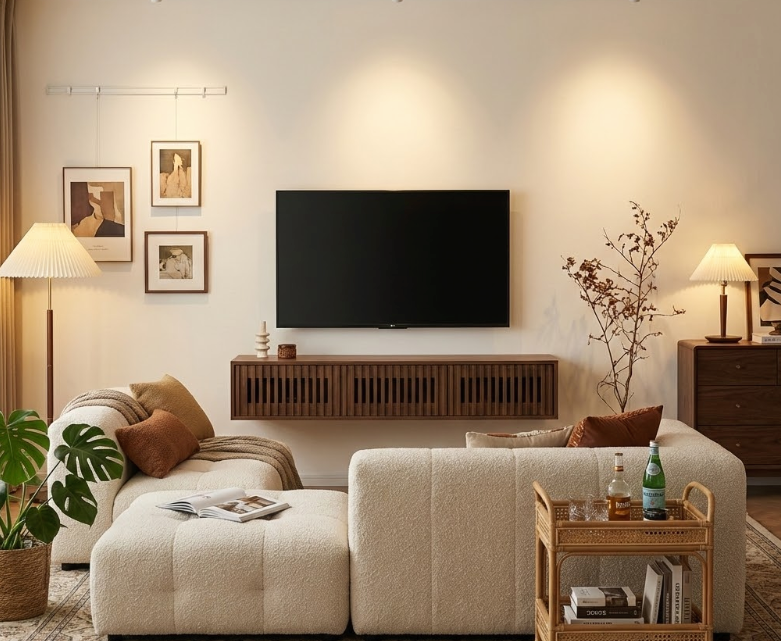
The Eye-Level Rule for Wall Mounted TV Stands
For most adults, seated eye level on a standard sofa lands around 40–42 inches from the floor. That means the center of your TV should be about 40 inches high, give or take a couple of inches for comfort.
Once you set the TV height, mount your floating stand so:
- There’s roughly 8–12 inches between the bottom of the TV and the top of the stand.
- The top surface of the stand ends up around 20–24 inches from the floor.
This gap gives room for a soundbar and decor without crowding the screen, and keeps the stand low enough that it still feels connected to the TV visually. For more detailed guidance on optimal TV viewing distance and height, professional testing shows how screen size affects your ideal setup.
Prefer more control over the finished media-wall height? Merrin Floating TV Stand uses a wall-mounted design with customizable mounting height, making it easier to position the console around your TV, seated eye level, and available wall space. Choose the width after measuring both the TV and the usable wall area.
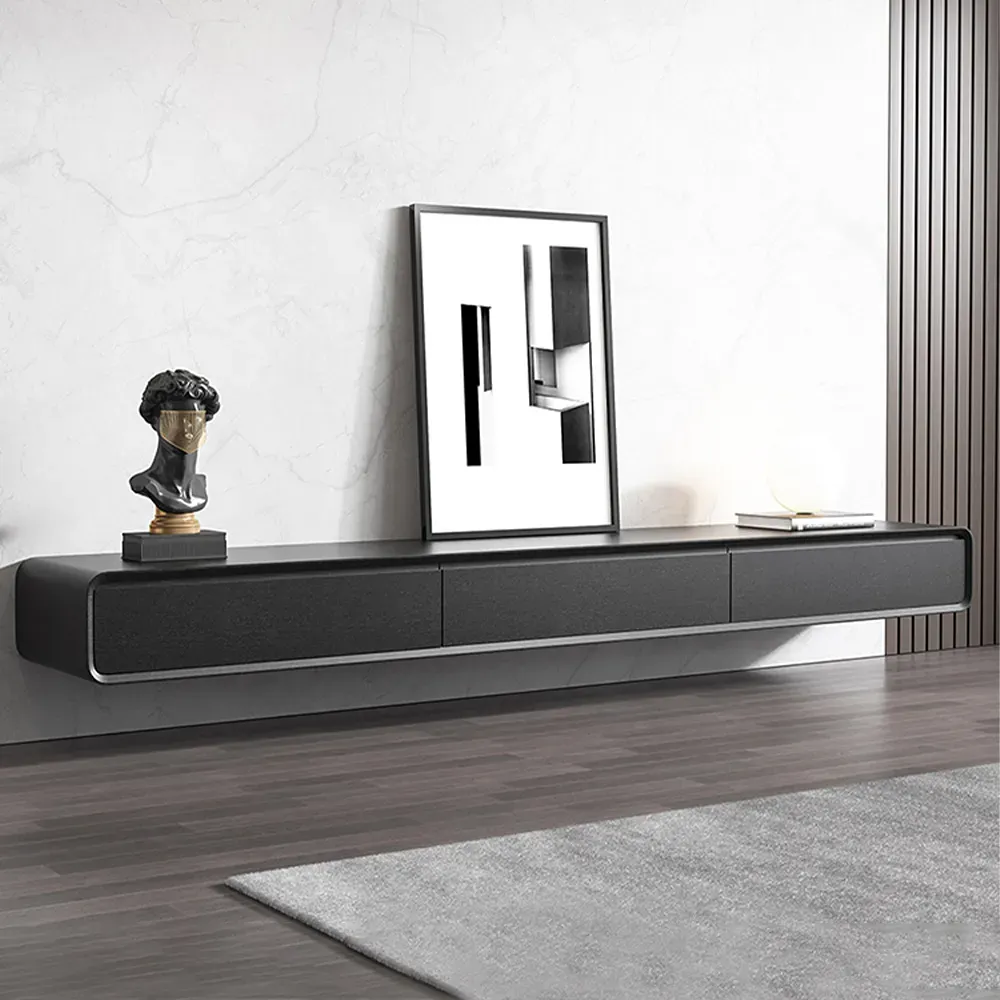
Merrin Black Floating TV Stand
Floating storage creates a cleaner media wall around varied screen positions.
👍 Best for: Flexible media-wall height planning
✨ Customizable mounting height
✨ Three closed storage cabinets
✨ 110-lb listed weight capacity
Adjusting Floating TV Stand Height for Reclining or Sectional Seating
If you mostly watch TV from a reclining sofa or chaise, your eye level drops and tilts back. In that case, you’ll want the TV (and hence the floating stand) slightly lower.
A simple rule:
- For deep sectionals or recliners, drop the TV center to around 36–38 inches, and
- Mount the stand so its top sits at 18–22 inches from the floor.
If you’re working with a wall-mounted TV height calculator or guide, always measure from your favorite seat, in your normal slouch, not from a perfectly upright position you’ll never actually use on movie night.
Installation Requirements for a Floating TV Console or Wall TV Stand
Before you fall in love with a floating TV stand, you need to know what’s behind your drywall. A wall-mounted console depends on solid anchoring just as much as it depends on good looks.
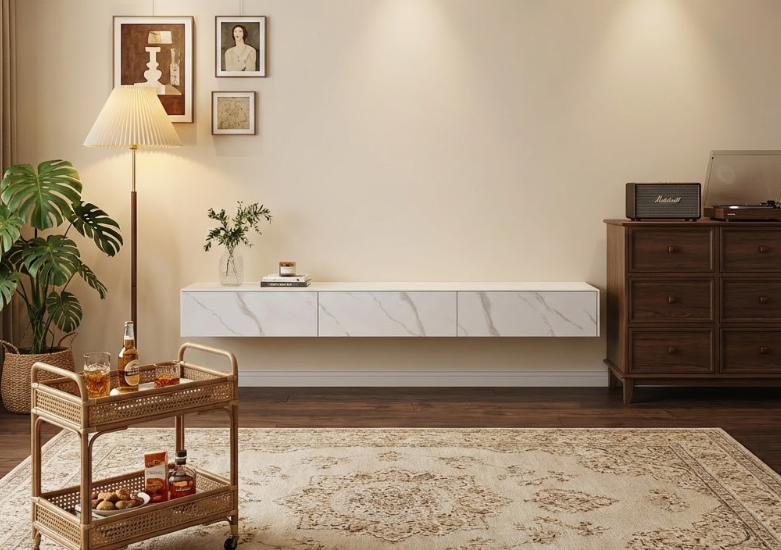
Stud Mounting vs Wall Anchors for Floating Media Consoles
For most homes, stud mounting is the gold standard. Wood studs spaced 16 inches on center can safely carry a console plus equipment when you:
- Use a continuous metal bracket or heavy-duty L-brackets
- Hit at least two studs, ideally three
- Follow the manufacturer’s screw size and depth
Wall requirements vary by floating TV stand. Check the manufacturer’s approved wall types, mounting hardware, and load limits before installation. Do not assume drywall anchors are suitable for a particular console. If your wall construction is uncertain, confirm it before ordering or use a qualified installer.
Weight Limits, Load Capacity, and Safety Tips for Floating Entertainment Centers
Always check two numbers: the console’s rated load capacity and the actual weight of what you’re placing on and in it. As a rule:
- Aim for a console that supports at least 80–100 lbs total.
- Add up your TV weight, soundbar, consoles, and decor with a 20–30% safety margin.
If you’re unsure about your wall type or tools, hiring an installer for 1–2 hours of work costs less than repairing a ripped-out section of drywall and replacing broken electronics. And if you have kids who like to climb, a properly mounted floating unit plus a TV safety strap is non-negotiable.
We want your setup to be worry-free, so if you need more technical details or specific installation guides, check out our Help Center.
Cable Management Solutions for Floating Media Consoles and Wall Mounted TV Stands
A floating TV stand looks clean because it hides clutter, not because you magically own fewer devices. Good cable management is what keeps the setup from turning into a hanging spider web.
Look for consoles with built-in cable channels or grommet holes in the back panel. Ideally, you want:
- At least two openings (for left and right compartments)
- Open space behind shelves to route power strips and HDMI
- A cutout that lines up with a wall outlet so you’re not stretching cords
If you’re planning a really minimal wall, combine the stand with an in-wall cable kit that lets you run TV power and HDMI behind the drywall from the TV down to the console. That way, you only see the furniture and the screen, not the mess.
For busy homes, consider simple labels or colored Velcro ties. They seem overkill until you need to unplug the game console without shutting down the router during a work call.
FLOAT Floating TV Stand suits setups that need more than closed storage. Built-in cable access helps route connected equipment through the cabinet, while top ventilation gives media devices an airflow path. Adjustable LED lighting adds ambient light beneath the TV wall without requiring a separate accent fixture.
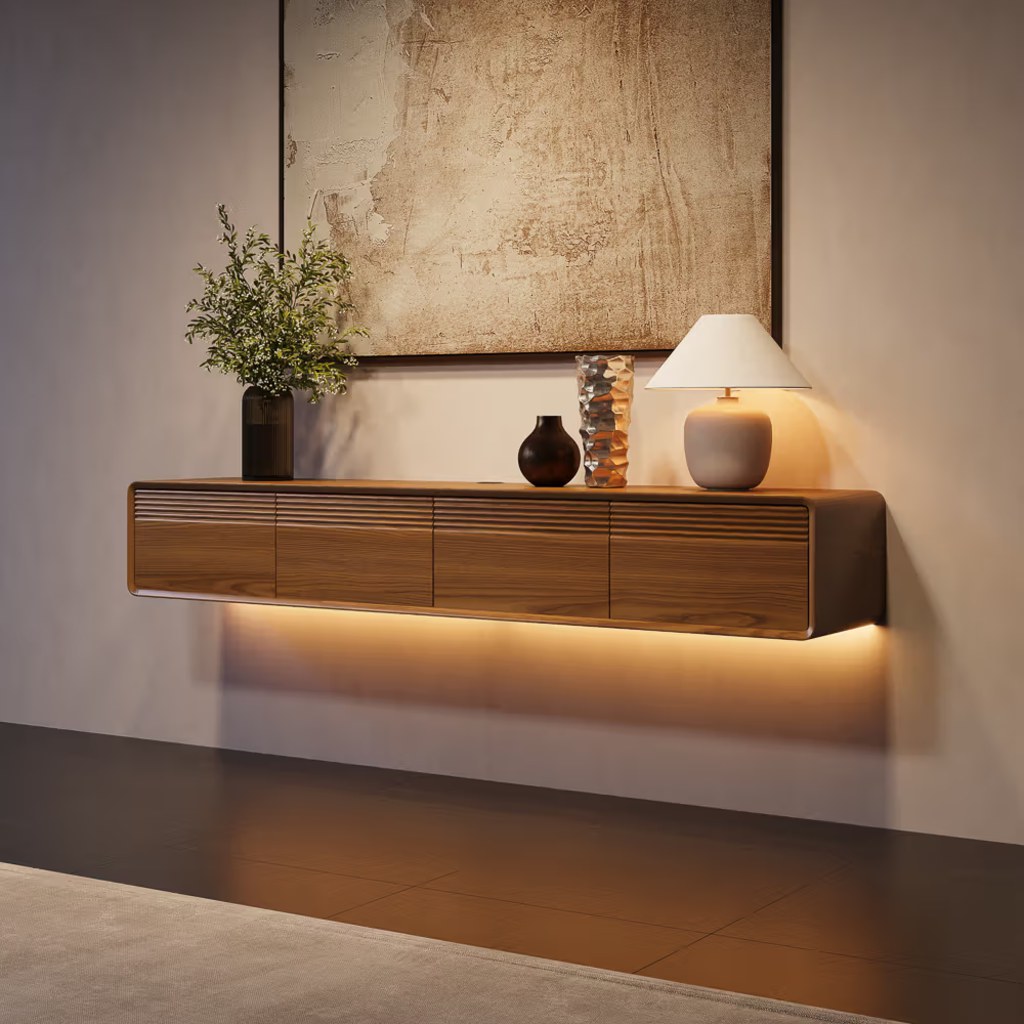
FLOAT Mid-Century Floating TV Stand
Cable access and ventilation support a cleaner, more integrated media-wall setup.
👍 Best for: Connected entertainment wall setups
✨ Adjustable LED ambient lighting
✨ Built-in cable access
✨ Top ventilation openings
Best Floating TV Stand Styles for 2026: Modern, Minimal, and Functional Designs
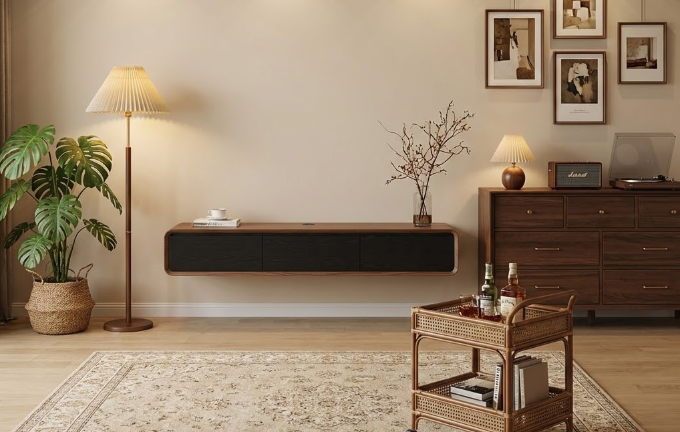
When you’re choosing a floating TV stand, you’re balancing looks with real-life durability. In 2026, the sweet spot is modern, minimal fronts with smarter storage and tougher finishes.
Two-door or three-door slab fronts (no visible hardware) give you a sleek line under the TV, while soft-close hinges keep doors from slamming when kids are hunting for game controllers. For families and pet owners, look for:
- Scratch-resistant finishes like matte lacquer or melamine
- Solid wood fronts or edge-banded plywood instead of paper-thin veneer
- Closed storage for toys, remotes, and game cases
Color-wise, warm walnut, light oak, and matte white are safe bets that work with mid-century, modern farmhouse, or clean minimalist rooms. Deeper tones like espresso or black help the TV visually blend in, which you may prefer if the screen is always on.
If your living room does double duty as a home office or play space, pick a style with at least one open shelf for a soundbar or center speaker and closed sections for everything else. That way, you get the “designer” look on video calls without spending every Friday night restyling your console. For comprehensive guidance on choosing the right floating TV stand size for your space and TV dimensions, proper measurements ensure both aesthetics and functionality.
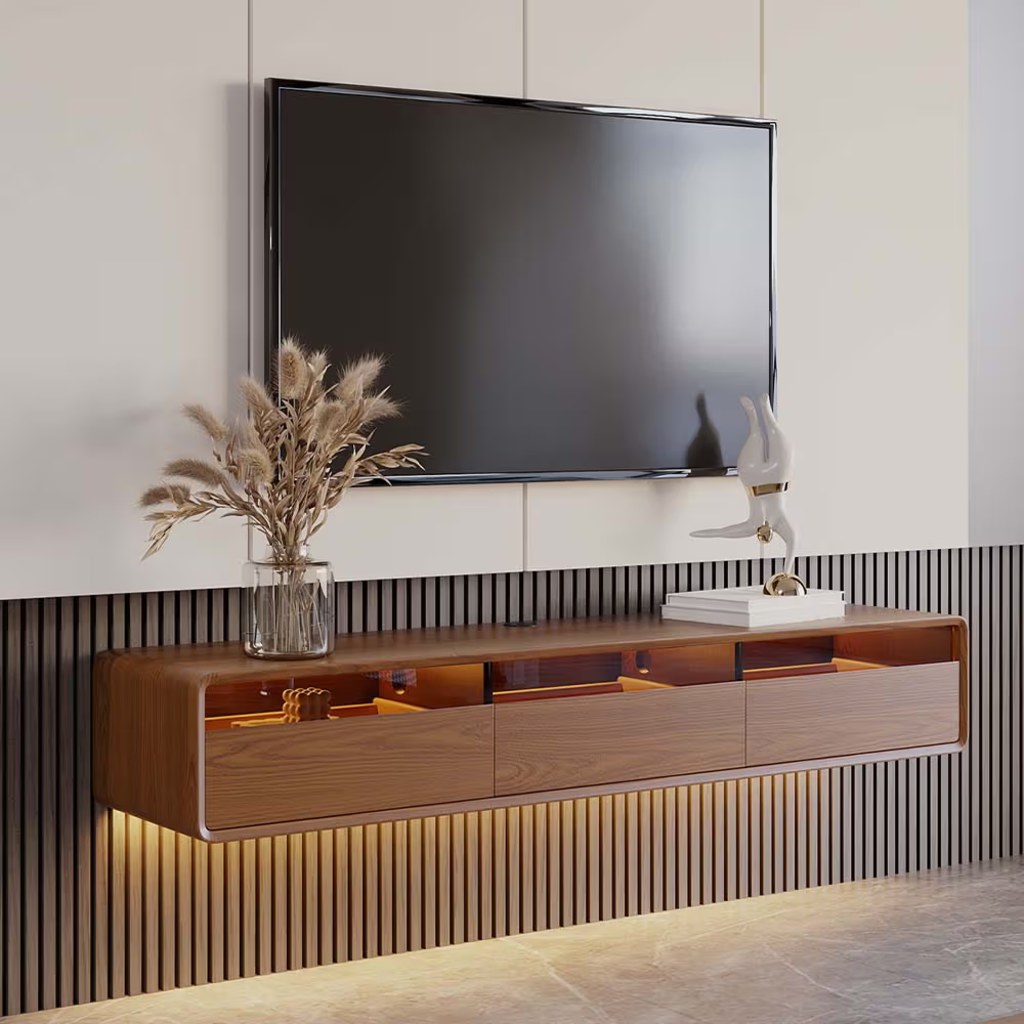
Build a Cleaner Floating Media Wall
Compare floating TV stands by width, storage, cable access, and installation needs.
Floating TV Stand FAQs
What are the main benefits of a floating TV stand compared to a floor TV stand?
A floating TV stand frees up floor space, makes cleaning easier, and creates a cleaner, more modern look. Because the floor stays visible, your room feels larger and less cluttered. It also keeps cables higher and more contained, reducing tripping hazards for kids and pets.
How high should I mount a floating TV stand under my wall-mounted TV?
First, set your TV so the screen center is about 40–42 inches from the floor for a standard sofa, or 36–38 inches for deep sectionals and recliners. Then mount the floating TV stand so its top is roughly 20–24 inches (or 18–22 inches for recliners) from the floor, leaving 8–12 inches between TV and stand.
What do I need to safely install a floating TV stand on my wall?
A safe floating TV stand installation starts with hitting at least two wall studs using a continuous metal bracket or heavy-duty L-brackets and the manufacturer’s recommended screws. Check the console’s load rating, add up all equipment weight, and aim for a 20–30% safety margin. When unsure, hire a pro installer.
What size TV can a floating TV stand support?
TV size depends on the stand’s width and weight capacity, not just screen inches. As a rule, choose a floating TV stand at least as wide as your TV, rated to handle the TV’s weight plus components. Many modern floating consoles comfortably support 55–75 inch TVs when properly mounted into studs.
Can I use a floating TV stand in a rental apartment without damaging the wall?
You can, but you’ll need to follow your lease rules. Floating TV stands require screws into studs or strong anchors, which leave holes you must patch when moving out. If drilling is restricted, a floor TV stand or low-profile console may be a better option for renters.


