 By Jenny Smith
Choosing the right TV stand size isn’t just about matching inches—it’s about safety, comfort, and how your living room feels every day. As screens keep getting bigger (the average LCD TV in North America grew from about 49″ to 55.5″ between 2017 and 2021, according to a study cited by Statista in 2025), the stand underneath has to keep up in both width and strength.(CEPRO) This tv stand size guide walks you through width, weight, height, and viewing distance so you can buy once and relax for years.
Recommended Width by TV Size (55”–85” TVs)
Think of your TV stand as the stage and the screen as the star. For freestanding TVs, the “stage” should never be smaller than the TV’s actual width—otherwise the setup looks top-heavy and can even feel unsafe. Ideally, you want a small margin of stand showing on each side so the TV looks centered and intentionally framed, not squeezed in. A simple rule of thumb: match the TV width at minimum, then add about 4–10″ overall so you get 2–5″ of breathing room on each side.
Quick Width Reference Table
| TV Size | Approx. TV Width | Minimum Stand Width | Comfortable Stand Width Range |
| 55″ | ~48″ | 50″ | 50–60″ |
| 60″ | ~52″ | 54″ | 54–65″ |
| 65″ | ~57″ | 58–60″ | 60–72″ |
| 70″ | ~61″ | 62–65″ | 65–75″ |
| 75″ | ~65″ | 66–70″ | 70–80″ |
| 80″ | ~70″ | 72″ | 72–85″ |
| 85″ | ~74″ | 75–80″ | 80–90″ |
Corner TV stands can be slightly narrower because they sit at an angle, but the TV base or legs still need to be fully supported. If you’re eyeing a wall-mounted setup instead, you’ll find even more width ideas in the Floating TV Stand Size Guide.
Size Cheat Sheet for 55”–85” TVs
If you don’t want to do math, use this as a quick tv stand size guide:
- A 55″ TV (about 48″ wide) feels balanced on a 50–60″ stand.
- A 65″ TV (~57″ wide) works best on a 60–72″ stand so decor can sit on either side.
- A 75″ TV (~65″ wide) needs at least 70″ of stand width and looks “custom” on 70–80″.
- An 85″ TV (~74″ wide) really benefits from a long 80–90″ console so it doesn’t overwhelm the wall.
When we helped a couple place their new 75″ TV, simply upgrading from a 60″ to a 75″ stand instantly made the whole wall feel calmer and more intentional.
Weight Capacity Explained
How to Read TV Stand Weight Ratings
Weight capacity tells you the maximum safe load the stand can carry—either on the top surface or per shelf. Product pages might list “top shelf max load,” “overall capacity,” or “per shelf.” For the TV itself, always look at the actual weight in pounds or kilograms, not just the diagonal size. Modern TVs are lighter than older models thanks to better panels and energy-efficient designs (industry data shows TV power use per square inch has dropped dramatically over the last decade).(The Association for Technology) Aim for at least 20–30% extra capacity beyond the combined weight of your TV plus soundbar or center speaker, so you’re not running at the stand’s limit every day.
Matching Your TV, Devices & Decor to the Stand
Most 55–65″ modern TVs fall roughly between 30–60 lb (14–27 kg), while many 75–85″ screens land around 60–100 lb+ (27–45+ kg), depending on brand and panel type. Add the weight of your soundbar, game consoles, AV receiver, streaming boxes and a few decor pieces like books or plants. Then compare that total with the stand’s rating. A simple rule: if your full setup is close to the maximum, size up to a higher-capacity stand for better long-term stability—especially if kids or pets share the space. For a deeper dive into safety and structure, you can also skim our piece on how TV stands work.
Room Proportion Rules (Width, Height & Viewing Distance)
Balancing TV Stand Width with Wall & Room Size
Your TV wall should feel anchored, not crowded. As a quick guideline, let the stand cover about 50–75% of the wall section behind it, leaving some negative space on both sides. On a 10–12 ft wide wall, a 60–80″ stand usually feels right; on a larger feature wall (15+ ft), an 80–90″+ low media unit or sideboard-style console looks more proportionate. In small rooms, avoid a stand that almost touches both corners; that can make the room feel shorter and heavier.
Interestingly, consumer data shows that ultra-large TVs (75″+) are the fastest-growing segment, with sales of these sizes jumping over 20% year-over-year in early 2024 as discounts encouraged bigger upgrades (Circana 2024).That makes getting wall and stand proportions right more important than ever.
Ideal TV Height & Viewing Distance
For most sofas, the center of the screen feels best around 40–42″ from the floor, roughly at relaxed eye level. Taller stands will push that higher, so if you love low, long consoles, wall-mounting the TV a touch higher can keep the center in the comfort zone. For viewing distance, use a simple formula: sit about 1.5–2.5 times the TV diagonal away from the screen. That means roughly 7–10 ft for a 55″, 8–11 ft for a 65″, 9–12 ft for a 75″, and 10–13 ft for an 85″. These are comfort ranges, not rigid rules—your eyesight and how immersive you like movies will nudge you closer or farther.
One reason to dial this in: U.S. adults now spend roughly 32 hours a week with TV content, so ergonomic height and distance really affect daily comfort (Nielsen 2024).
How to Measure Your Room and TV Stand (Step-by-Step)
Simple Measuring Checklist
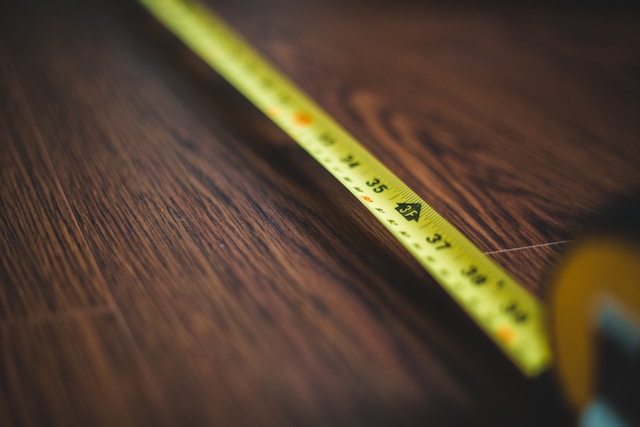
Use a tape measure and this quick checklist before ordering your stand:
- Step 1 – Wall section: Measure the width and height of the wall area where the stand will sit.
- Step 2 – Floor depth: Measure from the wall to the front edge of any rug or main walkway to confirm the stand’s depth won’t choke circulation.
- Step 3 – Viewing distance: Measure from the front of your seating to the wall to double-check that your chosen TV size fits the viewing distance guidelines.
- Step 4 – Obstacles: Note outlets, vents, baseboards, radiators and windows that might limit stand width or height.
- Step 5 – Delivery path: Measure doorways, stairwells and hallway turns to ensure the fully assembled stand can actually reach your living room.
Last weekend, imagine unboxing a fully assembled 80″ stand only to realize it can’t clear the stair landing—that’s exactly what these measurements are meant to prevent.
Common Sizing Mistakes & How to Avoid Them
Common pitfalls include choosing a stand that matches the TV size on paper but forgets about leg span, blocking outlets behind the unit, or underestimating depth so doors and drawers can’t open fully. Another mistake is ignoring future upgrades: buying a stand that barely fits a 55″ screen even though you’re already dreaming about a 65″. To avoid these issues, treat the stand as a long-term “platform” and aim one step larger than your current TV whenever the room allows. If your space is tight, cross-check with our guide on TV stands for small living rooms.
Style, Storage & Future-Proofing Your TV Stand
Matching Stand Size with Storage & Cable Needs
Stand width doesn’t just frame the TV—it dictates how much clutter you can hide. Wider stands naturally offer more closed storage for controllers, remotes, blankets and extra cables, while still leaving open shelves for consoles and receivers that need ventilation. Look for designs with built-in cable cutouts, adjustable shelves, and at least one fully closed section for visual calm. Picture a Friday movie night: the 65″ TV glowing above a long console, doors closed over board games and chargers, with just a candle and plant on top. That’s the difference a well-sized stand makes. For pairing size with style, our modern TV stand guide has plenty of styling examples.
Planning for a Bigger TV in the Future
Because screen sizes keep creeping up—industry research shows average TV sizes and 75″+ sales both rising as prices fall (CE Pro summarizing Statista, 2025; Circana 2024)—it’s smart to “future-proof” your stand. If you own a 55″ now but expect to jump to 65″ or 75″ within a few years, choose the stand width and weight capacity for that next TV today. A slightly oversized console can look intentional and luxurious when styled with art, books or speakers on the sides, and it saves you from replacing the stand every time you upgrade the screen.
Conclusion
A good tv stand size guide doesn’t just tell you what fits—it helps you imagine how your living room will actually work day after day. By matching stand width to TV size, checking weight capacity with a comfortable safety margin, respecting viewing distances and room proportions, and planning for future upgrades, you create a setup that feels stable, balanced and easy to live with. From there, it’s all about styling: the right stand quietly organizes cables, hides chaos and lets your TV be the star without overwhelming the room.
FAQs About TV Stand Size
Q1: Can my TV be wider than my TV stand?
For a freestanding TV, it’s generally not recommended. When the screen overhangs the stand, the setup can look awkward and may be less stable if someone bumps the unit. The main exception is when your TV is wall-mounted; in that case the console below only needs to support devices and decor, not the TV weight itself, so a slightly narrower piece can still work visually.
Q2: What if I want to wall-mount the TV above a smaller console?
That’s perfectly fine as long as the wall mount is properly anchored into studs and rated for your TV’s weight. With wall-mounts, stand width becomes a style decision more than a safety one. Just make sure the console can comfortably hold your devices and doesn’t look lost on a large wall; many people like the stand to be at least two-thirds the width of the TV for a cohesive look.
Q3: Is it okay to “oversize” the stand for a smaller TV?
Yes, oversizing the stand is often a smart move. A 75–80″ console under a 55″ or 65″ TV can create a high-end, built-in feel, especially if you style each side with books, speakers, vases or framed art. It also gives you flexibility to upgrade the screen later without changing furniture, and usually adds much-needed storage for family rooms.
Q4: How much clearance do I need around the TV stand?
Try to keep at least 18–24″ (about 45–60 cm) of clear walking space in front of the stand so people can pass comfortably, even when someone is seated. On the sides, make sure cabinet doors and drawers can open fully without hitting walls, radiators or other furniture. If your room is very compact, prioritize slim-depth designs and rounded corners to make movement safer and more fluid.
Q5: Do floating TV stands follow the same size rules?
Yes, the width guidelines are similar: match or exceed the TV width and aim for a few inches of stand visible on each side. With floating units, it’s even more important to confirm wall stud locations and total weight (TV plus devices and decor) against the mounting hardware’s rating. A well-sized floating stand can make a small room feel lighter while still providing storage and cable management.


[…] the television’s actual dimensions are known, a TV stand size guide for 55–85 inch TVs can take the next step by translating the confirmed TV width into a furniture-sizing […]
[…] size still needs to suit the room. If an upgrade also changes the proportions of the TV wall, use a TV stand size guide for 55–85 inch TVs to check furniture width […]
[…] TV Stand Size Guide: From 55” to 85” TVs TV Stand Height Guide: Finding the Perfect Viewing Angle TV Stand Size Guide: How to Choose the Right Size for Your TV How Far Should Couch Be From TV Share on FacebookTweetSave […]