 By Charles
So you bought a 75″ TV. Or you’re about to. Either way, you’ve now hit the part nobody warned you about: the stand underneath it has to actually carry the thing, look right with it, and put the screen at a height that doesn’t wreck your neck six months in.
I’ve helped enough friends measure their living rooms (usually with painter’s tape, usually after they’ve already ordered the wrong console once) to know this isn’t really a “style” problem. It’s a sizing problem. And 75″ TVs are where most people’s old “good enough” stand stops being good enough.
Here’s how to get this right the first time.
Start With TV Width, Not Screen Size Alone
This is the single biggest mistake I see people make. They look at “75 inch TV” and assume they need a 75″ stand. Well, they don’t.
The number on the box is the diagonal measurement — corner to corner. The actual horizontal width of a 75″ TV is around 66.4 inches, give or take a quarter inch depending on bezel design. Manufacturers like Samsung and LG publish exact dimensions on their spec sheets, and you should pull yours up before you shop. (Dimensions vary slightly between models — a Sony BRAVIA might measure 66.1″, a Samsung Frame might measure 66.0″, a TCL QM7 might be 66.6″.)
So when somebody asks me “what size tv stand for 75 inch tv?”, my first answer is always: what’s the actual width? Go look it up.
Once you’ve got that number, the rest of the math gets easier.
How Wide a TV Stand Should Be for a 75 Inch TV
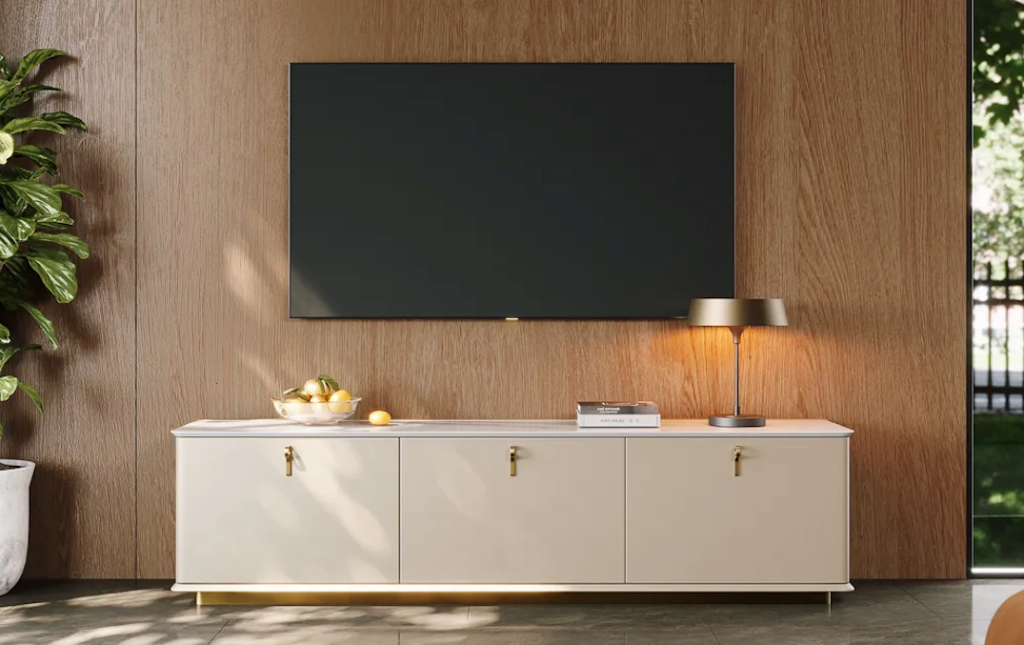
The general rule I use: your stand should be at least 4–8 inches wider than the TV on each side. That gives you visual breathing room, plus space for a soundbar, a small plant, or just empty wood that lets the screen feel framed instead of crammed.
For a 75″ TV (~66.5″ wide), that means:
| Stand width | What it looks like | Best for |
| 60–65″ | Stand is narrower than the TV | Avoid — looks unstable, often is |
| 70″ | Bare minimum, just barely framed | Tight rooms, no soundbar |
| 75–85″ | The “looks intentional” sweet spot | Most living rooms |
| 85–100″+ | Long, low, gallery feel | Open-plan / wide media walls |
If you’re not sure which end of that range to go for, here’s how I’d think about it.
Small Living Room Setups
Apartments, condos, narrow row-house living rooms — you’ve probably got 10–13 feet of usable wall. You don’t need a 90″ console here. A 70–75″ stand keeps the proportions calm and leaves room on either side for a floor lamp or a plant.
The trap to avoid: don’t push the stand into a corner so it’s flush against the wall on one side. It throws the whole room off-balance. Even 6 inches of breathing room on each side reads way better than a 90″ console wedged wall-to-wall.
POVISON’s TV stand collection has options in the 70–80″ range that are designed specifically for this — pre-assembled, walnut or oak finishes, with the kind of proportions that don’t fight a smaller room.
Wider Media Walls
If you’ve got a bigger living space — open-plan, vaulted ceiling, anything with 14+ feet of TV wall — go longer. 80–95″ lets a 75″ TV feel anchored instead of floating. The eye reads “this was on purpose” rather than “they bought the wrong size.”
This is also where the matching-set thinking from POVISON’s brand really earns its keep: a 90″ media console paired with a coordinated coffee table in the same finish family makes the whole room feel curated, not Frankenstein-ed together from four different stores.

Storage and Cable Needs to Think Through
A 75″ TV setup is rarely just the TV. Most people I know are running:
- A soundbar (10–15 lbs, usually 40–48″ wide, sits in front of or below the TV)
- A streaming box / cable box (Apple TV, Roku Ultra, etc.)
- A game console (PS5 or Xbox Series X — these are bigger than people remember; the PS5 is about 15.4″ tall when stood up)
- A surge protector + cable mess
So your stand needs:
Top-load capacity ≥ 100 lbs. A 75″ TV weighs roughly 55–75 lbs depending on model (your Samsung QN90 is heavier than your TCL Q5). Add a soundbar on top and you want a buffer. The BIFMA furniture stability standards recommend a meaningful safety margin for any unit holding electronics — I aim for 20–30% headroom past combined weight.
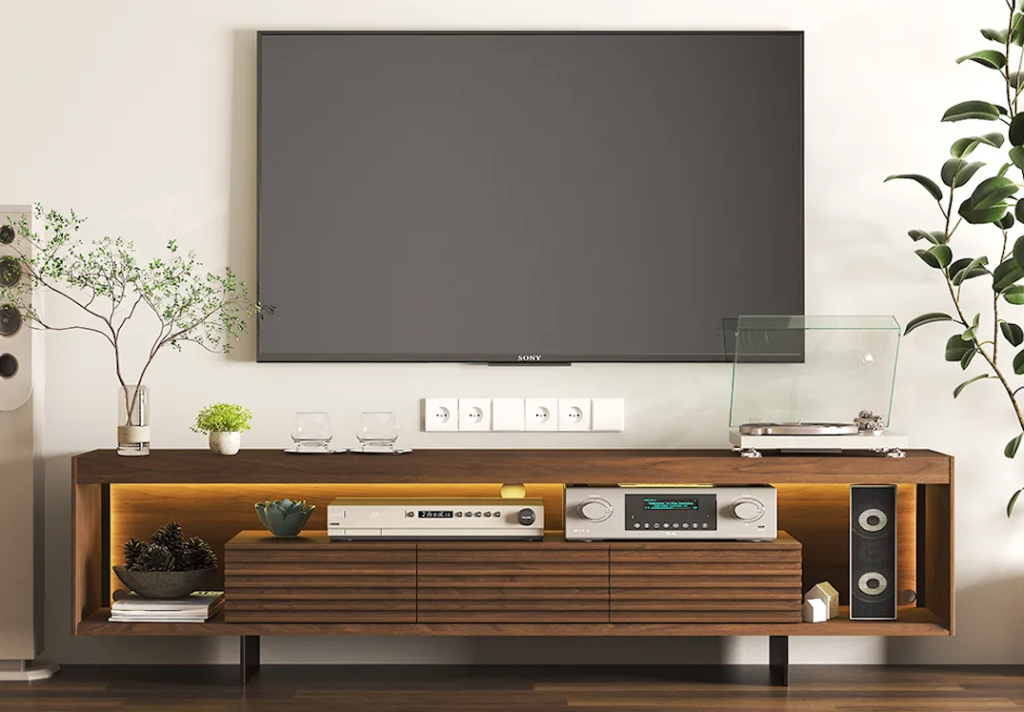
Open shelves with at least 2″ of clearance for ventilation. PS5s and AV receivers throw off real heat. Closed cabinets without ventilation cuts shorten the life of expensive electronics.
A back panel with cable cutouts or open back. This sounds obvious. It is not always present. I’ve seen $800 stands where the only way to run an HDMI cable was to drill your own hole. Check the product photos for the back of the unit, not just the front.
Common Sizing Mistakes and How to Avoid Them
Mistake 1: Putting the screen too high
The most common sizing error isn’t width — it’s height. People buy a 30″+ tall stand, put a 75″ TV on top, and end up with the screen center floating at 50″+ from the floor. That’s a recipe for neck strain.
The fix: measure your seated eye height (most sofas put you at about 40–42″ from floor). Subtract half the TV’s height (a 75″ TV is roughly 37″ tall, so half is ~18.5″). The number you’re left with is your target stand height. For most 75″ TV setups, that lands at 20–24″.
Mistake 2: Buying a stand that just barely fits
If your TV is 66.5″ wide and you buy a 67″ stand to match exactly, the TV’s feet will sit at the very edges. One bump from a kid or dog and you’re looking at a fall. The CPSC’s Anchor It! campaign was launched specifically because tip-overs are still a top home hazard for young children — and “stand barely wider than TV” is one of the worst configurations for stability. Always anchor your stand to the wall too, especially in homes with kids under 8.
Mistake 3: Ignoring weight capacity in the spec sheet
Flat-pack stands often advertise “supports up to 80 lbs” — but that’s the whole unit’s combined load, not the top shelf alone. Read the fine print. A 75″ Samsung QN90 weighs 73 lbs by itself; add a soundbar and you’ve already maxed out a stand that wasn’t built for it.
Mistake 4: Forgetting the depth
Most 75″ TVs have stand-feet that are 12–14″ apart front-to-back. Your stand needs to be at least 14–16″ deep so the feet sit fully on the surface with room to spare. Cabinets that are only 12″ deep look modern but leave the TV’s feet hanging off the back edge.

What to Check Before Buying Online
Here’s my pre-purchase checklist. I tape this to the fridge before I let anyone in my house buy a media console:
- [ ] TV’s exact width (from manufacturer spec sheet, not the size on the box)
- [ ] Stand width = TV width + 8″ minimum on each side, ideally + 12–16″ total
- [ ] Stand height matches your seated eye-level math
- [ ] Top-load capacity ≥ TV weight + soundbar weight + 25% buffer
- [ ] Depth ≥ 14″ so TV feet sit fully on the surface
- [ ] Open back or cable cutouts on the back panel
- [ ] Ventilation gap ≥ 2″ for game consoles and AV gear
- [ ] Wall anchor included or compatible (per CPSC guidance, anchor it)
- [ ] Shipping weight under your delivery threshold — a 90″ solid-walnut console can run 130+ lbs, and that’s not a “leave at the door” delivery
That last one is where I want to flag something specifically: a flat-pack 75″-class TV stand is the hardest type of furniture to assemble correctly. The longer the unit, the more critical the joinery — small misalignments at the joints become big load-bearing problems when you put 80 lbs on top.
This is one of the cases where I genuinely tell people to skip flat-pack. POVISON’s living room collection ships fully pre-assembled — the joints are glued and clamped in the factory, not by you on a Saturday at 11pm. Setup is “open the crate, slide it into place.” Combined with white-glove delivery for the heavier units, you’re not lifting 130 lbs up a flight of stairs alone.
That matters more for big-TV stands than almost any other furniture category, because the weight-bearing margin for error is small.
FAQ
How wide should a TV stand be for a 75 inch TV?
A TV stand for a 75 inch TV should be at least 70 inches wide, ideally 75–85 inches. A 75″ TV is about 66.5″ wide (not 75 — that’s the diagonal), so you want roughly 4–8 inches of stand visible on each side of the TV for visual balance and stability. Going narrower than the TV’s actual width creates a top-heavy, unstable look and increases tip-over risk.
Can a 75 inch TV go on a 65 inch stand?
A 75 inch TV should not go on a 65 inch stand. A 65″ stand is narrower than the TV’s actual width (~66.5″), which means the TV’s feet may overhang the edge — creating a real tip-over risk and a visually unbalanced setup. The minimum stand width for a 75″ TV is 70″, and 75–85″ is what most living rooms actually look right with.
What height should a TV stand be for comfortable viewing?
The TV stand height for comfortable viewing should put the center of the screen at your seated eye level — typically 40–42″ from the floor. For a 75″ TV (which is about 37″ tall), that means a stand height of 20–24″. Going much taller than 24″ pushes the screen too high and causes neck strain over long viewing sessions.
What should I check before buying a TV stand online?
Before buying a TV stand online, check seven things: (1) your TV’s actual width from the spec sheet, (2) stand width is at least 4 inches wider than TV on each side, (3) stand height matches your seated eye-level calculation, (4) top-load weight capacity is at least 25% above your combined TV + soundbar weight, (5) depth is 14″+ for the TV feet to sit fully, (6) there’s cable management on the back, and (7) shipping logistics — heavy units may need white-glove delivery, not curbside drop-off.
Conclusion: Size First, Style Second
The reason 75″ TV stand sizing trips people up isn’t that the math is hard. It’s that most product pages list a single “75 inch tv” tag and then everything from a 60″ wobbly console to a 95″ credenza shows up in the results.
Use the actual width. Use the eye-level math. Use the weight buffer. And if you’re putting a 75-pound TV on top of a long unit you’ll keep for the next decade, it’s worth getting one that arrived built right — not built by you at midnight.
If you want to see TV stands sized specifically for 75″ TVs, POVISON’s collection lists exact width, top-load capacity, and back-panel cable specs on every product page. Pre-assembled, walnut or oak, designed for the math I just walked through.
Or — if you’re still figuring out the broader living room, the full living room collection shows TV stands alongside coordinated coffee tables and sideboards, so the finish family stays consistent across the room.
Either way, measure twice. Buy once. Live with it for ten years.
Related Reading:


