 By Charles
Let’s be honest: sliding a brand-new 65-inch TV onto the wrong stand is the fastest way to ruin your living room reveal. A proper tv stand size guide isn’t just about inches and specs: it’s about safety, comfort, and a space that actually feels finished.
You want a mid-century modern media console that looks intentional, not like an afterthought. You also don’t want to spend your whole Saturday wrestling flat-pack boards just to end up with a wobbly stand that’s too small for your screen. With a few simple measurements, and the right pre-assembled piece, you can avoid all of that.
Here’s the short version of what you need to do:
- Measure your TV’s actual width, not just the diagonal size.
- Choose a stand that’s at least 6–10 inches wider than your TV.
- Match the stand height so the center of the screen is at eye level when you’re seated.
- Check depth and cable management so consoles and decor fit safely.
- Always confirm the weight capacity for your specific TV and gear.
Key Takeaways
- A TV stand should be wider than your TV (typically by 6–10 inches) for both safety and balanced proportions.
- Aim for the center of the screen at eye level when you’re seated, usually a stand height of 18–24 inches in most living rooms.
- Always measure room width, viewing distance, and traffic flow before you buy.
- Different TV sizes (55″, 65″, 75″, 85″) have ideal stand widths to keep your setup looking intentional, not cramped.
- Pre-assembled solid wood consoles save you from assembly headaches and offer better durability than most flat-pack options.
Why You Need a TV Stand Size Guide: Safety & Aesthetics
If you’ve ever seen a massive TV perched on a tiny console, you know that uneasy feeling, like one wrong nudge from a toddler or an overexcited pet and the whole setup might topple.
A TV stand size guide helps you avoid three big problems:
- Safety risks from an undersized or unstable stand
- Neck and eye strain from the wrong viewing height
- Awkward proportions that make your room feel off
Safety: Wider Is Safer
Your TV stand should be wider than your TV, ideally by at least 3–5 inches on each side. That gives you a visual frame and more stability. A too-narrow stand not only looks unbalanced but also increases the risk of tip-overs, especially in homes with kids.
If you’re mounting your TV but using a console for storage, the same idea applies: the stand should visually anchor the wall-mounted screen, not disappear underneath it.
Aesthetics: Balance Your Room, Not Just Your TV
Proportion is everything. When your TV and stand are well matched:
- The room feels intentional and designed, not temporary.
- You have room for speakers, decor, and storage without clutter.
- The TV reads as part of the composition, not the only star of the show.
You want a piece that balances function with visual lightness. This is exactly why Mid-century modern consoles work so well—their lower profiles and tapered legs keep large screens from feeling too heavy.

The Ultimate TV Stand Size Chart: Best Fits for 55″, 65″, 75″ & 85″ Screens
You’ll often see TV sizes listed as 55″, 65″, 75″, or 85″, that’s the diagonal measurement, not the width. The actual width of the TV is smaller, and that’s what matters for your stand.
We have verified the dimensions based on standard 16:9 aspect ratios to provide this precise comparison chart:
| TV Diagonal Size | Avg. TV Width | Minimum Stand Width | Povison Designer Recommendation |
| 55-inch | ~48.9″ | > 55″ | 60″ – 70″ (Ideal Balance) |
| 65-inch | ~57.7″ | > 64″ | 70″ – 80″ (Best for Cinema Feel) |
| 75-inch | ~66.4″ | > 72″ | 80″ – 90″ (Luxury Look) |
| 85-inch | ~75.1″ | > 81″ | 90″ – 100″+ (Grand Statement) |
*Exact TV width varies by brand and bezel thickness. Always check your model’s specs.
Use this chart as your baseline. If your living room wall is wide and you want a more luxurious look, you can size up on the console to add breathing room and storage.
For apartments and smaller spaces, prioritize a width that fits the available wall without crowding walkways. In larger rooms, a wider console can add storage and create stronger visual balance beneath the TV.
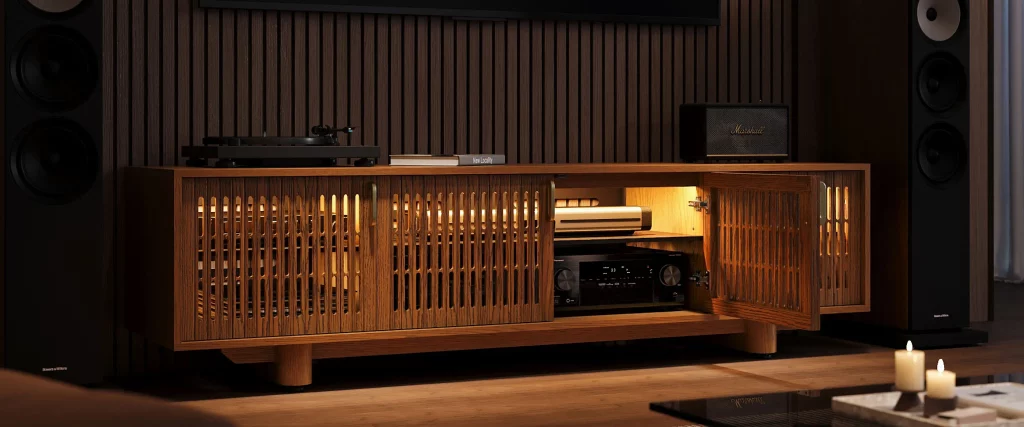
If your TV size is settled but you still need flexibility in console width, the Aeolus Modern Wood TV Stand comes in multiple sizes from 59 to 157 inches. That range makes it easier to scale the same design to different TV walls, while enclosed cabinets keep media accessories out of sight. Choose the width from your TV’s actual screen width and available wall space.
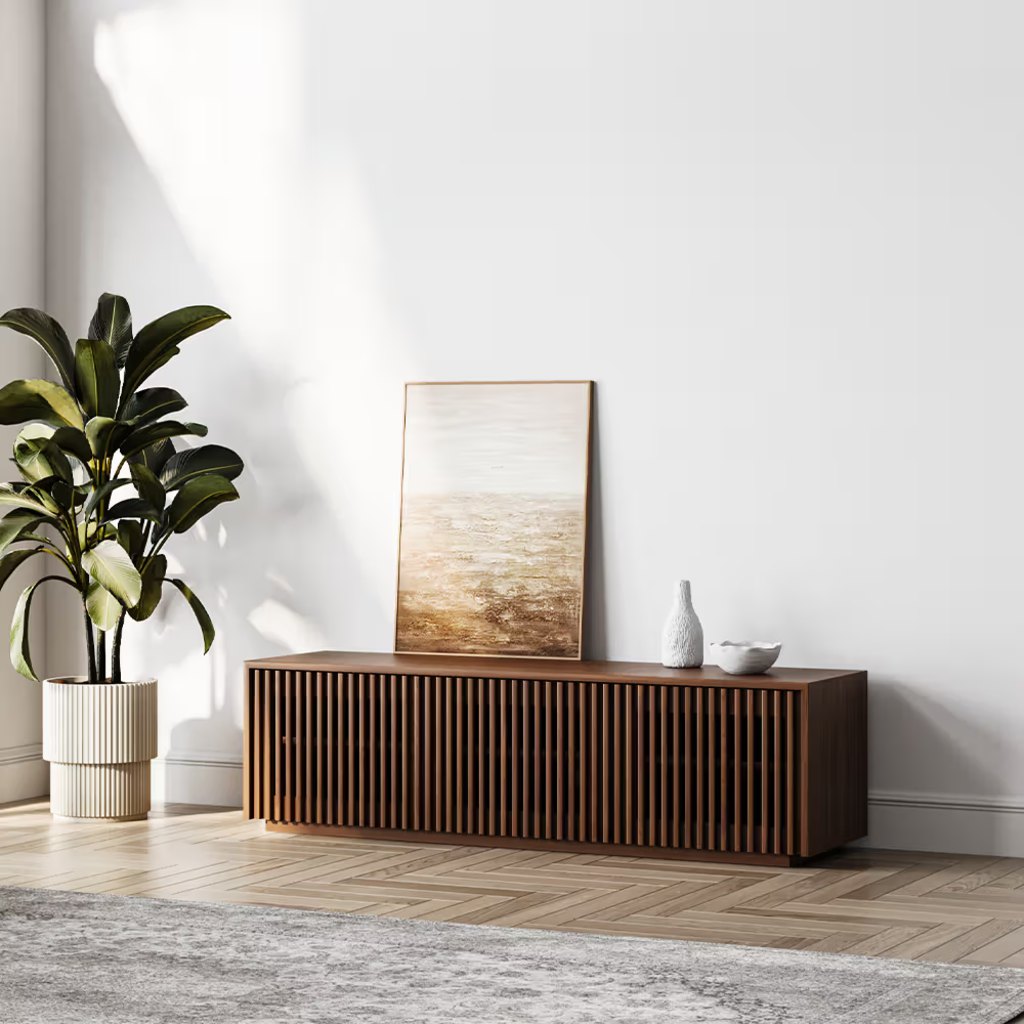
Aeolus Modern Wood TV Stand
Multiple width options make this low-profile console easier to scale to different TV sizes and wall lengths.
👍 Best for: Matching varied TV wall widths
✨ Seven widths from 59–157″
✨ Three enclosed media cabinets
✨ 15.75-inch depth limits projection
Measuring for Success: Essential Width, Height & Depth Guidelines
Before you fall in love with a console, you need three quick measurements: wall width, seating height, and floor space.
1. Width: Wall, TV, and Stand
- Measure the wall section where the TV will go.
- Check your TV’s actual width in the product specs.
- Choose a stand that’s at least 6–10 inches wider than the TV, and comfortably within your wall width.
If your wall is narrow, don’t push a giant TV into it. Downsizing the screen or opting for a sleeker stand often looks better than a “wall-to-wall TV” effect.
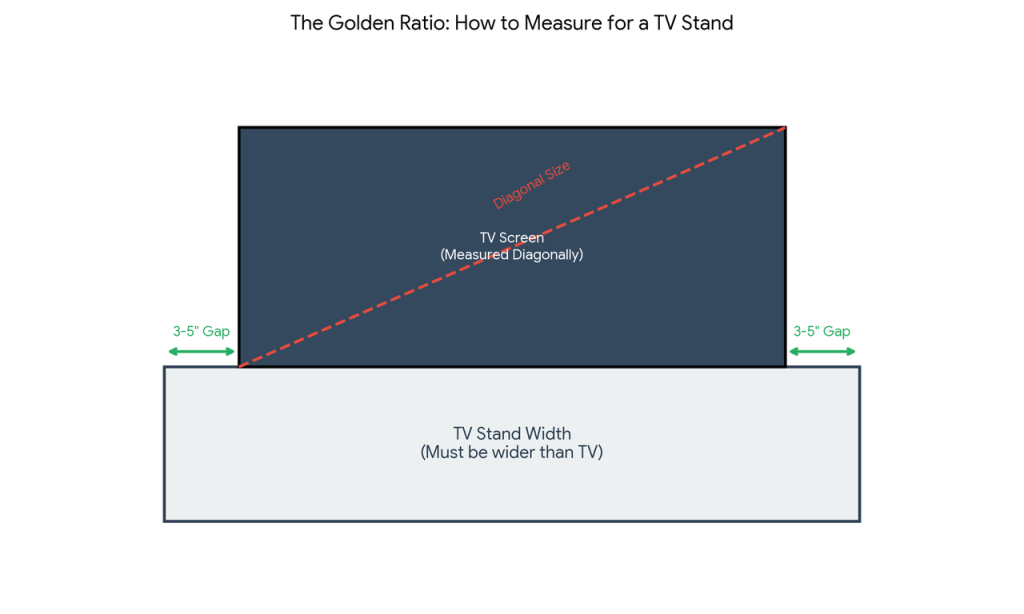
Numbers on a screen can be hard to visualize. To avoid returns, try this interior designer trick before you buy:
- Clear the floor space where the console will go.
- Use blue painter’s tape (masking tape) to outline the exact dimensions of the TV stand you are eyeing on the floor.
- Tape a smaller rectangle inside it to represent your TV’s width.
- Stand back and check:
- Is there visible “breathing room” (3-5 inches) on both sides of the TV tape?
- Does the outer tape block any walkways or walkways?
- Does it feel proportional to your sofa?
If the taped outline looks cramped, size down the stand or reconsider the placement. This 5-minute step saves hours of return hassles.
2. Height: Eye-Level Comfort
According to viewing recommendations and ergonomics experts, you’ll be most comfortable when the center of your TV is roughly at seated eye level, usually about 40–42 inches from the floor for most sofas.
To get your ideal stand height:
- Measure from the floor to your eye level while seated.
- Find the height of your TV.
- Subtract half the TV height from your eye level measurement.
That result is your target stand height.
In most living rooms, that works out to a console between 18–24 inches high, which is why so many mid-century modern media consoles sit in that range.
3. Depth: Don’t Forget Your Devices
Depth tends to be ignored until you realize your soundbar or gaming console is hanging halfway off the edge.
A 14–20-inch depth works for many everyday media setups, but larger AV receivers may require a deeper cabinet. Check usable interior depth—not just the exterior measurement—and leave room for plugs and cable bends behind the device.

If a full-size receiver or several connected devices need to sit inside the cabinet, the Delven Verse Mid-Century Modern TV Stand provides generous interior depth for larger AV gear. Two removable shelves make room for taller components, while six internal and three rear cable openings help route connected equipment more cleanly. Measure your deepest device with its plugs attached before ordering.
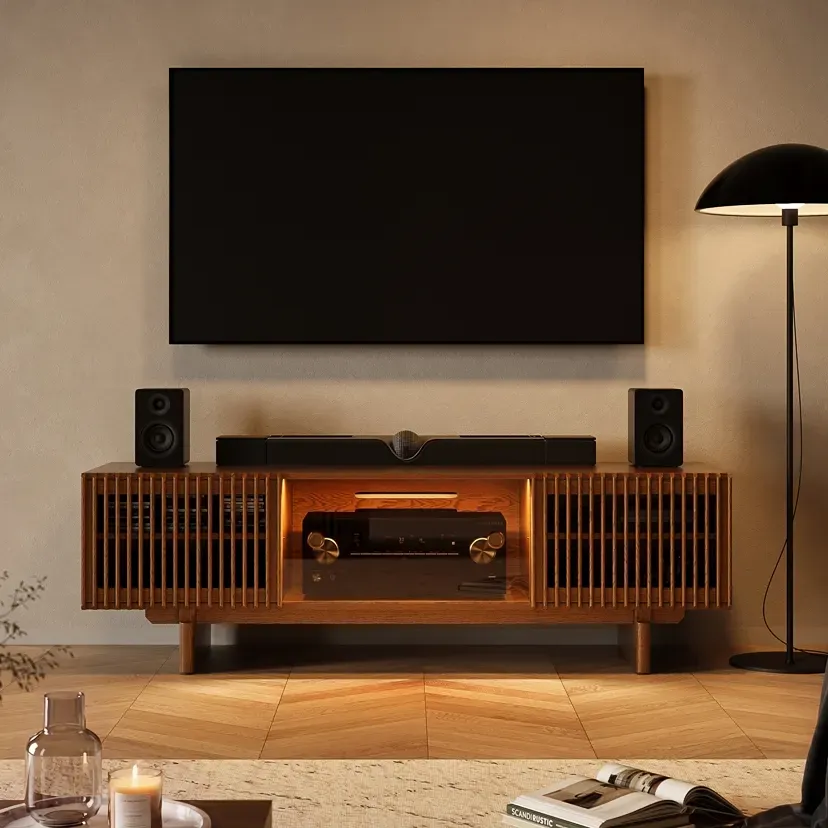
Delven Verse Mid-Century Modern TV Stand
Extra-deep storage and cable routing give larger AV components more connection space.
👍 Best for: AV receivers and connected gear
✨ 18.3-inch usable interior depth
✨ Nine cable-routing openings
✨ Two removable interior shelves
Optimizing Viewing Experience: Distance and Stand Height Considerations
Even the most beautiful console can feel wrong if the TV is too close, too far, or too high. Sizing your stand is part of optimizing your viewing distance and comfort.
How Far Should You Sit from Your TV?
Tech experts, including guides from TechRadar, generally suggest a viewing distance of about 1.5 to 2.5 times the diagonal size of your TV.
As a quick rule of thumb:
- 55″ TV → sit about 6.5–9 feet away
- 65″ TV → sit about 8–10 feet away
- 75″ TV → sit about 9–11 feet away
- 85″ TV → sit about 10–12 feet away
Use this as a guide, then work backward to where your sofa and console should go.
Stand Height vs. Sofa Height
If your sofa has deep seats and lower backs (very common in modern sectionals), you’ll usually want a lower console, around 18–20 inches. For more upright, formal seating, a 22–24-inch stand can feel better.
Ask yourself:
- Can you watch a 2-hour movie without craning your neck?
- Does the TV feel like it’s looming over you, or sitting too low like a laptop?
If you’re planning a wall-mounted TV with a console underneath, use the same eye-level rule, then adjust your mounting height accordingly. You can browse TV wall ideas on sites like ELLE Decor for layouts that blend storage and style.

With a wall-mounted TV, Merrin Black Floating TV Stand lets the console height be set independently around the screen and seating position. The floating cabinet keeps the floor clear while providing closed storage, and POVISON lists a 110-lb support capacity.
Check first: confirm that your wall type is compatible with the mounting requirements before ordering.
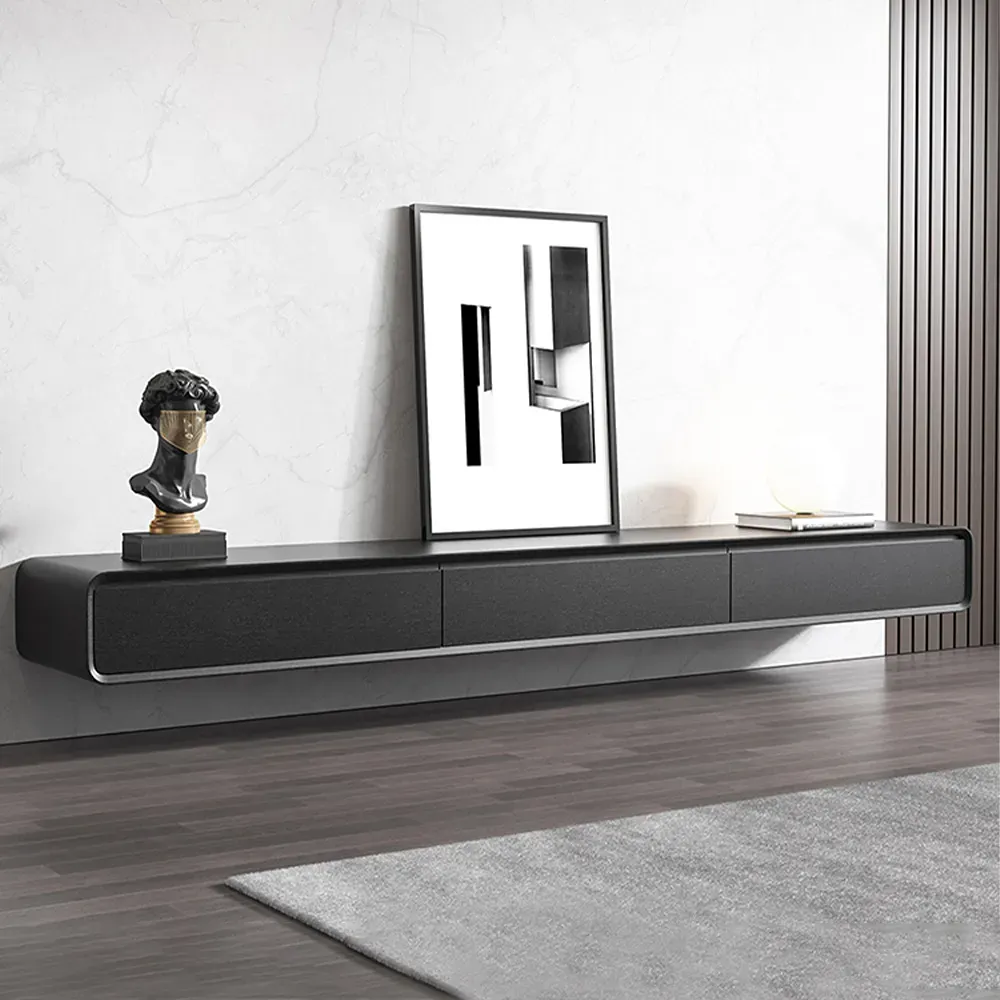
Merrin Black Floating TV Stand
Wall-mounted storage keeps floors clear while allowing flexible console height placement.
👍 Best for: Wall-mounted TVs with flexible height
✨ Customizable mounting height
✨ Three closed storage cabinets
✨ 110-lb listed support capacity
Expert Advice: Common Sizing Mistakes to Avoid When Buying a Console
You don’t have to make the expensive mistakes most first-time buyers make. If you remember these pitfalls, you’ll be ahead of the game.
1. Ignoring Dimensions (and Just Eyeballing It)
Photos can be deceiving. Always check:
- Overall width, height, and depth of the stand
- Weight capacity for both TV and equipment
- Interior storage dimensions if you have specific devices
Translate the numbers: instead of thinking “20 inches high,” think “perfect height for eye-level viewing from my sofa” or “low enough to keep the TV from dominating a small room.”
2. Choosing a Stand the Same Width as Your TV
A stand that’s exactly the same width (or narrower) than your TV almost always looks undersized. Go wider for:
- Better visual balance
- Safer footprint for kids and pets
- Room for decor, plants, books, or a small speaker
3. Forgetting About Future Upgrades
If you’re currently at a 55″ but dreaming of a 65″, size the console for the future TV now. That way, you’re not rebuying furniture in two years.
4. Not Accounting for Style & Material
Slim, metal-and-glass stands might technically fit your TV, but they can feel cold and less stable in a family room. Solid wood, mid-century inspired designs offer:
- Better weight distribution
- Heirloom-level durability when properly cared for
- A warmer, more furniture-like presence instead of “tech rack” energy
For a deeper jump into media cabinets that blend style and function, you can compare with the curated picks in ELLE Decor’s best media cabinets.
5. Overcrowding a Small Room
If your living room is compact, resist the urge to fill every inch. A slightly smaller TV on a well-proportioned console often looks more luxurious than an oversized screen crammed into a corner.
When in doubt, prioritize:
- Comfortable circulation paths (no bumping into corners)
- Enough floor space for kids, pets, or a coffee table
- A stand with closed storage to hide toys, remotes, and cords

Choosing the right console isn’t just about following a tv stand size guide on paper. It’s about creating a living room that feels calm, safe, and beautifully pulled together, without losing a weekend to assembly.
When you measure your space, match your stand to your TV width, and respect your eye level and viewing distance, you end up with a setup that disappears into the background in the best way. Your shows, your family time, your quiet evenings, that’s what stands out.
Build a Better Entertainment Setup
Compare TV stands by width, height, storage, and media-device fit.
TV Stand Size Guide: Frequently Asked Questions
What is the basic tv stand size guide rule for choosing the right width?
Start by measuring your TV’s actual width (not the diagonal). Your stand should be at least 6–10 inches wider than the TV, giving roughly 3–5 inches of overhang on each side. This improves safety, provides room for decor or speakers, and creates a more balanced, intentional look.
How tall should a TV stand be for comfortable eye-level viewing?
Aim for the center of the screen to sit at roughly seated eye level, usually around 40–42 inches from the floor. For most sofas, this translates to a TV stand height of about 18–24 inches. Lower, lounge-style seating suits 18–20 inches, while more upright seating works well with 22–24 inches.
What does the TV stand size chart recommend for 55, 65, 75, and 85 inch TVs?
As a guideline, pair a 55″ TV (~48.9″ wide) with a 60–70″ stand, a 65″ TV (~57.7″ wide) with a 70–80″ stand, a 75″ TV (~66.4″ wide) with an 80–90″ stand, and an 85″ TV (~75.1″ wide) with a 90–100″+ stand. Always confirm your TV’s exact width first.
How far should I sit from my TV based on size and stand placement?
A common rule is to sit 1.5–2.5 times the TV’s diagonal size away. That’s about 6.5–9 feet for a 55″, 8–10 feet for a 65″, 9–11 feet for a 75″, and 10–12 feet for an 85″. Position your sofa and TV stand so this distance feels natural in your room.
Can I use the same tv stand size guide for a wall-mounted TV with a console underneath?
Yes. Even with a wall-mounted TV, choose a console wider than the screen so it visually anchors the setup and offers storage. Follow the same width rules (6–10 inches wider than the TV). For height, mount the TV so its center sits at seated eye level, then select a console height that complements, not crowds, the wall space.


You really hit the nail on the head with cable management. It can be so frustrating when everything is cluttered, and it’s hard to find the right spot for consoles or decor. A good TV stand should not only fit the TV but help keep things neat and organized.
[…] model-specific measurements, the existing TV stand size guide for 55–85 inch TVs explains how diagonal screen size translates into actual TV width and how wall width, seating […]