 By Charles
Hey buddy, it’s Charles here. How’s it going?
Honestly, haven’t you had enough of this: Putting up a new TV, only leaving 1 cm at the edge of the cabinet, feeling like it could tip over any second? Searching for the remote every day like a treasure hunt, with dust and cat hair stuffed into every crack? No place to put speakers, Switch, or projector, so they just pile up like a disaster zone? And the worst part? After finally getting everything set up, your dog/kid bumps it and it tilts again?
Come on, enough is enough. It’s 2026—we shouldn’t still be putting up with this nonsense. A proper TV stand should hit that sweet spot where you sit back and think, “Holy crap, this finally feels right.” It needs to be rock-solid (handles a 100+ lb OLED easy), perfect height (no craning your neck on movie nights), smart storage (hidden cables, wireless charging spots, dust-proof drawers), and actually look sharp without costing a fortune.
That’s why I pulled this guide together—straightforward formulas for sizing, height charts, and the most practical storage setups that are popping in 2026.
What Size TV Stand Do You Need?
Picking the right size TV stand is aboutstability, proportion, and how it looks in your room. Not just “will it fit,” but “will it feel right when you sit down.” According to data from the U.S. Consumer Product Safety Commission, an estimated 17,800 people annually are injured in furniture and TV tip-over incidents, with children under 18 accounting for 44% of these injuries.
The quick rule: choose a stand wider than your TV to prevent tip hazards and make the setup feel intentional, not cramped.
The 2-Inch Rule
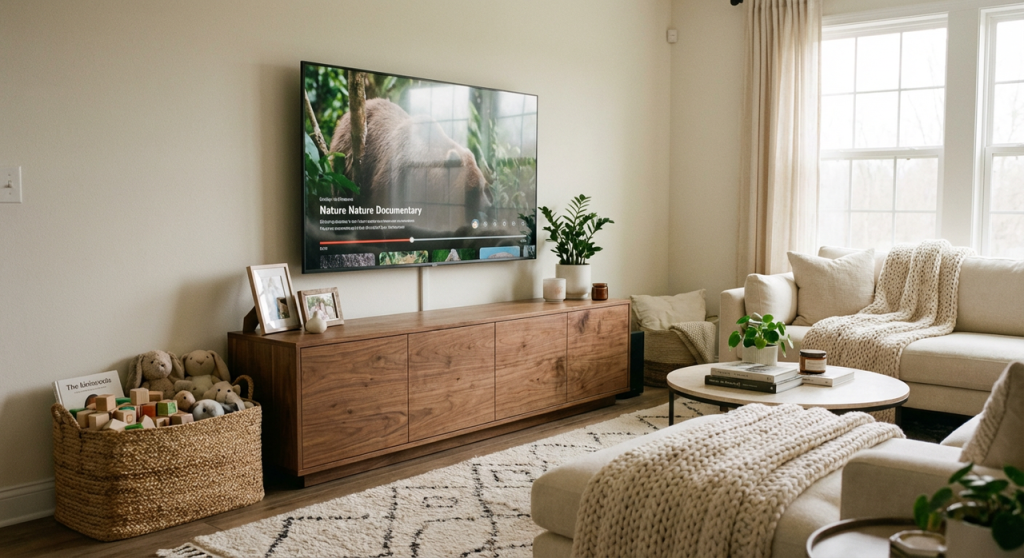
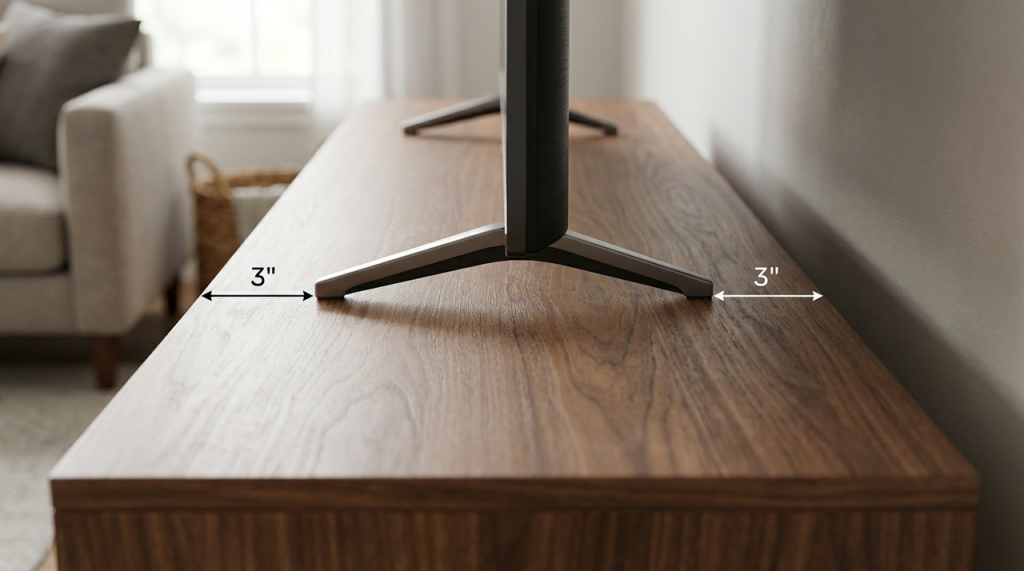
Aim for your TV stand to be at least 2–6 inches wider than your TV on each side. If you have kids or pets, extra width helps stability and protects corners from bumps. Example: a 65-inch TV (about 57 inches wide) pairs well with a 63–72 inch stand.
- Why it matters: Wider base = better weight distribution and fewer tip risks.
- Visual balance: The TV shouldn’t look like it’s teetering on a ledge.
- Soundbars: Extra width leaves room for a 36–45 inch soundbar without crowding.
Width by TV Size Chart
Use this as a quick cheat sheet when you’re shopping.
| TV Size (Diagonal) | Approx TV Width | Recommended Stand Width |
| 43 in | ~38 in | 44–55 in |
| 50 in | ~44 in | 50–60 in |
| 55 in | ~48 in | 54–66 in |
| 65 in | ~57 in | 63–72 in |
| 75 in | ~66 in | 72–84 in |
| 85 in | ~74 in | 80–96 in |
🏷️Tip: If you’re between sizes, size up the console. Extra surface space is useful for speakers, décor, or keeping sticky fingers away from the screen. Bigger here is rarely a regret.
Ideal TV Stand Height
Your eyes should meet the middle of the screen when you’re seated. For most sofas (18–20 inch seat height), that means a TV center height of about 40–43 inches from the floor. According to Consumer Reports’ TV viewing guidance, since most modern TVs place the center roughly halfway up the screen, a stand height of 20–24 inches works well for 55–65 inch TVs. This is where comfort quietly wins or loses.
Quick method to get it right:
- Measure your eye level when seated. Let’s say it’s 40 inches.
- Find your TV’s half-height. A 65-inch TV is ~32.5 inches tall: half is ~16.25.
- Target stand height: 40 – 16.25 ≈ 24 inches.
If you use a recliner or sit on floor cushions with kids, drop the stand an inch or two. If you have a tall sectional or barstool seating behind, go slightly taller so necks stay happy. Your body will tell you if you got this wrong — usually after episode two.
Types of TV Stands
Different rooms and lifestyles call for different TV stand formats. Here’s how to choose what fits your space, and your daily routine. Because “looks good online” and “works in real life” are not the same thing.
Console
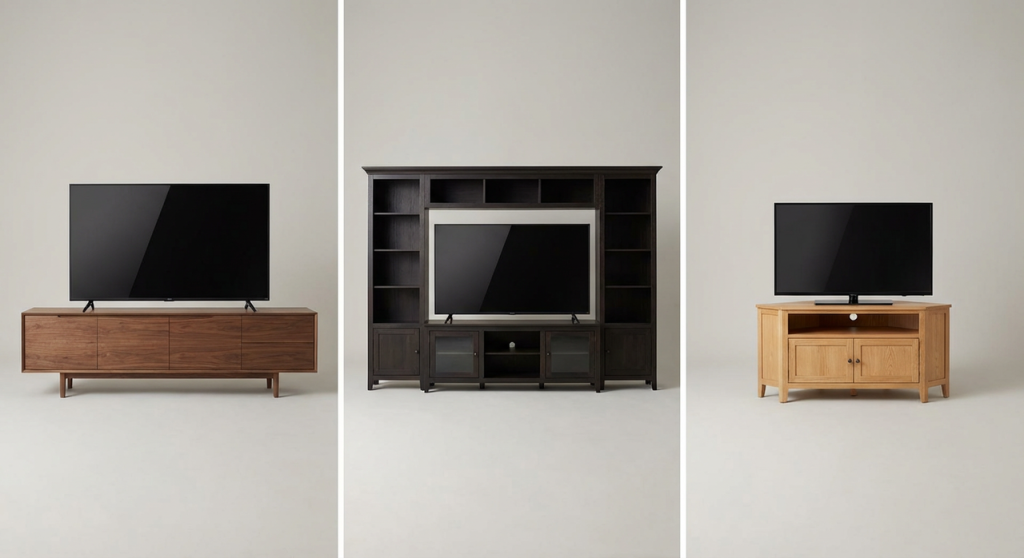
A streamlined rectangle with cabinets, shelves, or drawers. Great for most living rooms. This is the safe, reliable pick.
- Best for: Clean look, ample storage without dominating the wall.
- Common sizes: 60–80 inches wide, 20–24 inches high, 15–18 inches deep.
- Pros: Versatile, easy to place, works with soundbars.
- Cons: If you need wall-spanning storage, you may want an entertainment center.
Entertainment Center
A larger unit with hutches or side towers.
- Best for: Bigger walls, collectors, or lots of components.
- Typical span: 90–120 inches wide with integrated shelving.
- Pros: Tons of storage, built-in organization.
- Cons: Visually heavy, harder to move, measure for doorways before delivery.
Corner TV Stand
Triangular or angled back to tuck into corners.
- Best for: Small rooms, apartments, multi-use spaces.
- Typical footprint: 42–60 inches wide front, with angled back.
- Pros: Space-saving, helps with odd room layouts.
- Cons: Limited surface width for very large TVs: check weight-capacity closely.
Storage vs Minimalist Designs
If you’re juggling consoles, streaming boxes, and kids’ controllers, storage matters. If you’ve gone fully streaming with a wall-mounted soundbar, minimalist might be your move. Here’s how to decide without regret.
Storage-forward consoles are worth it when you want hidden clutter and safer cable management. Look for adjustable shelves and at least two cord ports so you can route power on one side and HDMI on the other without crossing wires.
Minimalist designs shine when your gear list is short and you love open space. They keep rooms airy, especially in apartments, but make sure you still have a plan for cables (a single grommet and a raceway down the back wall works).
What to measure before you buy:
- Shelf openings: at least 18 inches wide x 12–14 inches deep for receivers and game consoles.
- Drawer interiors: 14–16 inches wide for remotes, controllers, and chargers.
- Cable cutouts: 2–3 inches diameter, ideally two or more.
If you’re undecided, pick a hybrid. Best of both worlds, least regret.
If you don’t want to decode materials, weight ratings, and finish quality line by line, this is where we usually point people.
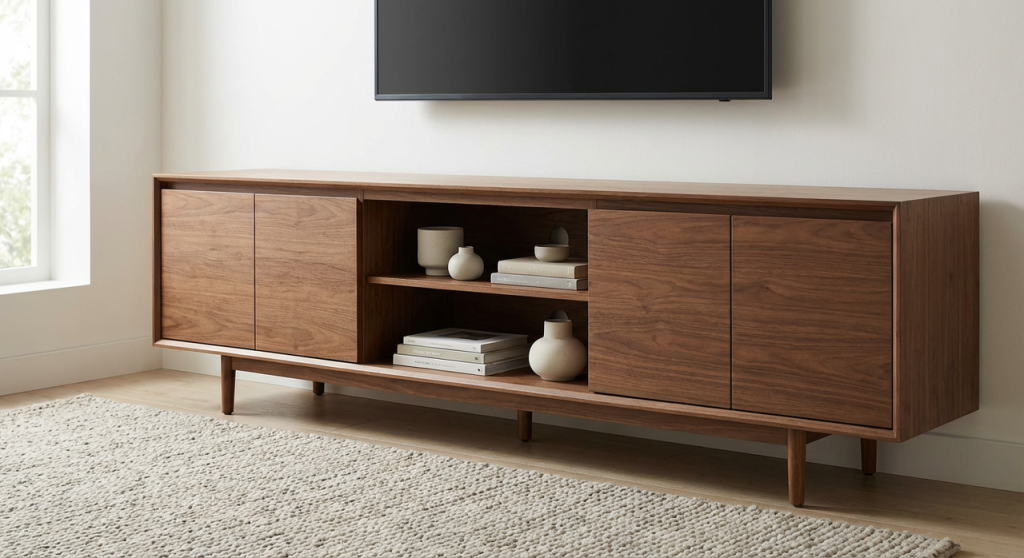
At Povison, we’ve built our TV stands to solve all those headaches—kids bumping the furniture, pets knocking things over, remotes disappearing into couch crevices, etc. Every stand is rock-solid, intelligently sized, and made from materials that last—so you don’t have to worry, guess, or compromise on style.
Materials Guide
Materials determine how long your TV stand lasts, how it handles dings, and how much it weighs on delivery day. Here’s what you’ll run into and how it behaves in real life with kids and pets around.
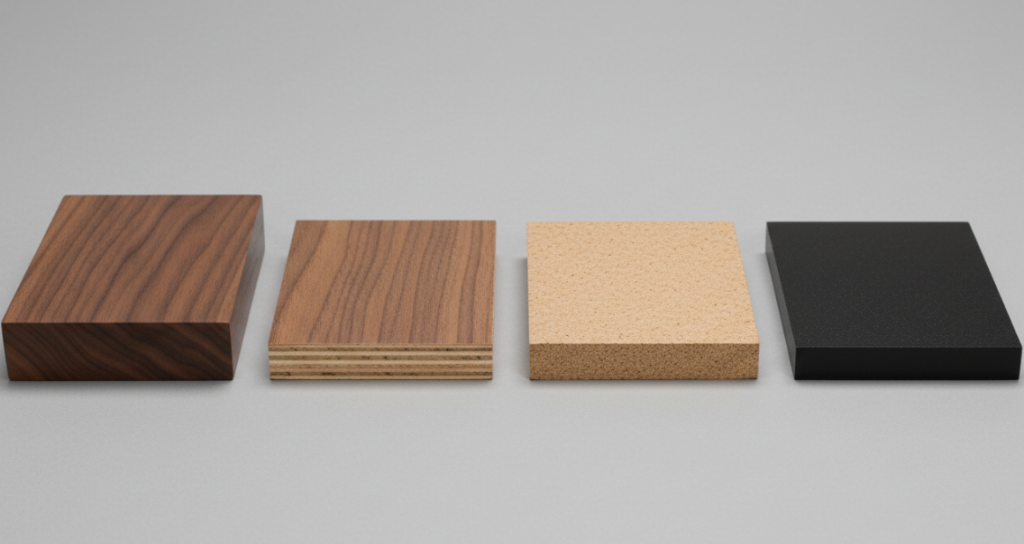
Solid wood (oak, walnut, maple)
- Strength: Excellent. Joinery and thickness matter: look for 0.75–1 inch tops.
- Durability: Resists chips better than particle board: can be refinished.
- Weight: Heavy, which boosts stability (good with dogs sprinting by).
- Cost: Higher upfront but 10–15+ years of use is realistic.
Veneer over plywood
- Strength: Very good when quality veneer is paired with stable plywood.
- Durability: Surface holds up if sealed well: less prone to warping than solid slabs.
- Weight: Moderate. Balanced mix of longevity and price.
- Watch for: Real wood veneer vs printed laminate.
MDF/Particle board with laminate
- Strength: Adequate for light to moderate loads: check weight-capacity.
- Durability: Prone to edge chipping and swelling if moisture gets in.
- Weight: Light to moderate: easier to move but can feel less solid.
- Upside: Budget-friendly for short-term setups.
Metal and glass
- Look: Modern and airy.
- Durability: Metal frames are strong: tempered glass shelves need careful cleaning.
- Practicality: Smudges show: not ideal for toddlers’ handprints.
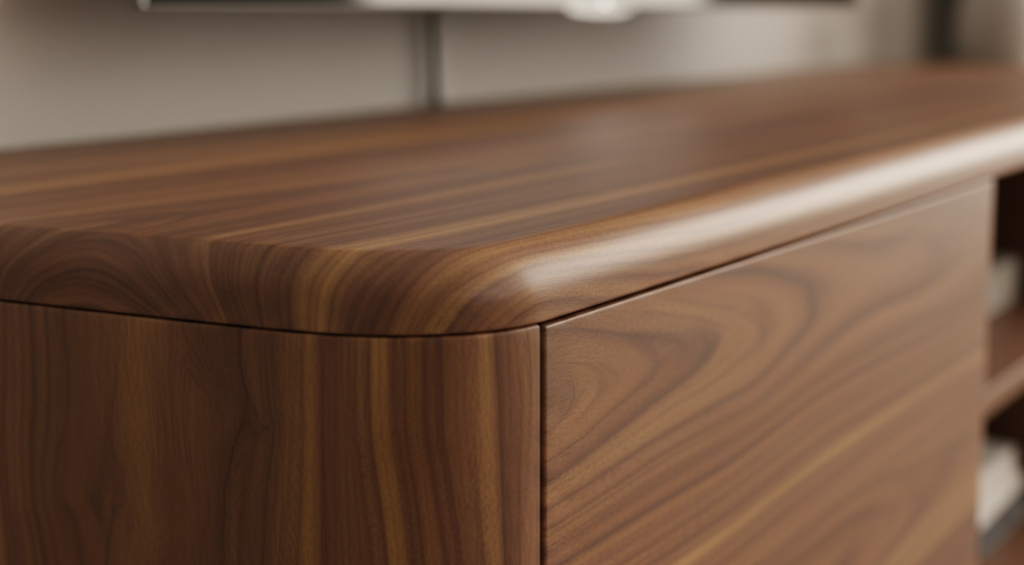
🏷️Pro tip: For families, a sealed wood top (oil or water-based polyurethane) is forgiving. It resists rings from cold drinks and wipes clean with a damp cloth. Prioritize rounded corners if you have runners and wrestlers in the house.
Frequently Asked Questions
What size TV stand do I need for a 65-inch TV?
Use the 2–6 inch rule: choose a TV stand that’s 2–6 inches wider on each side of the screen. For a 65-inch TV (about 57 inches wide), a 63–72 inch stand looks balanced, improves stability, and leaves room for a 36–45 inch soundbar without crowding.
How tall should a TV stand be for comfortable viewing?
Match the TV center to your seated eye level—usually 40–43 inches from the floor. For most sofas, that means a TV stand around 20–24 inches high for 55–65 inch TVs. Measure your eye height, subtract half the TV’s height, and adjust up or down for recliners or taller seating.
Which type of TV stand works best in a small room?
A corner TV stand saves floor space and tucks neatly into tight layouts. Look for a 42–60 inch front width with an angled back, and verify weight capacity if using larger TVs. If you need storage, pick a model with adjustable shelves and dual cord ports for clean cable routing.
How much weight should a TV stand support?
Choose a TV stand with a top-surface rating that exceeds your TV plus components by at least 20–50% (a 1.2–1.5× safety margin). Confirm per-shelf limits, especially with MDF/particle board. Ensure the TV’s feet fit fully on the top and avoid overloading glass shelves with heavy receivers.
How can I make a TV stand safer around kids and pets?
Pick a wider, heavier TV stand for stability, and use anti-tip straps to secure the TV to the wall or stand. The CPSC’s Anchor It! campaign provides free guides and video tutorials showing how to properly install anchoring devices. Favor rounded corners and sealed wood tops, route cables through separate cutouts to reduce tugging, keep controllers off surfaces, and avoid placing climbable items near the unit.


The storage tips here are spot on. Hidden cable management is a game-changer, especially with all the tech we have now. It’s amazing how a clean setup can transform the whole vibe of the living room!
[…] order: mattress or bed frame, sofa or lounge chair, dining surface, dresser or storage piece, and TV stand or media storage. These are the things you need for an apartment before it can truly support daily life. Accessories […]