 By Stephanie
A 65-inch TV is not 65 inches wide. If you are checking TV dimensions by size, the useful numbers are the screen’s approximate width and height—and, before buying, the exact outside dimensions of the model you choose. This guide converts common TV sizes from 32 to 100 inches into practical width and height measurements, then shows which specification matters for a wall, media console, built-in opening, or delivery route. Use the chart for initial planning, then switch to exact model specifications once you narrow your choice.
Table of Contents
TV Width and Height by Screen Size
The TV dimensions by size chart below converts common 16:9 diagonal screen sizes into approximate screen width and height.
| TV Size (Diagonal) | Approx. Screen Width (in) | Approx. Screen Height (in) | Approx. Screen Width (cm) | Approx. Screen Height (cm) |
| 32″ | 27.9 | 15.7 | 70.8 | 39.8 |
| 40″ | 34.9 | 19.6 | 88.6 | 49.8 |
| 43″ | 37.5 | 21.1 | 95.2 | 53.5 |
| 50″ | 43.6 | 24.5 | 110.7 | 62.3 |
| 55″ | 47.9 | 27 | 121.8 | 68.5 |
| 65″ | 56.7 | 31.9 | 143.9 | 80.9 |
| 75″ | 65.4 | 36.8 | 166 | 93.4 |
| 77″ | 67.1 | 37.8 | 170.5 | 95.9 |
| 85″ | 74.1 | 41.7 | 188.2 | 105.8 |
| 98″ | 85.4 | 48 | 217 | 122 |
| 100″ | 87.2 | 49 | 221.4 | 124.5 |
These TV dimensions by size are screen-only estimates. They do not include the bezel, chassis, feet, pedestal, or other model-specific hardware, so use the manufacturer’s exact specifications for final fit.
If you are asking how wide a 65-inch TV is, a standard 16:9 screen is about 56.7 inches wide and 31.9 inches tall.
What Does TV Size Actually Measure?
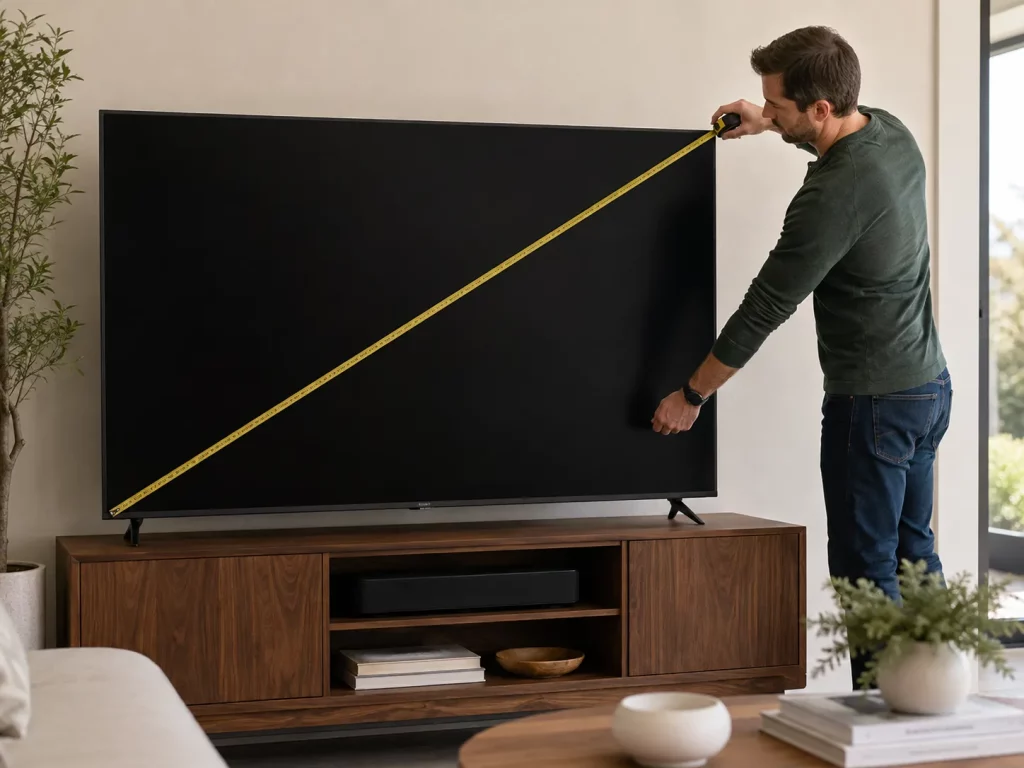
The size printed on a TV box refers to the screen’s diagonal measurement, taken from one corner of the visible display to the opposite corner. It does not represent the TV’s horizontal width (Samsung).
When measuring an existing TV, place the tape across the visible screen rather than the outside edges of the frame. The bezel, chassis, feet, and pedestal are not included in the advertised screen size. A 65-inch label therefore describes the viewing area, not the amount of wall or furniture space the finished television requires.
Because most modern TVs use a 16:9 aspect ratio, the diagonal can be converted into an approximate screen width and height. For a 16:9 display, multiply the diagonal by 0.8716 to estimate width and by 0.4903 to estimate height. That is why a 75-inch screen is approximately 65.4 inches wide and 36.8 inches high.
These calculations create a screen-only baseline. Model-specific hardware explains why TVs with the same advertised size can still have different finished dimensions.
Why Can Two TVs of the Same Size Have Different Dimensions?
Two TVs with the same advertised size can have nearly identical viewing areas but different exterior footprints. The diagonal label standardizes the screen category, not the hardware built around or behind it. Most model-level differences come from three areas:
Frame and Chassis: Bezel thickness, lower speaker sections, sensor housings, and chassis construction can change the finished width and height. These small differences matter when the TV must fit inside a built-in opening or between fixed wall features.
Stand Design: A center pedestal and widely spaced feet require different amounts of furniture surface. The stand can also increase the television’s overall height and depth. Some models offer multiple foot positions, so confirm the position you plan to use rather than relying on one generic stand-width figure.
Rear Profile and Connections: Electronics housings, rear-facing ports, side-facing ports, and cable bends affect how far the television projects from a wall. A thin screen can still require additional depth once the mount, power plug, HDMI cables, and adapters are installed.
Manufacturers may therefore publish separate dimensions with and without the stand. When space is limited, compare the exact model in its intended installation configuration rather than relying on the diagonal category alone.
Which TV Dimension Should You Check for Your Setup?
Once you know the difference between screen size and actual dimensions, the next step is choosing which measurement matters for your setup.
| What Are You Checking? | Measurement to Use |
| Available wall width | Exact overall TV width |
| Available wall height | Exact overall height; without stand if wall-mounted |
| Media console fit | TV width + base footprint + weight |
| Built-in opening | Exact width × height × depth |
| Soundbar clearance | Bottom-of-screen clearance with stand attached |
| Wall mounting | Without-stand dimensions + mount requirements |
| Delivery route | Package dimensions |
A TV’s base deserves separate attention. The body may fit comfortably above a console while widely spaced feet or a deep pedestal extend beyond the flat usable surface. Compare the stand width, feet spacing, or pedestal footprint with that surface, and check the TV’s published weight against the furniture’s load rating.
Once the television’s actual dimensions are known, a TV stand size guide for 55–85 inch TVs can take the next step by translating the confirmed TV width into a furniture-sizing decision.
How Do You Read TV Specifications Before Ordering?
Once you have narrowed the screen size, stop relying on the diagonal label and open the specification page for the exact TV model. The goal is to identify the measurements that correspond to your installation rather than treating one generic dimensions figure as sufficient.
For a wall-mounted TV, record the overall width, height, and depth without the tabletop stand. If the screen will sit on furniture, add the stand footprint and TV weight. When a model offers more than one foot position, use the spacing for the position you actually plan to install.
For a freestanding setup, the POVISON Delven Verse Media Console helps match the TV with the furniture and equipment around it. Its 70.86-inch overall width can be compared with the TV’s exact body width, while 18.3 inches of usable interior depth provides more space for deeper AV components and rear cable connections. Multiple cable routes also make it easier to connect devices without creating extra clutter behind the cabinet.
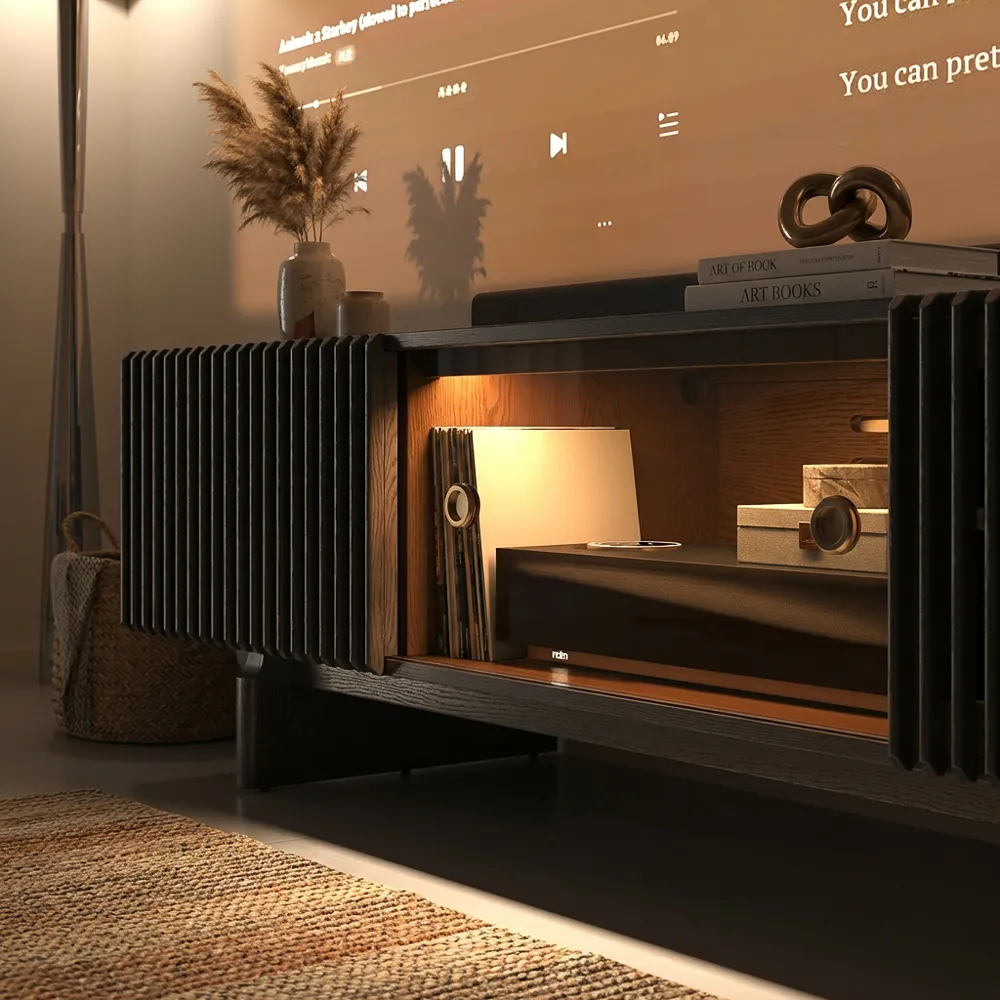
POVISON Delven Verse Media Console
Designed for TV setups that need more space for both screens and equipment.
What Changes When the TV Is 85 Inches or Larger?
With an oversized TV, final installed dimensions are only part of the fit check. An 85-inch 16:9 screen is about 74.1 inches wide, while a 98-inch screen is about 85.4 inches wide before the outer frame is added. The shipping carton will still be larger.
Before ordering, compare the manufacturer’s package dimensions with the entire route from delivery point to final room:
- Entry door width and height
- Elevator opening and interior
- Stair width and landings
- Hallway corners
- Tight turns between rooms
Measure the carton rather than assuming the bare TV dimensions are enough. A 98-inch television may fit its intended wall comfortably but still be difficult to move through a narrow apartment elevator or around a stair landing.
If the screen will sit on furniture rather than mount to the wall, a TV stand for large TV setups adds another layer of checking: usable surface area, base footprint, load capacity, and stability all matter after the TV dimensions are confirmed.
Conclusion
A TV dimensions by size chart is most useful as a planning tool, not a replacement for the exact model specification. Start with the diagonal to estimate screen width and height, then use the manufacturer’s finished dimensions once you choose a TV. For wall mounting, check the television without its stand. For console placement, add the base footprint and weight. For very large screens, check the shipping carton too. Matching the right measurement to the right task is more reliable than planning around the number printed on the TV box.
Build a Better Entertainment Setup
Explore media consoles designed for organized storage, ventilation, and modern entertainment equipment.
FAQ
How much clearance does a built-in TV need?
Follow the TV and mount manufacturers’ installation requirements rather than using a universal margin. Include the finished screen dimensions, cable bends, ventilation space, hand access, and enough room to remove the TV later. For a tight opening, use the exact model’s installation drawing instead of the approximate size chart.
Can a media console be deeper than the TV?
Yes. Console depth depends on the TV base and the connected equipment, not the thin screen body. Confirm that the full pedestal fits on the flat surface, then allow enough cabinet depth for AV components and rear plugs. In a narrow room, also check that the deeper furniture does not restrict the walkway.
Does the Console’s Full Width Count as Usable Surface?
Not always. Rounded ends, raised edges, decorative lips, or uneven top sections can reduce the flat area available for the TV base. Compare the feet or pedestal with the uninterrupted usable surface rather than the cabinet’s overall width. If usable top dimensions are not listed, confirm them before ordering.
Which dimensions should I trust if listings disagree?
Use the manufacturer’s specification sheet or manual for the exact model number. Retail listings may round measurements or mix dimensions with and without the stand. Confirm the model first, then choose the specification that matches wall mounting, furniture placement, built-in installation, or delivery planning.


[…] actual TV dimensions by screen size helps separate screen diagonal from the dimensions that determine furniture compatibility.s […]
[…] usually be wider than the television’s actual body, not just its feet. Check the manufacturer’s dimensions with the TV stand attached, then measure the flat, usable cabinet top. Decorative lips, curved ends, or raised […]
[…] with the usable surface area instead of choosing a stand based only on screen size. Checking TV dimensions by screen size can help you understand the difference between a TV’s diagonal measurement and the actual width […]