 By Kelvin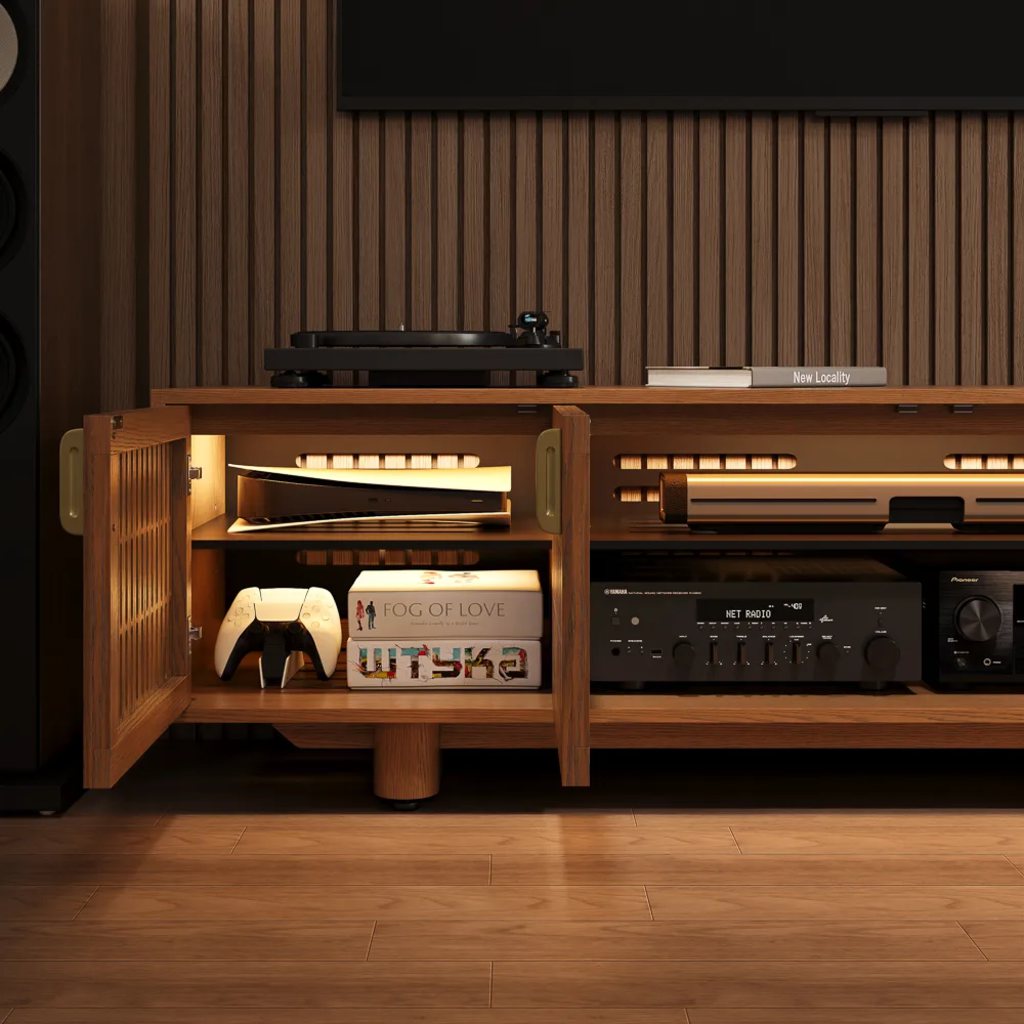
Introduction
Can you close your media console doors and still use the remote? In many cases, yes—but only if the cabinet door design allows the signal to reach your device. An IR friendly media cabinet helps hide streaming boxes, cable receivers, Blu-ray players, and game consoles without forcing you to open the doors every time you pause a show. The key is understanding how infrared remotes work, which cabinet fronts block them, and why slatted doors can make a closed cabinet easier to use every day.
Table of Contents
Can You Use a Remote Through Cabinet Doors?
Yes, you can use a remote control through cabinet doors when the door material or design lets the infrared signal reach the device’s receiver. Solid wood doors usually block IR signals because infrared remotes rely on a direct or semi-direct path. If the signal cannot reach the sensor, the device will not respond.
A remote is more likely to work through cabinet doors when the cabinet has:
- Slatted or louvered doors
- Perforated metal fronts
- Glass doors
- Mesh, cane, or fabric-style inserts
- Open shelves or partial openings near the device sensor
The important point is not whether the device is hidden. It is whether the remote signal can still reach the device’s IR receiver.
Why Slatted Doors Work Better Than Solid Doors
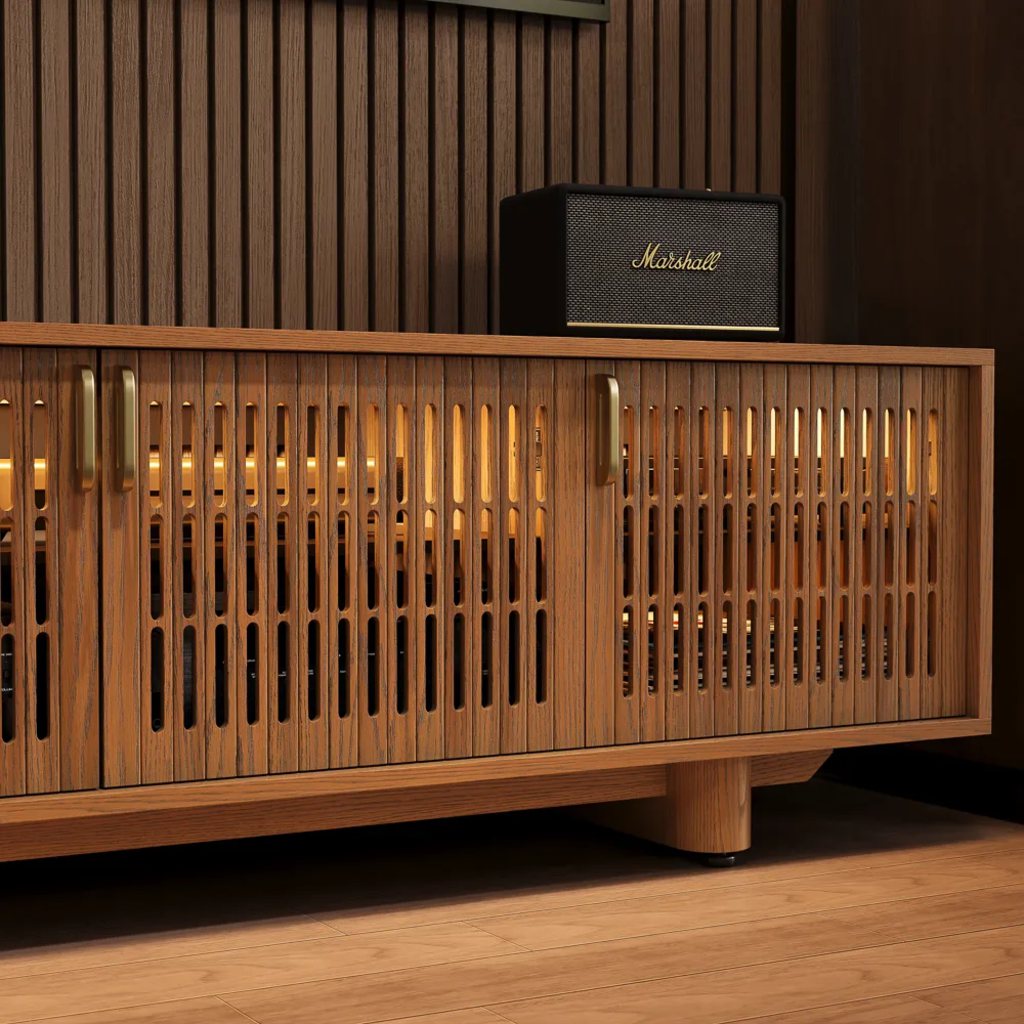
Solid cabinet doors are good for hiding clutter, but they often create the exact problem media users want to avoid: the remote stops working unless the door is open. Slatted doors solve that problem by giving IR signals small openings to pass through while still keeping the cabinet front visually calm.
Infrared remotes send invisible light pulses from the remote to the receiver on the device. Because IR behaves more like light than Wi-Fi, it works best when there is a visible or partially open path. Solid doors usually block that path, while slatted doors create small openings that allow the signal to reach compatible devices inside the cabinet.
This matters in real living rooms. A cable box, Apple TV, gaming console, or Blu-ray player may not look messy on its own, but several devices together quickly create a crowded shelf. A slatted front keeps the equipment out of sight without turning simple actions, like changing input or adjusting playback, into a door-opening routine.
The POVISON 71″ Mid-Century Modern TV Stand suits a living room where the TV wall needs hidden storage but the devices still need daily access. Its slatted door design allows IR signals to pass through, so compatible remotes can work with the doors closed. The console also supports a cleaner front for streaming boxes, controllers, and media accessories.
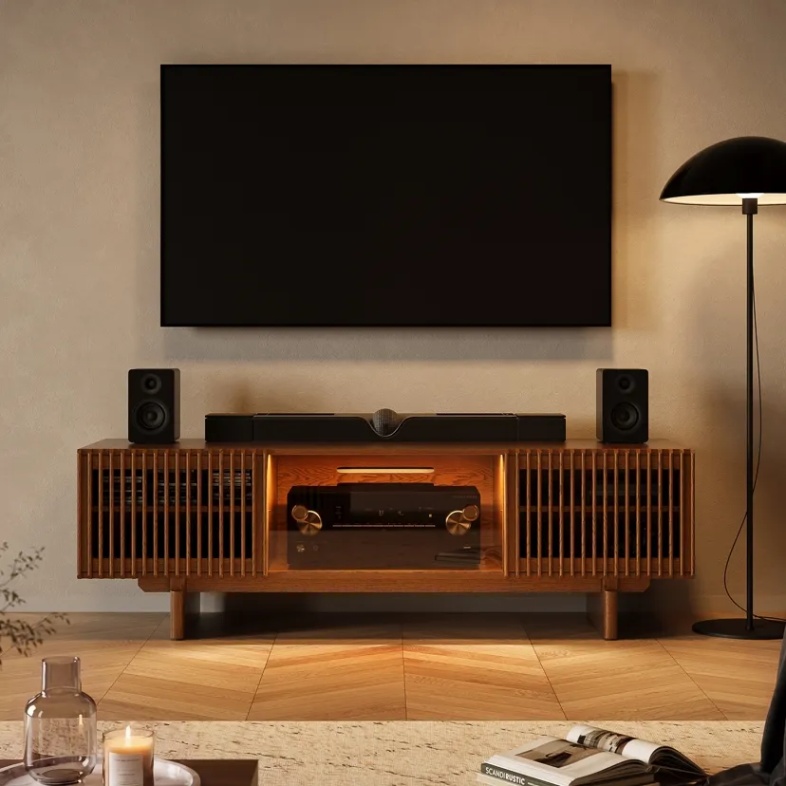
What Makes a Media Cabinet IR Friendly?
An IR friendly media cabinet is designed so media devices can stay behind closed doors while still receiving remote signals. The door front matters most, but it is not the only detail. A useful cabinet also needs enough interior depth, cable access, and airflow so the setup works after everything is plugged in.
A cabinet is more IR-friendly when it supports three things at once: remote access, equipment storage, and everyday maintenance. The best design is not just a decorative front. It should help your streaming box, receiver, and console stay usable without turning the TV wall into visible tech clutter.
Door Design That Allows Signal Access
Infrared remotes send invisible light pulses from the remote to the receiver on the device. Because IR behaves more like light than Wi-Fi, it works best when there is a visible or partially open path. Solid doors usually block that path, while slatted doors create small openings that allow the signal to reach compatible devices inside the cabinet.
This is where a media console IR pass through design becomes useful. The device can stay visually hidden, but the remote still has a way to communicate with it.
Interior Layout That Keeps Devices Aligned
Even with slatted doors, the device still needs to sit in a practical position. If the IR receiver is pushed behind a divider, hidden behind another device, or placed too far back, the remote may respond slowly.
For daily use, place your most-used device near the front of the shelf and keep its receiver facing the seating area.
Cable and Heat Management
A clean remote setup also depends on cable and airflow planning. Rear cutouts, cable holes, and open space behind components prevent cords from forcing devices into awkward positions. A helpful TV stand cable management guide can support the same goal: keeping devices hidden while still easy to use.
Which Cabinet Door Materials Let Remote Signals Pass?
Different cabinet fronts handle remote access differently. Some are made to hide storage only. Others are better suited to active media equipment. Use this table to decide what kind of door makes sense before buying.
| Cabinet Door Type | Remote Access | Best For | Watch Out For |
| Solid wood doors | Poor | Books, blankets, decor storage | Usually blocks IR signals |
| Slatted or louvered doors | Good | Hidden media devices | Device receiver still needs alignment |
| Tinted glass doors | Good | AV components and cable boxes | Shows fingerprints and reflections |
| Perforated metal doors | Good | Gaming or AV setups | Style may feel more technical |
| Cane, mesh, or fabric inserts | Usually good | Softer living room style | Durability and signal strength vary |
| Open shelves | Excellent | Devices used every day | Less visual concealment |
For most homes, slatted doors offer the most balanced solution. They hide equipment better than open shelves, look warmer than metal mesh, and are usually easier to style than glass-heavy cabinets. If the room also includes gaming equipment, a gaming TV stand with cable and console storage may help you compare storage needs beyond remote access.
When Might the Remote Still Not Work?
An IR-friendly door improves the chance that your remote will work, but it does not fix every setup problem. If a device does not respond, the issue is often placement rather than the cabinet itself.
Check these common causes first:
- The device’s IR receiver is behind a solid divider.
- The device is pushed too far back on the shelf.
- Another device blocks the receiver.
- The remote is pointed at a sharp angle.
- The remote batteries are weak.
- The device uses Bluetooth or RF instead of IR.
- The cabinet door opening does not line up with the receiver.
A simple test is to move the device forward by one or two inches and try again from the main seat. If the response improves, the cabinet design may be fine, but the device position needs adjustment.
How to Check Before Buying an IR Friendly Media Cabinet
Before choosing an IR friendly media cabinet, check how your actual devices work. Do not assume every remote in the room uses the same signal. Some cable boxes and older Blu-ray players use IR. Many streaming remotes use Bluetooth, RF, Wi-Fi, or a mix of control methods.
Use this quick checklist before buying:
- Identify which devices need a remote signal.
- Find the IR receiver location on each device.
- Choose slatted, louvered, glass, mesh, or perforated doors.
- Confirm the shelf is deep enough for cables behind the device.
- Keep heat-producing equipment away from fully sealed spaces.
- Make sure the cabinet front aligns with your main seating position.
- Leave enough rear access for HDMI, power, and network cables.
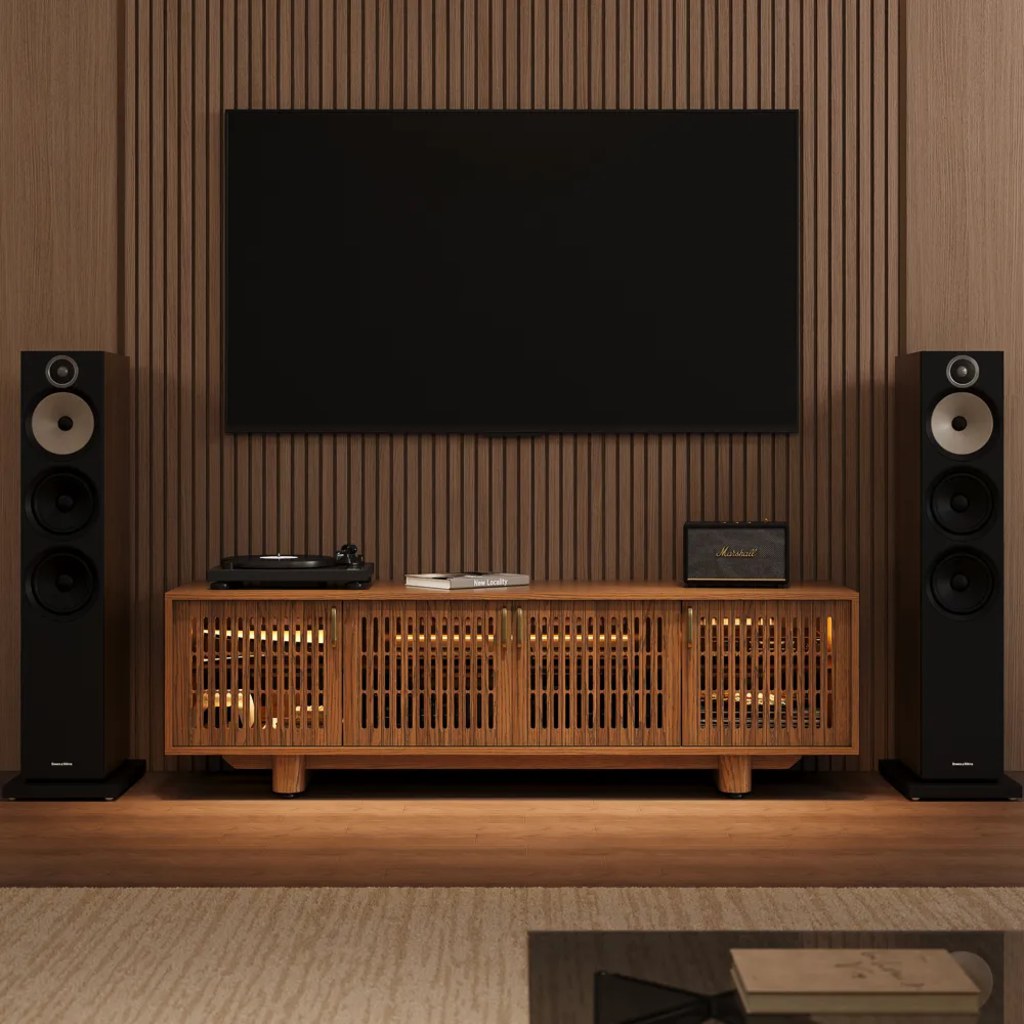
For a family that streams movies most nights, a closed cabinet should not turn every pause, input change, or disc-player command into a small interruption. The Arboren-17″ Deep Vented Rolling Media Console fits this kind of everyday setup because its slatted doors allow IR signals to pass through while keeping cable boxes, players, and media devices out of sight. It gives the TV wall a cleaner look without making daily remote control harder.
If style is also part of the decision, a fluted media console with slatted details can help compare textured fronts that look decorative while still supporting media storage.
Conclusion
An IR friendly media cabinet is useful when you want a cleaner TV wall without losing daily control of your devices. The main decision is simple: solid doors usually block infrared remotes, while slatted, louvered, glass, mesh, or perforated fronts give the signal a better path. For the best result, match the cabinet door design with good device placement, cable access, and ventilation. A slatted media console can keep streaming boxes and players hidden while still making the room easy to use.
FAQ
Can a universal remote work with a closed media cabinet?
Yes, if the universal remote controls IR-based devices and the cabinet front gives the signal a clear path. Check whether the remote sends IR directly or works through a hub. Hub-based systems may be easier to place inside or near the cabinet.
Can I use voice control instead of relying on IR access?
Yes, for compatible streaming devices, smart TVs, or home assistants. Voice control can reduce remote use, but it should not replace basic access completely. You may still need a physical remote for setup, troubleshooting, input switching, or devices that do not support voice commands.
Should renters choose an IR friendly media cabinet instead of wall modifications?
Usually yes, if they want hidden device storage without drilling extra holes, routing cables through walls, or installing permanent IR equipment. A movable IR friendly media cabinet is easier to take to a new home and can solve remote access with fewer changes to the room.
How should I clean a slatted media cabinet without moving every device?
Use a microfiber cloth or soft brush along the slats first, then vacuum lightly around the shelf edges if dust collects near electronics. For routine cleaning, turn devices off before wiping nearby areas and avoid spraying cleaner directly toward openings, ports, or cables.
Can sunlight or bright room lighting affect an IR remote?
Yes, strong sunlight or intense direct light near the device receiver can sometimes interfere with IR remote performance. If the remote works at night but feels inconsistent during the day, check whether sunlight is hitting the cabinet front or the device sensor area.


