 By Kelvin
Introduction
A desktop gaming PC can work well with a living-room TV, but the furniture problem is very different from a desk setup. A tower has real height and depth, active intake and exhaust paths, rear I/O, power and display cables, wireless receivers, and a side panel that may need regular access. A TV stand that looks gaming-ready can still be too shallow or too enclosed for the hardware. This guide focuses on TV stands for gaming PCs that address usable cabinet depth, airflow, cable bend space, peripheral access, and maintenance without making the living room feel like a dedicated computer room.
Table of Contents
What Makes a TV Stand Work for a Gaming PC?
Gaming is now a broad household activity rather than a youth-only niche: 67% of Americans ages 5–90 play video games for at least one hour per week, and the average U.S. player is 37 years old (Entertainment Software Association). That makes furniture that can integrate PC hardware into an adult living room more relevant than a stand designed mainly around gaming aesthetics.
Before buying, check:
- Tower fit: Compare the PC case with the usable compartment height, width, and depth—not the furniture’s exterior dimensions.
- Installed depth: Add the space occupied by power, HDMI/DisplayPort, Ethernet, and USB connections behind the tower.
- Airflow path: Identify where the case pulls cool air in and where it exhausts warm air.
- Peripheral access: Keep frequently used USB ports and wireless keyboard or mouse receivers practical to reach.
- Service access: Make sure the tower can still be removed for cleaning, upgrades, and side-panel access.
A PC that technically enters the compartment is not a good fit if the cabinet blocks its vents, cables, or maintenance path.
5 Best TV Stands for Gaming PCs at a Glance
| Product Name | Best For | PC Placement | PC-Friendly Feature | Price | Rating |
| POVISON Arboren-17″ Deep Vented Rolling Media Console | SFF and compact PC setups | Inside after fit check | 17.7″ usable depth, vented shelves, rear access | $1,799 | 4.92 |
| POVISON Arboren-71″ Mid-Century Modern TV Stand | PC plus substantial AV gear | Inside or beside | 18.3″ interior depth, removable shelves, rear ventilation | $1,699 | 4.86 |
| BDI Corridor 8173 | Low-profile HTPC and AV systems | Inside side bays | 18.25″ side-bay depth and flow-through ventilation | $3,849 | 4.74 |
| Burrow Opera Media Console | Compact media-center PCs | Inside only for low-profile cases | Open back, slatted doors, cable channels | $862 sale | 4.58 |
| Article Faydra 70″ Media Unit | Mid-tower placed beside console | Beside | Closed peripheral storage and cable management | $799–$999 | 4.42 |
Prices may vary by location, finish, promotions, size, and availability. Ratings are subjective editorial scores based on each product’s relevant features, usability, and overall value, rather than customer review averages.
5 Best TV Stands for Living-Room PC Gaming
The strongest options do not all solve PC placement in the same way. Compact computers may work inside a ventilated cabinet, while conventional towers often make more sense beside the furniture. These five picks prioritize real equipment access and documented dimensions rather than treating every gaming system as interchangeable.
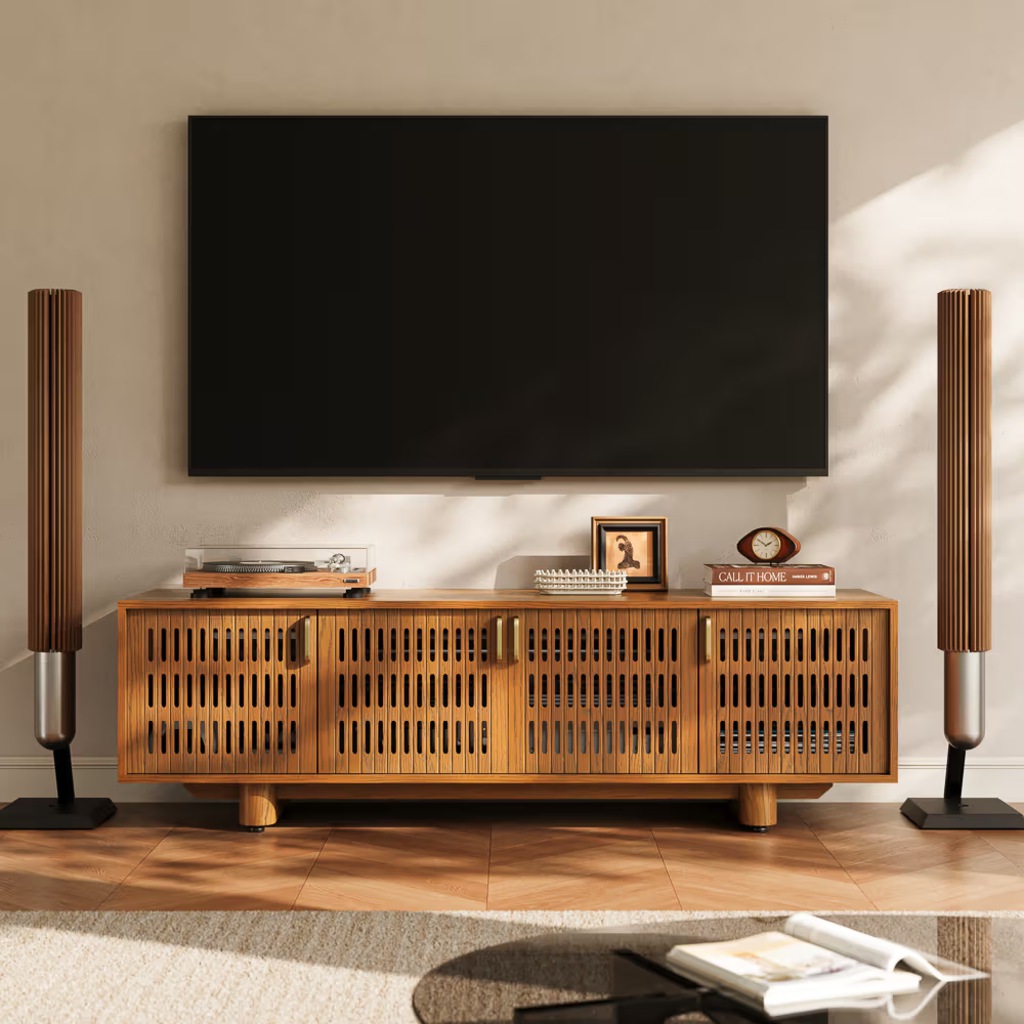
🥇 1. POVISON Arboren-17″ Deep Vented Rolling Media Console
💲 Price: $1,799
📊 Rating: 4.92/5
👍 Best For: SFF PCs placed inside a ventilated cabinet
✨ Highlights
- 17.7-inch usable interior depth gives compact hardware considerably more working room than a shallow conventional TV stand.
- Metal shelves and all-around slotted ventilation create multiple paths for heat to leave the equipment area.
- Removable rear panels simplify access to display, power, Ethernet, and USB connections.
- Six internal and three rear cable openings provide several routing choices.
- Concealed high-capacity wheels let the cabinet move forward when rear hardware needs attention.
‼️ Limitations
- 17.7-inch depth does not include a clear internal height and width for a PC tower, so those measurements still need verification.
- The package weighs 143.3 pounds, and two adults are recommended for moving it.
🎯 Why This Rating: The Arboren-17 stands out because depth, ventilation, rear access, and mobility work together rather than functioning as isolated features. For a compact PC, router, and AV receiver sharing one living-room wall, removable rear panels and concealed wheels make connection changes much less disruptive. A DisplayPort cable or USB receiver can be reached without treating the cabinet as permanent installation. The PC itself should still be measured before enclosure, especially for height and airflow clearance.
🗨️ Buyer review:“The open-back design made cable routing simple, and I appreciate how much cooler my electronics stay with the ventilated metal shelves.” — Leia
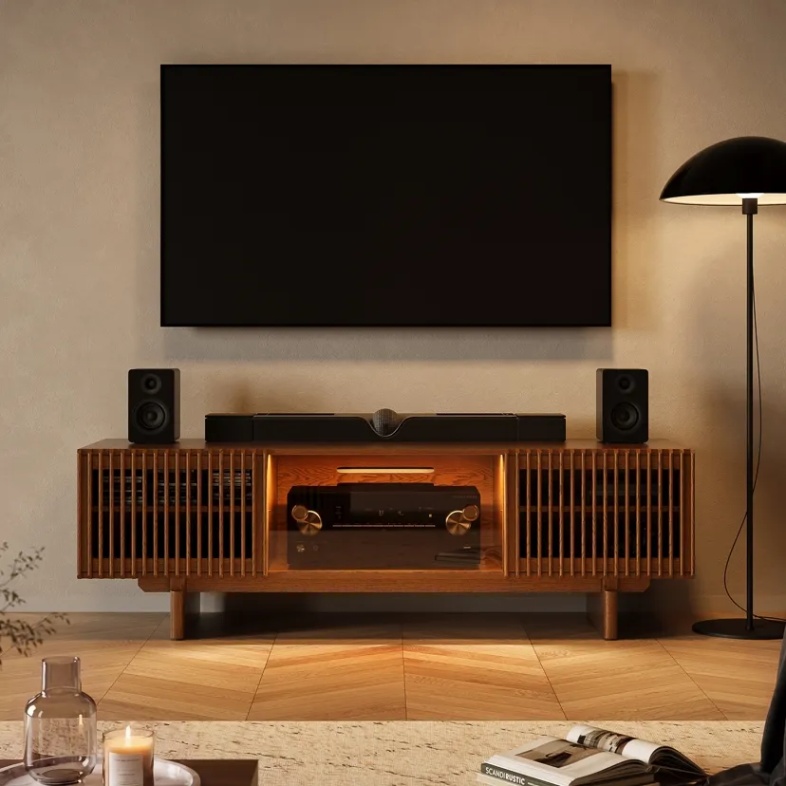
🥈 2. POVISON Arboren-71″ Mid-Century Modern TV Stand
💲 Price: $1,699
📊 Rating: 4.86/5
👍 Best For: Compact PCs placed inside after full fit verification
✨ Highlights
- An 18.3-inch internal depth gives rear-connected equipment more room than most shallow media furniture.
- Internal shelves can be adjusted or removed to create taller equipment zones.
- Rear ventilation and slatted sections help keep warm equipment from sitting in a fully sealed box.
- Six internal and three rear cable openings separate several connection paths.
- Only the legs require assembly, with the main cabinet arriving largely complete.
‼️ Limitations
- An 18.3-inch cabinet depth still needs to accommodate the PC case plus connected plugs and cable bend space.
- A clear PC-compartment opening height and width are not published, so vertical tower compatibility should not be assumed.
🎯 Why This Rating: The Arboren-71 is the stronger choice when a gaming PC shares the media wall with deeper audio equipment and numerous rear connections. Its removable shelving and unusually deep equipment bays make future layout changes easier. Compared with many style-first TV stands, it puts more emphasis on actual equipment depth, ventilation, and near-ready-to-use setup. Specialist AV cabinets can offer similar technical thinking, but this model combines those priorities with a substantially lower listed price than several premium alternatives in this ranking.
🗨️ Buyer review:“The side compartment shelves can be removed, leaving enough room in the compartments to fit our speakers inside.” — Victoria
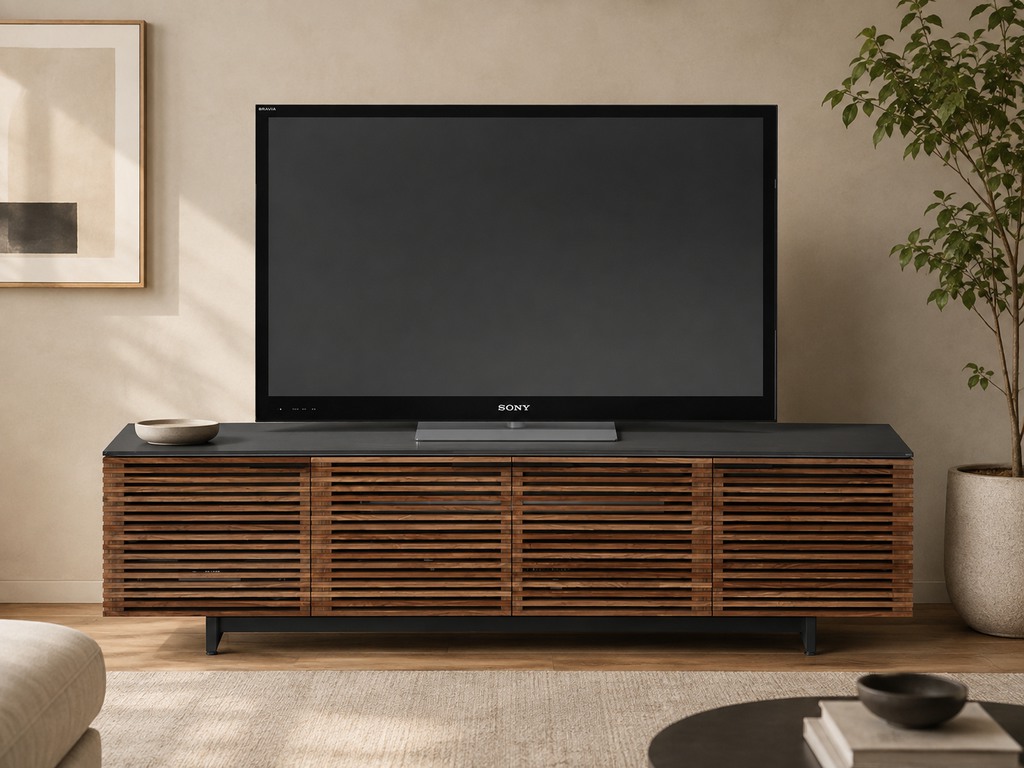
🥉 3. BDI Corridor 8173 Media Console
💲 Price: $3,849
📊 Rating: 4.74/5
👍 Best For: Low-profile HTPCs placed inside the side bays
✨ Highlights
- Side compartments provide 18.25 inches of internal depth.
- Ventilation slots run through the bottom, rear panels, and shelves.
- Removable or sliding rear panels give direct access to component connections.
- Hidden wheels and integrated cable routing simplify servicing a densely wired system.
- Louvered doors let equipment remain concealed without completely sealing the front.
‼️ Limitations
- The 13-inch compartment height excludes most conventional vertical desktop towers.
- The center compartment is only 15.75 inches deep, making the deeper side bays more useful for compact computer hardware.
🎯 Why This Rating: Corridor 8173 is purpose-built around electronics rather than generic living-room storage. Its rear panels, hidden wheels, cable routing, adjustable shelves, and multi-surface ventilation are particularly useful when an HTPC or compact SFF system lives alongside audio components. The important restriction is vertical clearance: this is not a conventional TV stand for a PC tower. It makes far more sense for low-profile hardware that can fit inside a 13-inch-high bay while keeping its ventilation path clear.
🗨️ Buyer review:“Very well thought out product, build is solid, great venting.” — John
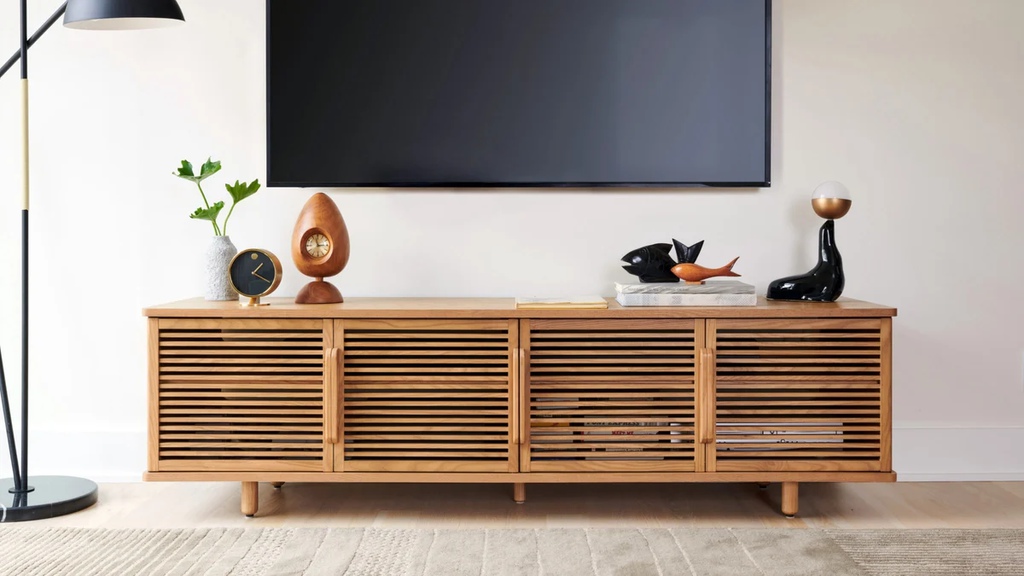
4. Burrow Opera Media Console
💲 Price: $862 (sale; regular $1,149)
📊 Rating: 4.58/5
👍 Best For: Low-profile HTPCs placed inside open-back compartments
✨ Highlights
- Open-back bays let heat and cables escape behind the cabinet.
- Ventilated slatted doors support airflow while hiding electronics.
- Built-in cable channels give power and display lines a defined route.
- Accordion doors open widely for better front access to equipment.
‼️ Limitations
- The usable interior depth is 15 inches, ruling out many deeper desktop cases.
- An 8-inch interior shelf height favors horizontal media components over conventional towers.
- The 17-inch overall depth leaves limited additional margin for a deep PC and rear connectors.
🎯 Why This Rating: Opera works best when “gaming PC” means an HTPC-style or very compact computer rather than a conventional mid-tower. Its slatted front, open back, cable channels, and full-access doors make the cabinet more hardware-aware than a simple closed sideboard. The 15-inch interior depth is the deciding constraint, so larger towers are better placed beside it while the cabinet handles audio, networking, and smaller media hardware. Its visual simplicity also suits buyers who want the gaming setup to remain understated.
🗨️ Buyer review:“It’s very acoustic friendly and lots of airflow so all of your devices stay cool.” — Anonymous Verified Customer
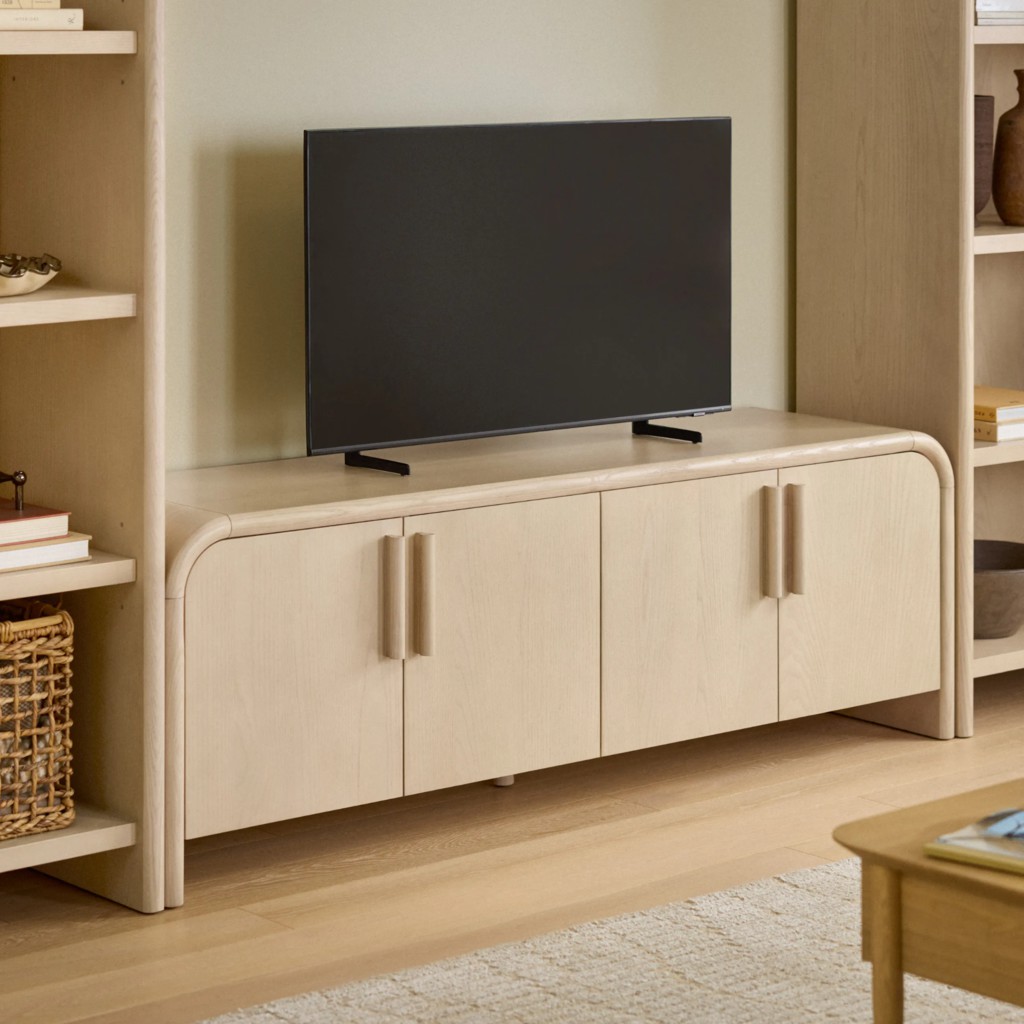
5. Article Faydra 70″ Media Unit
💲 Price: $799–$999
📊 Rating: 4.42/5
👍 Best For: Mid-tower PCs positioned beside the media unit
✨ Highlights
- A 70-inch-wide, 18-inch-deep profile creates a substantial TV base without oversized vertical bulk.
- Adjustable solid-wood shelves help organize peripherals and smaller electronics separately from the PC.
- Integrated cable management keeps TV and computer connections from spilling across the media wall.
- Soft-close doors keep accessory storage visually contained.
‼️ Limitations
- Cabinet depth is limited to 15 inches.
- Internal cabinet height is 17.5 inches, excluding many mainstream towers once usable clearance is considered.
- The listed features emphasize cable management rather than dedicated vented panels or open-back cooling for high-heat hardware.
- The 144-pound unit requires some assembly and is less service-oriented than consoles with wheels or removable rear panels.
🎯 Why This Rating: Faydra belongs on this list because not every good TV stand for gaming needs to swallow the computer. Its better role is to hold the TV, smaller electronics, cables, and peripherals while a mid-tower remains beside the furniture with unrestricted access to its vents and side panel. The published cabinet dimensions make that limitation easy to understand before ordering. It suits buyers who prioritize a finished furniture look and are comfortable keeping the main PC visible rather than enclosing it.
Should Your Gaming PC Go Inside, on Top of, or Beside the TV Stand?
The living-room media wall already carries a large share of everyday leisure: Americans averaged 2.6 hours of TV viewing per day in 2025, while playing games or using a computer for leisure averaged 37 minutes, up from 25 minutes in 2015 (U.S. Bureau of Labor Statistics). The right PC position therefore needs to work for both the hardware and the room.
Inside the Cabinet
Inside placement is most convincing for SFF and HTPC-style computers with enough clear space around their intake and exhaust openings. Measure the case with every rear connector attached, then compare that installed footprint with the usable cabinet opening. Good ventilated media console airflow and cable management should provide an entry path for cool air, room around the equipment, and a clear exit for warm air.
On Top of the TV Stand
Top placement preserves airflow and makes ports easy to reach, but only when the stand has enough unused surface area and documented weight capacity after the television is accounted for. Check whether the PC uses bottom intake fans, because thick mats, decorative objects, or a crowded tabletop can interfere with airflow even when the case is technically in the open.
Beside the TV Stand
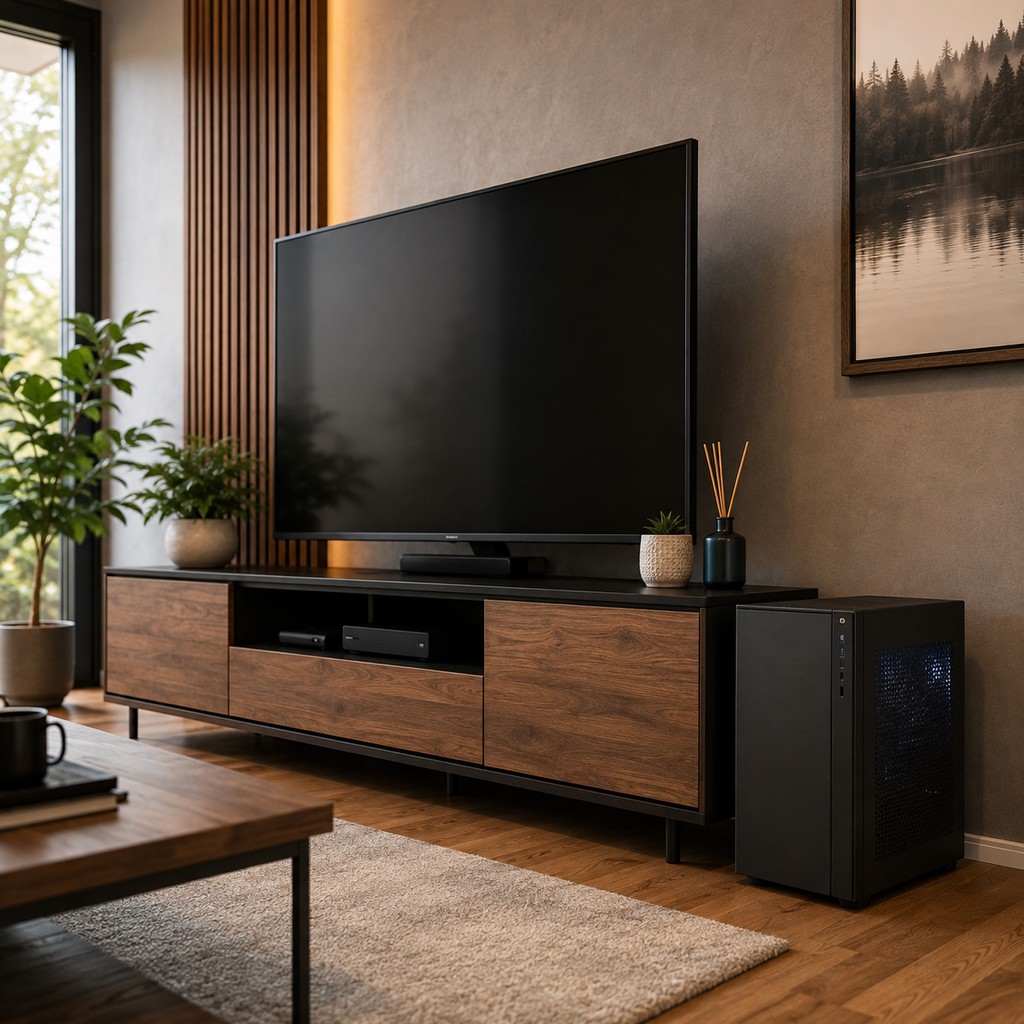
Beside is often the most practical position for a conventional mid-tower or full-tower. It avoids cabinet-height limits, keeps the side panel accessible, and lets rear cables bend without being compressed against a back panel. The tradeoff is visual: plan one clean cable route between the PC, TV, network connection, and power source so the exposed tower still feels integrated with the furniture.
How Do You Keep a PC Media Center Easy to Service?
A gaming computer changes more often than most media devices. Storage drives, memory, graphics hardware, USB accessories, display cables, and networking connections can all require later access. A useful PC media center furniture setup should therefore make the next change easier, not simply make the first installation look tidy.
Plan Rear I/O Before Pushing Furniture to the Wall
Connect power, display, Ethernet, audio, and essential USB cables before deciding the final cabinet position. Leave enough slack for the device to move forward without unplugging everything. Good entertainment center cable management for rear-access devices also keeps cable bundles away from vents and lets individual lines be replaced without dismantling the entire setup.
Keep Wireless Receivers Near the Room
A keyboard or mouse receiver does not have to remain buried in a rear USB port just because the PC sits inside furniture. A front USB connection or suitable extension path can place the receiver nearer the seating area while keeping the tower itself concealed. Reserve an accessible path for removable drives, controllers, headsets, or other devices that are plugged in frequently.
Make Maintenance Part of the Layout
Before closing the setup, confirm that the PC can physically come back out. You should be able to reach dust filters, remove a side panel, and reconnect the rear I/O without moving the TV. Media furniture with removable backs, adjustable shelves, or easy mobility has a practical advantage here because it treats service access as part of normal equipment ownership rather than an afterthought.
Conclusion
The best TV stand for a gaming PC is the one that makes the hardware easier to live with. Compact systems can benefit from deep, ventilated storage, while larger towers often work better beside the cabinet where airflow and maintenance remain unrestricted. Measure the actual PC, include connected cables, check vent direction, and plan future access before choosing furniture. A well-planned setup keeps the living room comfortable, organized, and ready for both everyday TV use and PC gaming.
FAQ
Is an HTPC media console different from a regular TV stand?
Not necessarily. An HTPC media console is ordinary media furniture chosen around a home-theater PC’s form factor. Compare usable compartment height, depth, rear access, and ventilation with the actual case rather than assuming “HTPC” indicates a standardized furniture size.
Can cabinet doors stay closed while a gaming PC is running?
Sometimes. Closed doors are suitable only if the PC maintains clear intake and exhaust paths during operation. If temperatures or fan speeds rise noticeably after closing them, keep the doors open or move the tower to a less enclosed position.
Are cable-management holes enough for PC ventilation?
No. Cable-management holes are primarily designed for routing wires, not moving enough air around a gaming PC. Prefer larger rear openings, vented panels, or open bays that align with the case exhaust and give warm air room to escape.
Can USB 3.0 devices interfere with a wireless keyboard or mouse?
Yes. USB 3.0 hardware can interfere with some 2.4 GHz wireless receivers. If input becomes unreliable, move the receiver away from USB 3.0 devices and closer to the seating area with another port or an extension cable.
Can right-angle adapters help with a shallow media cabinet?
Sometimes. A right-angle HDMI or DisplayPort adapter can reduce cable-bend space behind a shallow cabinet. Verify its supported signal standard first; the adapter cannot compensate for blocked exhaust, inadequate cabinet depth, or rear ports that remain difficult to reach.
How do you reduce dust around a PC media center?
Keep the area around intake vents and the floor near the cabinet clear and regularly cleaned. Avoid fabric bins, loose accessories, or other dust-catching items beside the tower, especially when they sit directly beside front, side, or bottom intakes.


